AEM Tripping Media Tags despite browser viewport not being at dimensions to trigger query | Community
Skip to main content
October 11, 2020
Solved

AEM Tripping Media Tags despite browser viewport not being at dimensions to trigger query

  • October 11, 2020
  • 1 reply
  • 837 views


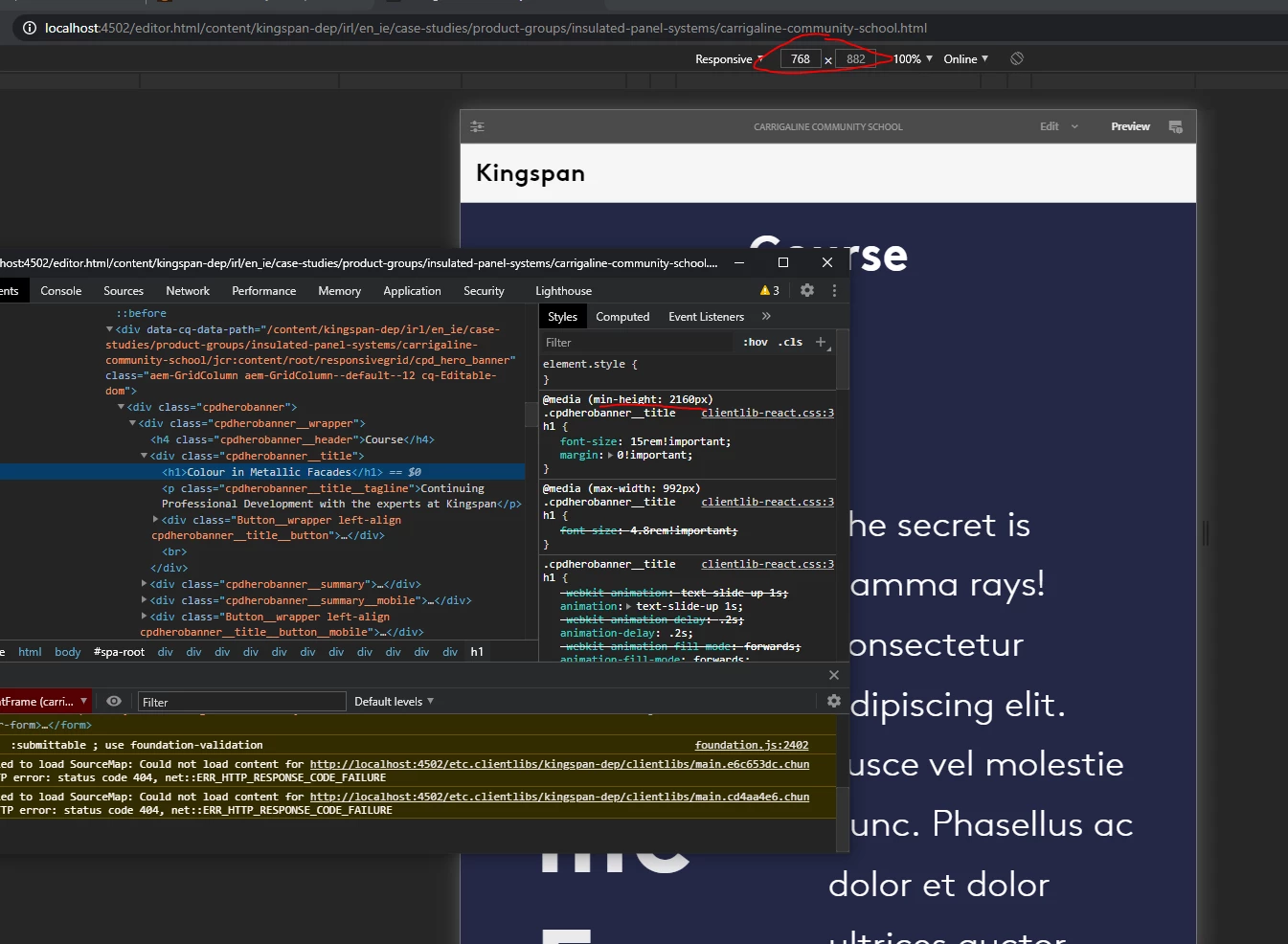
I am using react-spa and this issue is exclusively in the editor. I have a media tag for 4k displays with a min-height set. When I add enough components in the editor to add up to a height of > 2160px the tag is tripped as in the pic below. When I remove components the tag is not tripped. This is only in the editor. Why on the page load is the editor displaying working out the height of all components and trying to display them? This seems like a bug to me.


Best answer by martin_ecx_io

The issue is likely linked to the fact the editor makes use of an iframe to render the page and this must be affecting how the height is calculated, causing it to believe the height encompasses the full content of the page, not just the visible viewport.


Do you have a meta tag for viewport?  setting height=device-height here might help

<meta name="viewport" content="width=device-width, initial-scale=1" />


1 reply

martin_ecx_io
Community Advisor and Adobe Champion
martin_ecx_ioCommunity Advisor and Adobe ChampionAccepted solution
Community Advisor and Adobe Champion
January 22, 2025

The issue is likely linked to the fact the editor makes use of an iframe to render the page and this must be affecting how the height is calculated, causing it to believe the height encompasses the full content of the page, not just the visible viewport.


Do you have a meta tag for viewport?  setting height=device-height here might help

<meta name="viewport" content="width=device-width, initial-scale=1" />