AEM: Removing a TouchUI Edit from quick-action | Asset Cards | Community
Skip to main content
May 12, 2023
Solved

AEM: Removing a TouchUI Edit from quick-action | Asset Cards

  • May 12, 2023
  • 2 replies
  • 1041 views

Hello,


I want to remove assets edit option based on render condition. I have found similar article aem-adding-a-touchui-quick-action-to-asset-cards
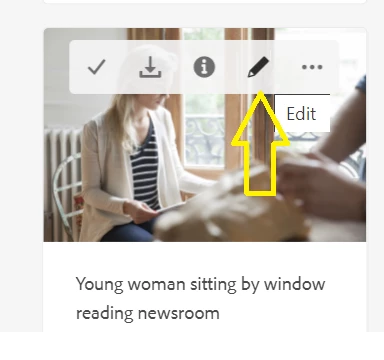
As mentioned in article i have overlayed the file "/libs/dam/gui/coral/components/admin/contentrenderer/card/asset/quickActions.jsp" and to check i have added :


<coral-quickactions-item icon=”link” class=”foundation-collection-action” data-foundation-collection-action=’{“action”: “cq.wcm.copy”}’><%= xssAPI.encodeForHTML(i18n.get(“Copy link”)) %></coral-quickactions-item>


to check the functionality but it is not working. Does this means in new releases something changes and some other file needs to overlayed?


@arunpatidar @theo_pendle @taryna71844708 



This post is no longer active and is closed to new replies. Need help? Start a new post to ask your question.
Best answer by EstebanBustamante

I would recommend using a JS hook to hide those buttons by a common selector, is a quick win, overlaying might be complicated as explained. 

2 replies

Kiran_Vedantam
Community Advisor
Community Advisor
May 12, 2023

Hi @vishalgu5 


The tricky part with overlaying the out-of-the-box components is you might need to overlay many of them. For quick testing, you can edit the file in libs and test if the changes are getting reflected or not. If the changes are not getting reflected, them you are supposed to overlay more file.


Hope it helps!

Thanks,
Kiran Vedantam.

EstebanBustamante
Community Advisor and Adobe Champion
EstebanBustamanteCommunity Advisor and Adobe ChampionAccepted solution
Community Advisor and Adobe Champion
May 12, 2023

I would recommend using a JS hook to hide those buttons by a common selector, is a quick win, overlaying might be complicated as explained. 

Esteban Bustamante