AEM Project creation using archtype | Community
Skip to main content
Level 3
July 2, 2022
Solved

AEM Project creation using archtype

  • July 2, 2022
  • 2 replies
  • 772 views

Hello Team,


I was trying to create a new project for SPA app and below is command used to create a project:

mvn -B archetype:generate -D archetypeGroupId=com.adobe.aem -D archetypeArtifactId=aem-project-archetype -D archetypeVersion=27 -D appTitle="My SPA React App" -D appId="my-spa-react" -D artifactId="aem-guides-wknd-spa.react" -D groupId="com.adobe.aem.my.app.react" -D frontendModule="react" -D aemVersion="cloud"


Project getting created with following error message:
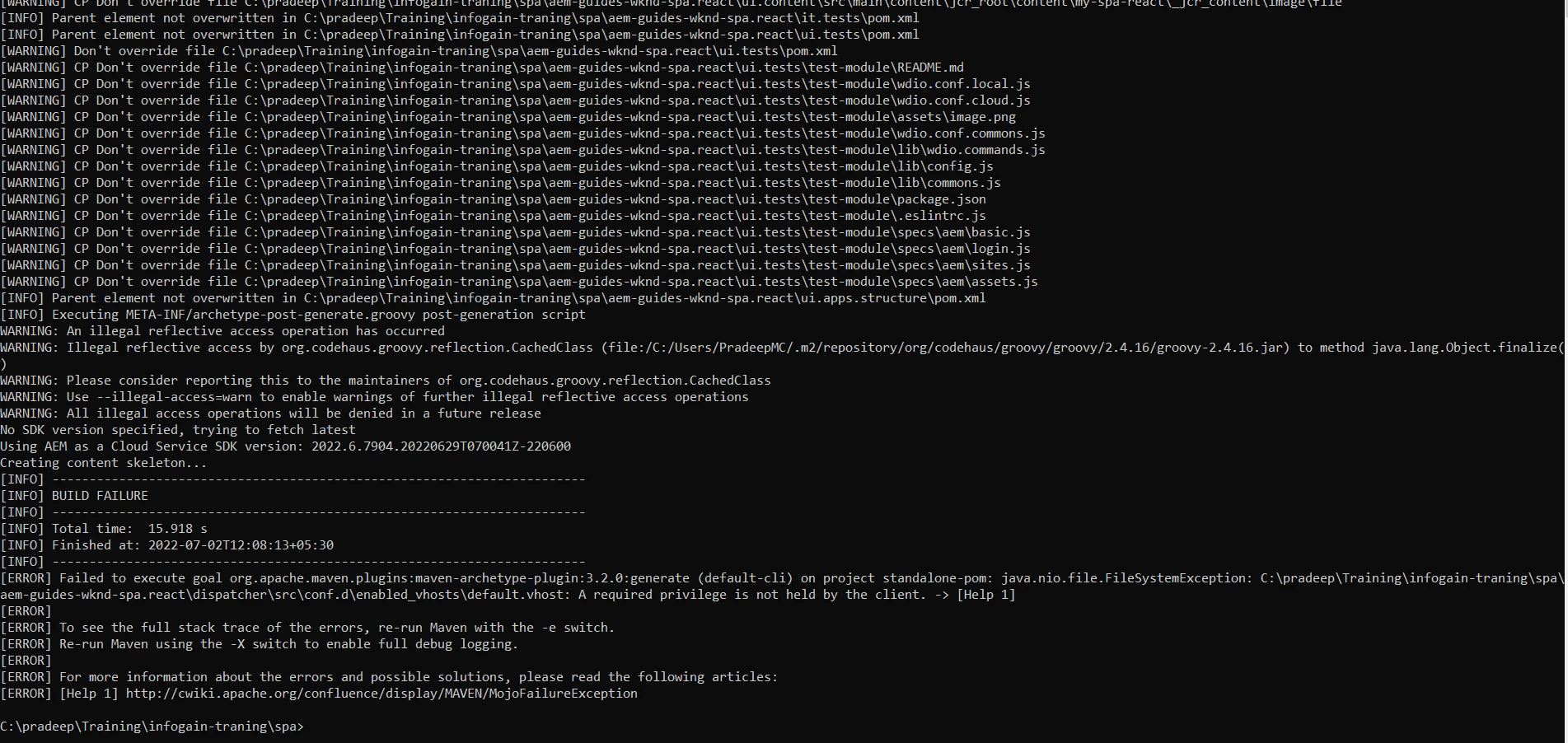
 

Not sure what privilege need to set before executing command. 

This post is no longer active and is closed to new replies. Need help? Start a new post to ask your question.
Best answer by sunil_kumar_

@pradeepmoolemane If you are on Windows machine, Run your Command Prompt as Adiministrator and then execute maven command. 

For other OS use sudo or use a user which has proper permission. For MAC/Linux, you can use sudo su -user to swirch to a appropriate user. Then execute maven commands.

2 replies

Adobe Employee
July 2, 2022

This isn't a problem with application permissions, but a problem with the operating system permissions. See FileSystemException.


The issue can be fixed by running the Maven command as a Elevated user or Run as Administrator.

sunil_kumar_
sunil_kumar_Accepted solution
Level 5
July 2, 2022

@pradeepmoolemane If you are on Windows machine, Run your Command Prompt as Adiministrator and then execute maven command. 

For other OS use sudo or use a user which has proper permission. For MAC/Linux, you can use sudo su -user to swirch to a appropriate user. Then execute maven commands.