AEM Node in /lib/wcm/setting/template-types/html5page , revert all changes in that node. | Community
Skip to main content
September 22, 2023
Solved

AEM Node in /lib/wcm/setting/template-types/html5page , revert all changes in that node.

  • September 22, 2023
  • 1 reply
  • 510 views

I was doing some practises, and without knowing i modify the node of html5page in the lib folder, i tried to revert all changes but it seems that i wasn't at all success. A cowork of mine, export the json of that node, so i was wondering if i could reimport it in that folder? Is it possible to do that?

thanks
 

This post is no longer active and is closed to new replies. Need help? Start a new post to ask your question.
Best answer by aanchal-sikka

Hello @agustinafernandez 


Please use a package of the node to install it. 


On a clean AEM instance:

- Go to http://localhost:4502/crx/packmgr/index.jsp

- Click on "Create Package"

- Add any package name and Click OK

- Select the created package. Click on "Edit"

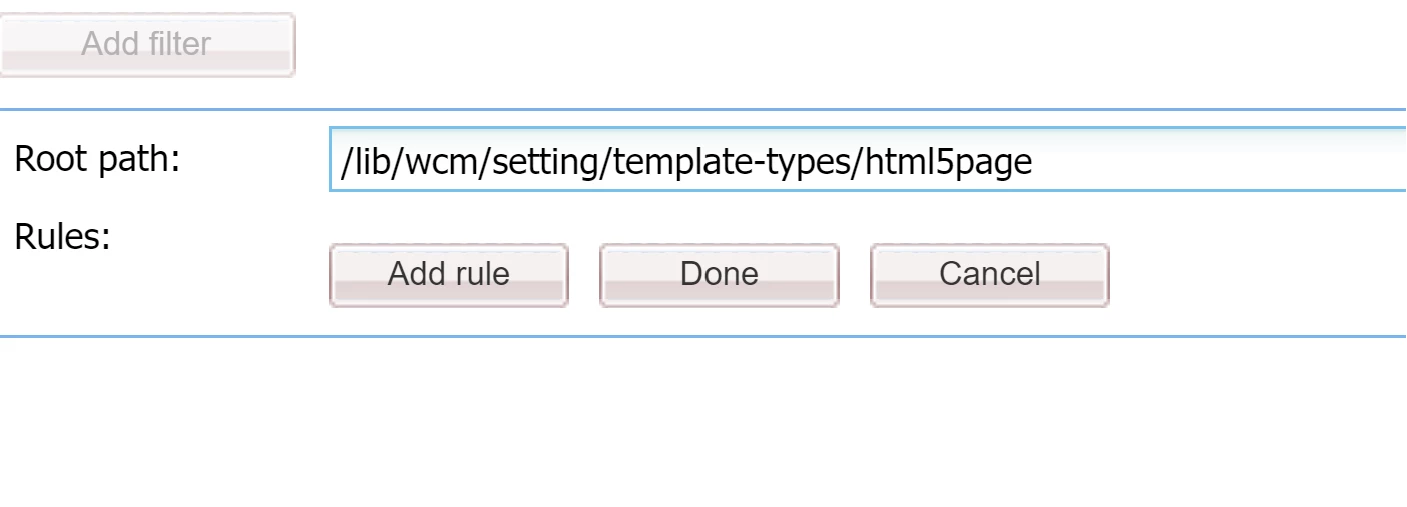
- Add Filter. Click on "Done" > "Save " > "Build" > Download


On your instance:

- Upload this PAckage

- CLick on Install.


This should refresh the template


1 reply

aanchal-sikka
Community Advisor
aanchal-sikkaCommunity AdvisorAccepted solution
Community Advisor
September 22, 2023

Hello @agustinafernandez 


Please use a package of the node to install it. 


On a clean AEM instance:

- Go to http://localhost:4502/crx/packmgr/index.jsp

- Click on "Create Package"

- Add any package name and Click OK

- Select the created package. Click on "Edit"

- Add Filter. Click on "Done" > "Save " > "Build" > Download


On your instance:

- Upload this PAckage

- CLick on Install.


This should refresh the template


Aanchal Sikka