AEM Google Maps API Integration | Community
Skip to main content
AEM_Forum
Level 10
November 18, 2017
Solved

AEM Google Maps API Integration

  • November 18, 2017
  • 16 replies
  • 13089 views

Hi,

I tried AEM Google Maps API Integration descried in the below UR:

Adobe Experience Manager Help | Integrating custom Adobe Experience Manager Component with third-party libraries

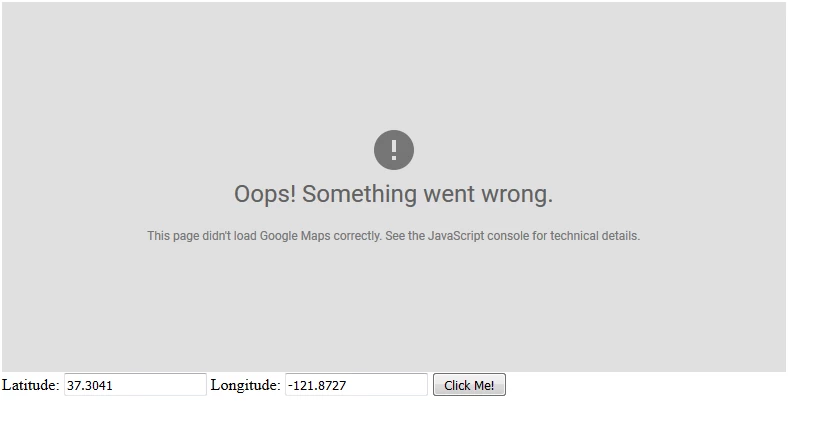
When I created a page and opened it, the following is what I see.

I read that this code was tested on Adobe CQ 5.5, Adobe CQ 5.6, while I am using AEM 6.1.

Kindly guide me.

Thanks,

Rama.

This post is no longer active and is closed to new replies. Need help? Start a new post to ask your question.
Best answer by kautuk_sahni

Just replace maptemplate.jps with following code :

<html>

  <head>

    <style>

       #map {

        height: 400px;

        width: 100%;

       }

    </style>

  </head>

  <body>

    <h3>My Google Maps Demo</h3>

    <div id="map"></div>

    <script>

      function initMap() {

        var uluru = {lat: -25.363, lng: 131.044};

        var map = new google.maps.Map(document.getElementById('map'), {

          zoom: 4,

          center: uluru

        });

        var marker = new google.maps.Marker({

          position: uluru,

          map: map

        });

      }

    </script>

    <script async defer

    src="https://maps.googleapis.com/maps/api/js?key=AIzaSyCVJYehUvkKZNcxsWx8vjD6FPDZBCRegX4&callback=initMap">

    </script>

      <script type="text/javascript">

     function getMap(lat,lng) {

        var myOptions = {

          center: new google.maps.LatLng(lat,lng),

          zoom: 8,

          mapTypeId: google.maps.MapTypeId.ROADMAP

        };

        var map = new google.maps.Map(document.getElementById("map"),

            myOptions);

      }

    </script>

      <form >

  Latitude: <input type="text" name="lat" value="37.3041" />

  Longitude: <input type="text" name="lng" value="-121.8727"/>

  <button type="button" onclick="getMap(lat.value,lng.value)" >Click Me!</button>

</form>

  </body>

    <cq:include path="par" resourceType="foundation/components/parsys" />

</html>

And make sure not to add <> before and after your API token. In above code replace API key with your API key.

It would work. Just tested it on AEM 6.3

16 replies

smacdonald2008
Level 10
November 20, 2017

More information here -- i just got my Google key here:

Getting Started  |  Google Maps JavaScript API  |  Google Developers

Once i embedded the KEY into the code - it worked perfectly on 6.3 --

AEM_Forum
AEM_ForumAuthor
Level 10
November 21, 2017

Hi Scott,

I replaced your_google_map_key with my Google key value.

Your page worked, without you having to register your domain?

Is there a way I could send in my package to you?

Thanks,

Rama.

smacdonald2008
Level 10
November 21, 2017

Put into a GOOGLE DRIVE and send me URL!

AEM_Forum
AEM_ForumAuthor
Level 10
November 22, 2017

Hi Scott,

PFB the sharable link.

GoogleMaps.zip - Google Drive

Appreciate your support.

Thanks,

Rama.

kautuk_sahni
Community Manager
kautuk_sahniCommunity ManagerAccepted solution
Community Manager
November 22, 2017

Just replace maptemplate.jps with following code :

<html>

  <head>

    <style>

       #map {

        height: 400px;

        width: 100%;

       }

    </style>

  </head>

  <body>

    <h3>My Google Maps Demo</h3>

    <div id="map"></div>

    <script>

      function initMap() {

        var uluru = {lat: -25.363, lng: 131.044};

        var map = new google.maps.Map(document.getElementById('map'), {

          zoom: 4,

          center: uluru

        });

        var marker = new google.maps.Marker({

          position: uluru,

          map: map

        });

      }

    </script>

    <script async defer

    src="https://maps.googleapis.com/maps/api/js?key=AIzaSyCVJYehUvkKZNcxsWx8vjD6FPDZBCRegX4&callback=initMap">

    </script>

      <script type="text/javascript">

     function getMap(lat,lng) {

        var myOptions = {

          center: new google.maps.LatLng(lat,lng),

          zoom: 8,

          mapTypeId: google.maps.MapTypeId.ROADMAP

        };

        var map = new google.maps.Map(document.getElementById("map"),

            myOptions);

      }

    </script>

      <form >

  Latitude: <input type="text" name="lat" value="37.3041" />

  Longitude: <input type="text" name="lng" value="-121.8727"/>

  <button type="button" onclick="getMap(lat.value,lng.value)" >Click Me!</button>

</form>

  </body>

    <cq:include path="par" resourceType="foundation/components/parsys" />

</html>

And make sure not to add <> before and after your API token. In above code replace API key with your API key.

It would work. Just tested it on AEM 6.3
Kautuk Sahni
AEM_Forum
AEM_ForumAuthor
Level 10
November 22, 2017

Hi Kautuk,

This has worked like a magic.

Thanks a million for directing me correctly.

Rama.