AEM cq:Tags not updating in Page properties when renamed/Moved | Community
Skip to main content
December 4, 2022
Solved

AEM cq:Tags not updating in Page properties when renamed/Moved

  • December 4, 2022
  • 1 reply
  • 1395 views

Hi Community,

Tag1-a.tag , b.tag ,c.tag.d.tag

Tag2 - x.tag, y.tag ,z.tag

when I move b.tag to Tag2 . Page properties should automatically get updated path reference. But its is showing

path as :Tag2/Tag1/b.tag below tag field in page properties and in content/page/jcr:content old path (Tag1-b.tag)is same as it is. no change. Please help me .

Thank you.

This post is no longer active and is closed to new replies. Need help? Start a new post to ask your question.
Best answer by aanchal-sikka

Hello

I am unable to reproduce the issue. Requesting you to please review:

Steps executed:

1. created a new field ./cq:tagstest
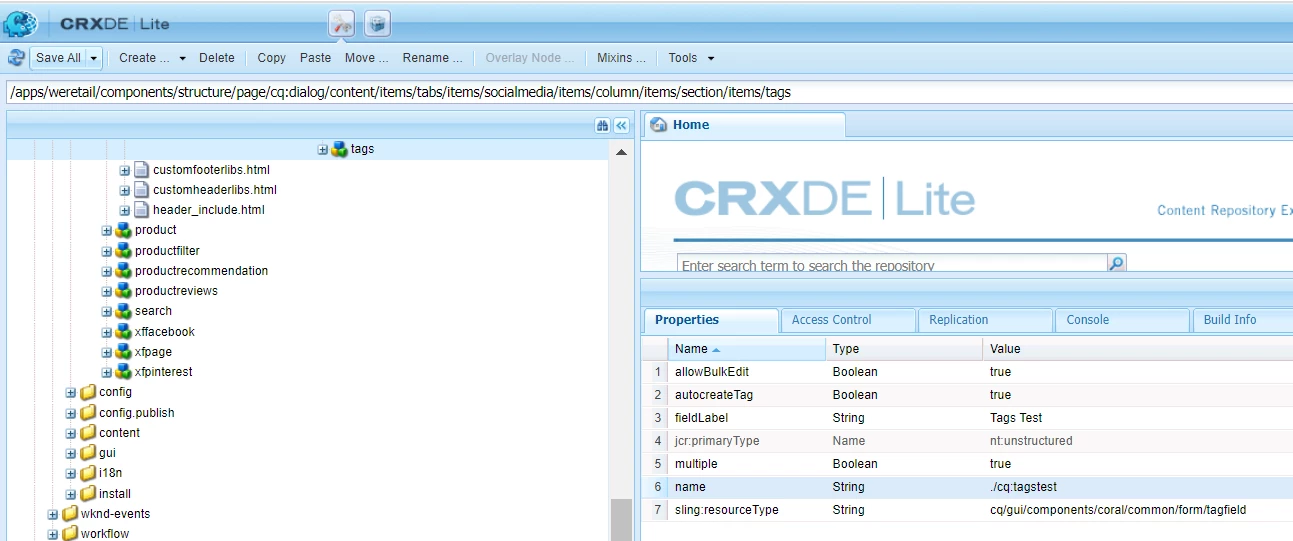
2. Created the Tag structure as indicated in previous comment.

3. Added shoetag:adidas to cq:tags and cq:tagstest

4. Moved shoetag:adidas to bagtag:adidas

5. cq:backlinks and cq:movedTo properties added to tags

6. The content still has shoetag:adidas

7. Properties page displays the tag in new location
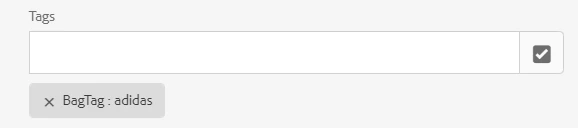
8. Executed the search using Sites UI. The result is returned with both new tag ID.

The query available in logs select [jcr:path], [jcr:score], * from [cq:Page] as a where [jcr:content/cq:tags] in('bagtag:adidas', '/content/cq:tags/bagtag/adidas', 'shoetag:adidas', '/content/cq:tags/shoetag/adidas') and isdescendantnode(a, '/content/we-retail/language-masters/en') /* xpath: /jcr:root/content/we-retail/language-masters/en//element(*, cq:Page)[((jcr:content/@cq:tags = 'bagtag:adidas' or jcr:content/@cq:tags = '/content/cq:tags/bagtag/adidas' or jcr:content/@cq:tags = 'shoetag:adidas' or jcr:content/@cq:tags = '/content/cq:tags/shoetag/adidas'))] */

When new tag ID is used "tag" predicate is executing search for both old and new tagID.

Hence, should return expected results,

Please validate that you are using the right predicate for search. Example:

path=/content
tagid = bagtag:adidas
tagid.property = jcr:content/cq:tags

1 reply

aanchal-sikka
Community Advisor
Community Advisor
December 4, 2022

Hello,

Please pardon "/etc/tags". The behavior would be the same for the recommended "/content/cq:tags" as well

When a tag is moved, there are few properties added to it.

Example, if Tag:a is moved to namespace Tag2. Then, Tag2:a would have "cq:backlinks".

At the same time, Tag:a will also coexist, It would have "cq:movedTo"

Page properties UI of a "page referencing Tag1:a before move", would show new location:

While the CRX for the same page would show old Tag value.

This is all expected.

The Tag Manager APIs use the "cq:movedTo" and "cq:backlinks" to get you the desired result. Like the Tag2:a in Page properties UI.

Essentially the Tag manager will read "Tag1:a" from abc page

- Would notice "cq:movedTo"

- Would go to "/etc/tags/tag2/a"

- return all metadata from "/etc/tags/tag2/a" to user.

I hope that helps !

Aanchal Sikka
December 4, 2022

Thanks for the replay Annchal.

I can see conten/cq:tags with moved links and back links in Tags. But pages tagged with the renamed/moved are not showing in search results.

we have different dialog tag fields for pages.

example for Page property in tags dialog: ShoeTag(tagfield) : I selected adidas, puma , vaxo

BagTag(tagfield) : wildcraft ,bean, shallow

If I go to Tag console and move adidas tag to bagTag. then in pageproperties its is showing below dialog path like: ShoeTag : BagTag/adidas

because of this results are not appropriate

aanchal-sikka
Community Advisor
aanchal-sikkaCommunity AdvisorAccepted solution
Community Advisor
December 4, 2022

Hello

I am unable to reproduce the issue. Requesting you to please review:

Steps executed:

1. created a new field ./cq:tagstest

2. Created the Tag structure as indicated in previous comment.

3. Added shoetag:adidas to cq:tags and cq:tagstest

4. Moved shoetag:adidas to bagtag:adidas

5. cq:backlinks and cq:movedTo properties added to tags

6. The content still has shoetag:adidas

7. Properties page displays the tag in new location
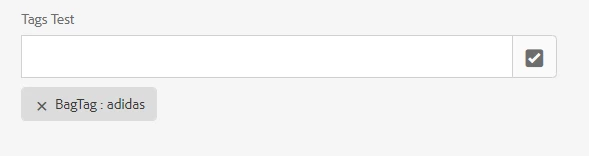
8. Executed the search using Sites UI. The result is returned with both new tag ID.
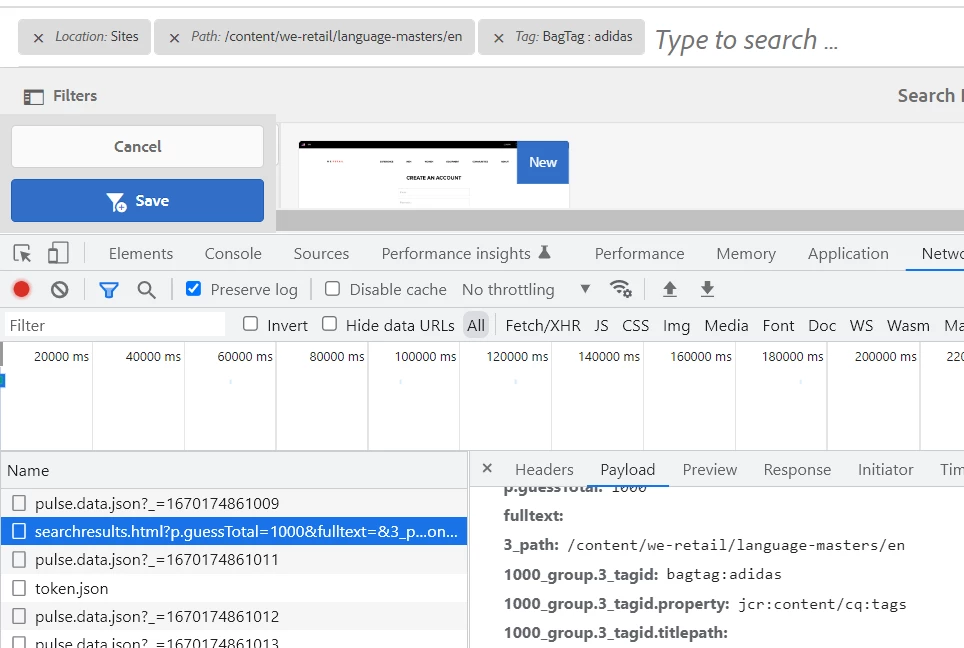
The query available in logs select [jcr:path], [jcr:score], * from [cq:Page] as a where [jcr:content/cq:tags] in('bagtag:adidas', '/content/cq:tags/bagtag/adidas', 'shoetag:adidas', '/content/cq:tags/shoetag/adidas') and isdescendantnode(a, '/content/we-retail/language-masters/en') /* xpath: /jcr:root/content/we-retail/language-masters/en//element(*, cq:Page)[((jcr:content/@cq:tags = 'bagtag:adidas' or jcr:content/@cq:tags = '/content/cq:tags/bagtag/adidas' or jcr:content/@cq:tags = 'shoetag:adidas' or jcr:content/@cq:tags = '/content/cq:tags/shoetag/adidas'))] */

When new tag ID is used "tag" predicate is executing search for both old and new tagID.

Hence, should return expected results,

Please validate that you are using the right predicate for search. Example:

path=/content
tagid = bagtag:adidas
tagid.property = jcr:content/cq:tags

Aanchal Sikka