AEM Cloud maintenance updates appear out of nowhere, why? | Community
Skip to main content
Level 2
March 5, 2026

AEM Cloud maintenance updates appear out of nowhere, why?

  • March 5, 2026
  • 2 replies
  • 22 views

In the past few months I noticed more maintenance updates for AEM Experience Cloud.


What I also noticed and I see as a problem is that more and more maintenance updates are not being scheduled and appear out of nowhere.


Example is of the maintenance release from today. 
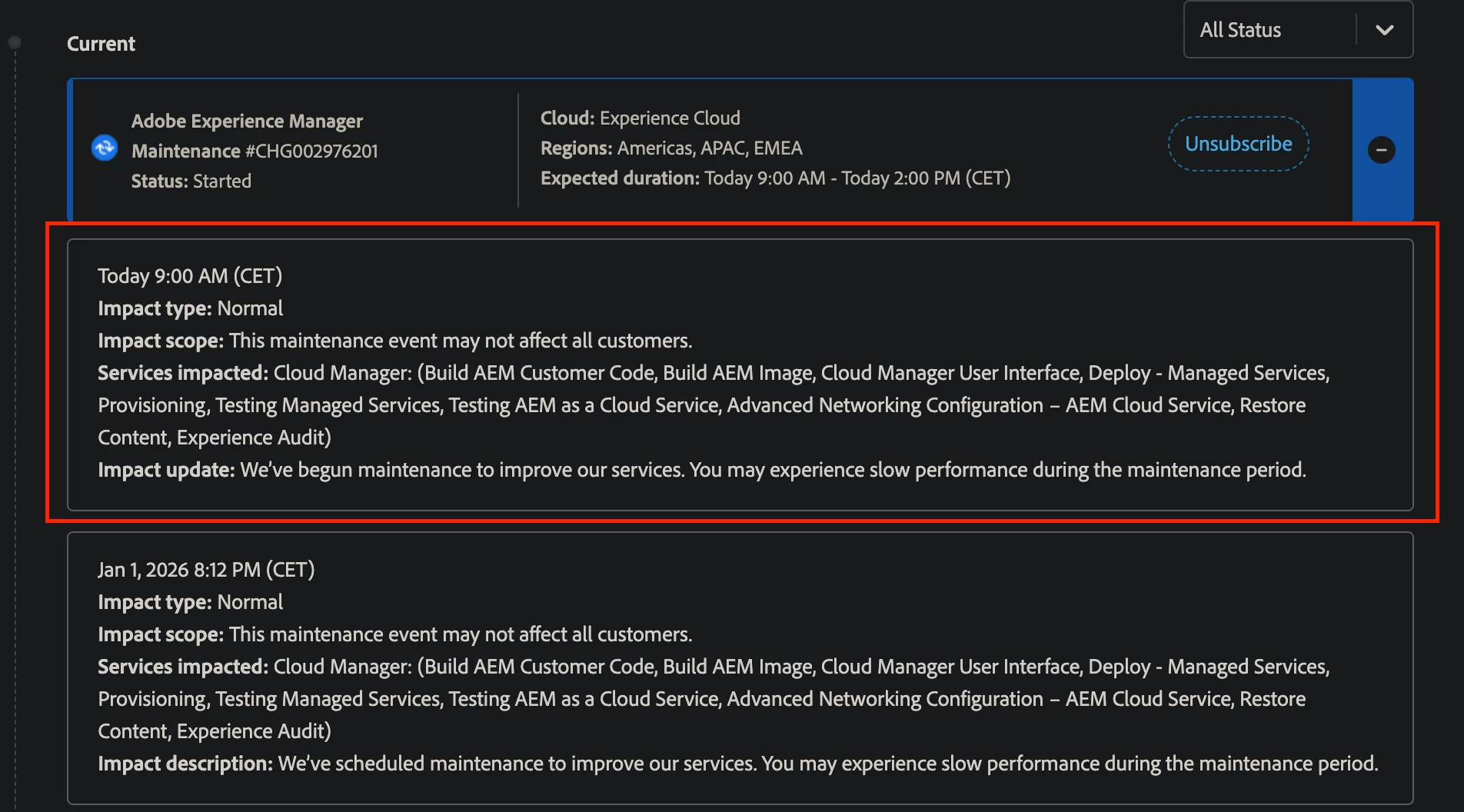
 

Why is this problem?

When the maintenance release happens, we noticed issues with deployment pipelines. Deployment either fails compeletly after running for over 1h30 mins, or gets stuck for over an hour


This is becoming serious problem for us because if we have important release to be done, this impacts our release capabilities. 


I see here two issues

  1. Scheduling Maintenance release mid day
  2. More serious one, which is maintenance release mid day, out of nowhere

I want to understand why this is becoming standard? Are there any plans to improve release process from Adobe side?

2 replies

VeenaVikraman
Community Advisor
Community Advisor
March 5, 2026

Hi ​@MarekStryjenski 

I understand this concern, as we are facing similar challenges. To manage this, we have opted for the “Pause Automatic Maintenance Updates” option. This feature is currently in beta, and we can request access by emailing aemcs-update-free@adobe.com.

Recent unexpected maintenance releases have had a significant impact on our deliverables, so we have currently paused maintenance updates during our working hours.

Quiet Hours: Blocks automatic maintenance during set times each day. This is useful for protecting working hours, nightly runs, or morning cutovers.


Update-Free Period: Blocks automatic maintenance for a full week. This can be used for launches, promotions, or yearly freezes.

https://experienceleague.adobe.com/en/docs/experience-manager-cloud-service/content/release-notes/release-notes/2025/release-notes-2025-12-0#foundation-early-adopter

The only limitations we see are:

  • Quiet Hours can be configured for only 8 hours per day.
  • Update-Free Periods are limited to 3 per year.

Thanks

Veena

Level 2
March 5, 2026

Hi ​@VeenaVikraman 

I was not aware of this feature so thanks for sharing the knowledge. This is of course workaround.

I still would like an answer / explanation from Adobe officials if there are plans to address the bigger issue which I mentioned.

AmitVishwakarma
Community Advisor
Community Advisor
March 5, 2026

Hi ​@MarekStryjenski ,

You’re right that we’re seeing more frequent AEMaaCS maintenance updates – that’s intentional: AEM as a Cloud Service runs on a continuous update model so security fixes and bug patches can go out quickly, and notifications are typically only 1–2 hours before the window rather than weeks in advance. This is described in the maintenance notification article and is not a regression in behavior, but a design choice for “always current / always secure” platforms.

To reduce impact on your deployments, Adobe has introduced Pause Automatic Maintenance Updates with two self‑service options in Cloud Manager:

  • Quiet Hours – a recurring daily window (up to 8 hours) where automatic maintenance will not run; ideal to protect working hours or regular pipeline windows.
  • Update‑Free Periods – up to three 7‑day blocks per 12‑month period where automatic maintenance is fully paused; meant for go‑lives, peak seasons, freezes, etc.

These are configured per program under Cloud Manager -> Activities -> Automatic Updates -> Update Options for customers onboarded to Automatic Maintenance Updates. If you do not see the options yet, your org can request activation of “Pause Automatic Maintenance Updates” via the address documented in the release notes.

If your pipelines are regularly failing or stalling when a maintenance update runs, that’s not expected: capture the pipeline execution ID plus the maintenance release ID and open an Adobe Support ticket so engineering can correlate your failures with the update and fix the underlying issue.

Amit Vishwakarma - Adobe Commerce Champion 2025 | 16x Adobe certified | 4x Adobe SME