AEM 6.5 Page properties page is showing blank | Community
Skip to main content
alwinaugustin
Level 2
April 12, 2023
Solved

AEM 6.5 Page properties page is showing blank

  • April 12, 2023
  • 4 replies
  • 3037 views

I have created a community site in AEM 6.5 and now I am trying to edit some CSS styles. For that I am trying to access the Page Properties using the Open Properties menu, but this page is coming as Blank. It is showing the Cancel and Save buttons but there is no properties displayed under. I am running AEM on localhost and I am not sure I need to enable something to make this work. Also is there any alternative ways to edit the CSS files ? I am using in built components only. 

This post is no longer active and is closed to new replies. Need help? Start a new post to ask your question.
Best answer by SivakumarKanoori

@alwinaugustin 


You can check step by step as below. Taking the example of we-retail

in your local environment,
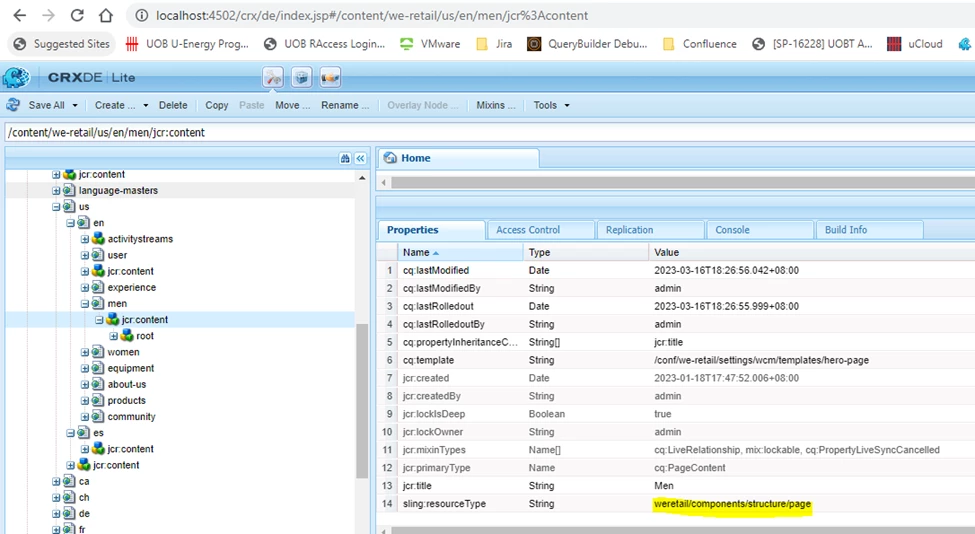
1) go to /content/we-retail/us/en/men/jcr:content


2) take the sling:resourceType value
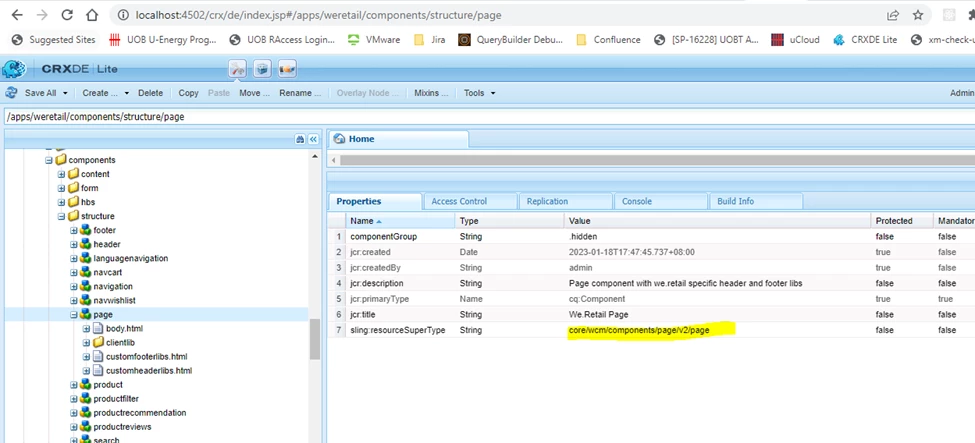
weretail/components/structure/page just appened the /apps to it /apps/weretail/components/structure/page


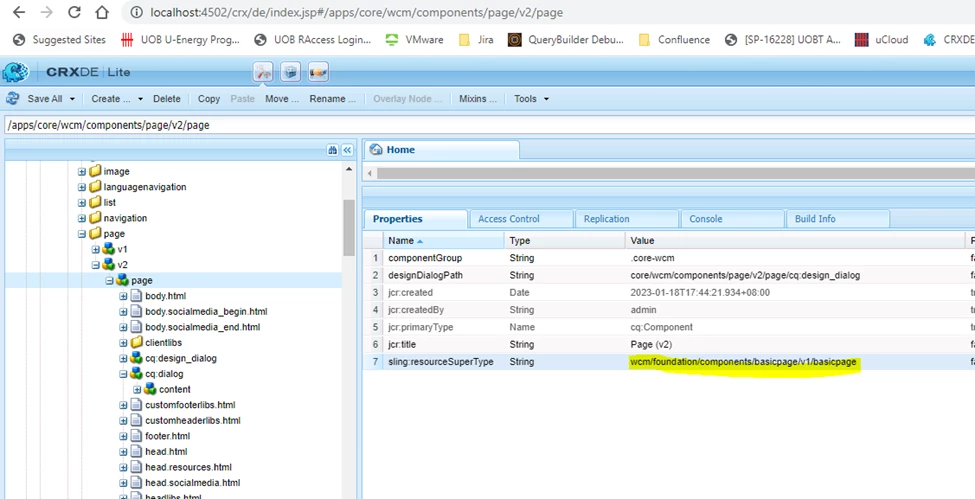
3) go to /apps/weretail/components/structure/page and get sling:resourceSuperType value as wcm/foundation/components/basicpage/v1/basicpage. 


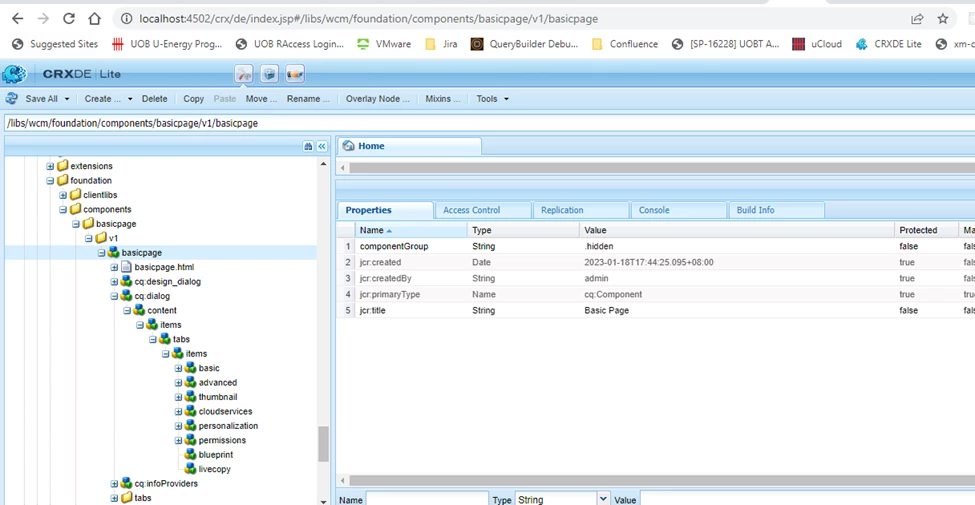
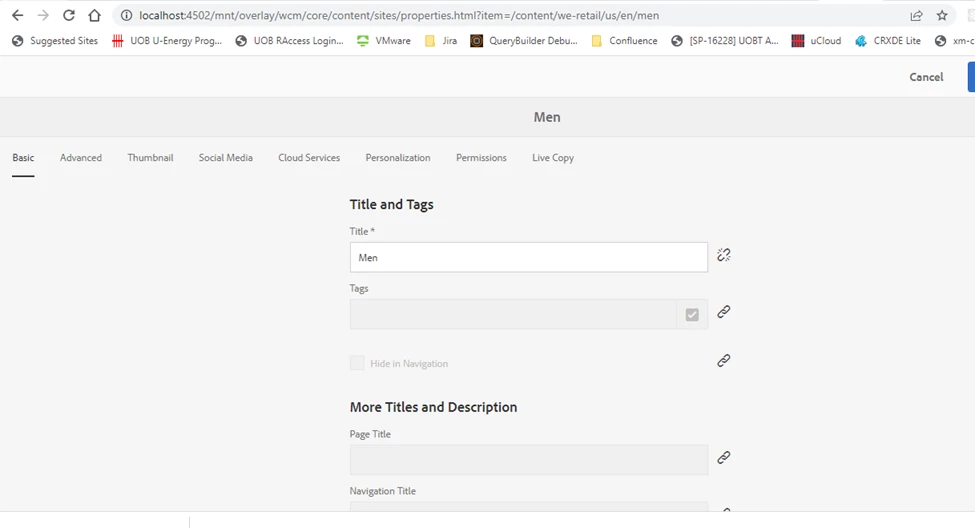
4) go to /libs/wcm/foundation/components/basicpage/v1/basicpage . you can see the page properties tabs under cq:dialog as shown in the below screenhost. from here only page properties tabs gets loaded.


so the page properties shows like this.


May be you can check in this process to isolate your issue to find the root cause... 


4 replies

B_Sravan
Community Advisor
Community Advisor
April 12, 2023

There should be nothing to enable or disable this. Those properties should be available by default.
Since you are saying that you are using built components, I am assuming that you are using editable templates.

please check if your core components bundle is active, as those properties are referred through the resource super type.

Sady_Rifat
Community Advisor
Community Advisor
April 12, 2023

Hello @alwinaugustin ,
In several possible cases page properties can show blank. Investigate one by one maybe you could find out.

  1. Check the sling:resourceType of the page or get the cq:template and from the template, check the page component. Make sure the template path is correct.
  2. Check the dialog structure is not messed up.
  3. Again check issue happened only on that page or is related to all the pages that create with that template. [To detect the issue is for template related]
  4. See the error log, anything you found or not.
Madhur-Madan
Community Advisor
Community Advisor
April 12, 2023

Hi @alwinaugustin,


Please check the sling:resourceType of the page component present into your project. Make sure it is referring to the correct version of the core page component. 


Hope this helps

SivakumarKanoori
Community Advisor
SivakumarKanooriCommunity AdvisorAccepted solution
Community Advisor
April 13, 2023

@alwinaugustin 


You can check step by step as below. Taking the example of we-retail

in your local environment,
1) go to /content/we-retail/us/en/men/jcr:content


2) take the sling:resourceType value
weretail/components/structure/page just appened the /apps to it /apps/weretail/components/structure/page


3) go to /apps/weretail/components/structure/page and get sling:resourceSuperType value as wcm/foundation/components/basicpage/v1/basicpage. 


4) go to /libs/wcm/foundation/components/basicpage/v1/basicpage . you can see the page properties tabs under cq:dialog as shown in the below screenhost. from here only page properties tabs gets loaded.


so the page properties shows like this.


May be you can check in this process to isolate your issue to find the root cause... 


Thanks,Siva
alwinaugustin
Level 2
April 14, 2023

Thanks @sivakumarkanoori .


I just need to update the CSS styles and the page HTML. Is it possible to do it from the CRXDE ? Or I need to set up the development environment locally and edit the files ? If there is any tutorial or something, that would be helpful. Also I have some other sites which already has custom developed components and I would like to use those components here. How this can be done ?