aem 6.4 page properties: select options broken when last field | Community
Skip to main content
marvinf30118885
May 11, 2018
Solved

aem 6.4 page properties: select options broken when last field

  • May 11, 2018
  • 3 replies
  • 2340 views

Hi there,

I am having a hard time with a page properties select box.

Ever had the problem, that your options become cut, when the select is the last field or the only field within a tab? (see image)
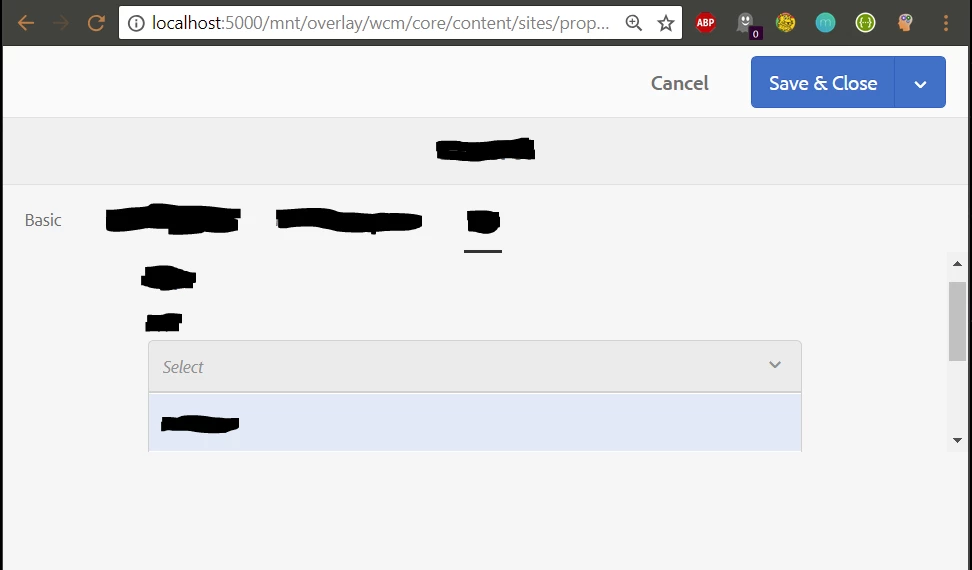
We are extending the wcm-core page v2, which is extending the basic page of aem.

I noticed no major differences between our tabs and those of the basic page.

To solve that problem partially, someone could add own css to their project. However it is hard to overwrite the createpagewizard css.

Also, it would be like cracking nuts with a sledgehammer

Is it coral ui 3 specific?

Any suggestions?

Thanks!

Greetings,

Marvin

This post is no longer active and is closed to new replies. Need help? Start a new post to ask your question.

3 replies

Level 2
September 17, 2019

Hi all,

I can reproduce the same problem. We migrated from 6.3 to 6.4 and we can only reproduce the problem under 6.4. Actually we also test it in 6.4.5 and we still having the problem.

¿Exist any solution to it?

Best Regards.

arunpatidar
Community Advisor
arunpatidarCommunity AdvisorAccepted solution
Community Advisor
September 17, 2019
August 28, 2024

It seems like https://blogs.perficientdigital.com/ does not work anymore.
What is the fix? Can anybody post it here? 

Level 2
September 19, 2019

It solved the problem! thanks.

I hope that Adobe provide a real fix in some update.