AEM 6.4 Fatal Errror | Community
Skip to main content
October 11, 2021
Solved

AEM 6.4 Fatal Errror

  • October 11, 2021
  • 2 replies
  • 821 views

Hi Team, i'm unable to install AEM 6.4 using jar file .it is throwing fatal error class not found.


I'm having jdk 1.8.0_281 and jre 1.8.0_281.

AEM jar file details 

location C:\Users\AMMI\OneDrive\Desktop\AEM Training\AEM Softwares\AEM 6.4.

Error 
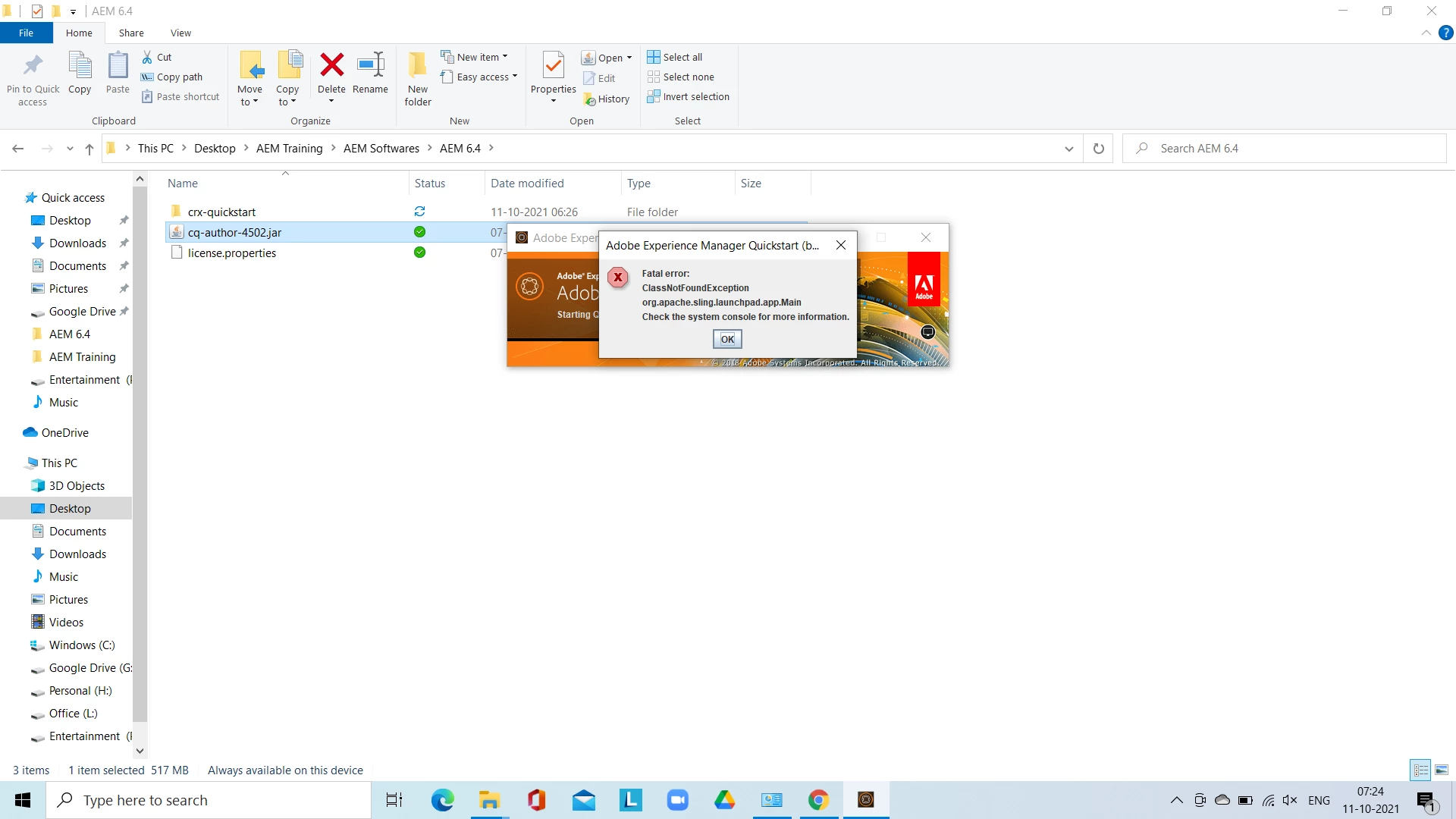
i have set environment variables but i couldn't install aem 6.4

This post is no longer active and is closed to new replies. Need help? Start a new post to ask your question.
Best answer by Sanjay_Bangar

Hi @shaikzaheerahmed ,

              Please check the jdk path that you have added in the system environment variables and remove the previous jdk path if anything other than jdk 8.

Goto the command promt and check Java -version  

Regards,

Sanjay


2 replies

Asutosh_Jena_
Community Advisor
Community Advisor
October 11, 2021

Hi @shaikzaheerahmed 


Please check the JDK version which is in effect in your system by running the below command on command line.


java -version


It should give 1.8.0_XXX where XXX can be the version.


Name the file as aem-author-p4502.jar. It can be cq-author-p4502.jar as well. 


Navigate to the location where the jar file is present. Remove "crx-quickstart" folder and run the below command:


java -jar aem-author-p4502.jar


Check the error.log while the program installs to see if anything is failing.


You should be able to install AEM using jar file extract appraoch as mentioned above.


Thanks!

Sanjay_Bangar
Community Advisor
Sanjay_BangarCommunity AdvisorAccepted solution
Community Advisor
October 11, 2021

Hi @shaikzaheerahmed ,

              Please check the jdk path that you have added in the system environment variables and remove the previous jdk path if anything other than jdk 8.

Goto the command promt and check Java -version  

Regards,

Sanjay