AEM 6.4 Connect java file with HTML File | Community
Skip to main content
Karl515
Level 5
January 30, 2019
Solved

AEM 6.4 Connect java file with HTML File

  • January 30, 2019
  • 13 replies
  • 6744 views

I've been reading quiet a few but still am not able to get it done.

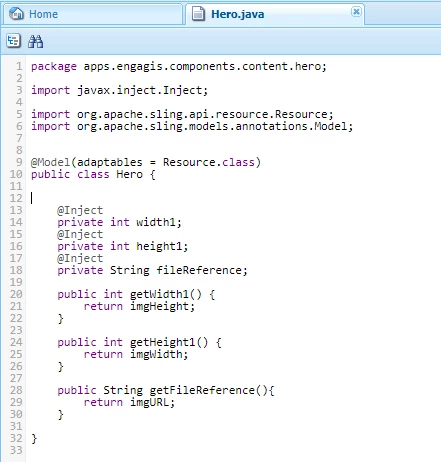
Current Java code:
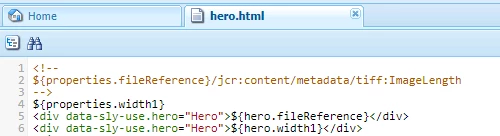
html code
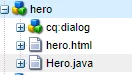
Folder Structure:
I'm trying to read metadata (specifically) size of image in java and load it back to html.

     - I get my image via ${properties.fileReference}

     - I prefer Local, but By bundle is alright as long as explained.

------------------------------ WORKFLOW: ---------------------------------

     - Add image via
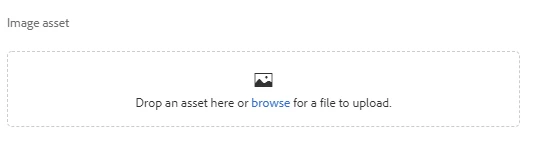
     - get file via ${properties.fileReference}

     - process in Java (local) (both sounds good too)

     - return width and height to .html. (ex. <div> ${javaClass.width} - ${javaClass.height} </div>

This post is no longer active and is closed to new replies. Need help? Start a new post to ask your question.
Best answer by smacdonald2008

See this document - we cover Granite Resource types and cover concepts like HTL/Sling Models:

Building Experience Manager Components using Granite/Coral Resource Types

I recommend that you go through the whole document too as it explains a lot of AEM Component concepts.

Also - I recommend placing your Java into a bundle - not a file in CRXDE lite.

13 replies

Karl515
Karl515Author
Level 5
January 31, 2019

Ok thanks!

Here another, how do you restrict the path item?

So that user is restricted to a certain folder only.

Thanks!

Gaurav-Behl
Level 10
January 31, 2019

Not sure but try these -

Option#1:   aem-touch-ui-validation/pathbrowser.html at master · nateyolles/aem-touch-ui-validation · GitHub

&lt;pathbrowserD
  jcr:primaryType="nt:unstructured"
  sling:resourceType="granite/ui/components/foundation/form/pathbrowser"
  fieldLabel="Required and allow non existing path"
  fieldDescription="Try entering an external URL"
  rootPath="/content/aem-touch-ui-validation"
  required="{Boolean}true"
  allowNonRootPath="{Boolean}true"
  allowNonExistingPath="{Boolean}true"
  name="./pathbrowserD"/&gt;

If this doesn't suffice, then write custom code to forcefully delete the chosen path that doesn't belong to the restricted folder and display message to let user know pick the specific path only:

Option#2:

AEM Touch UI Dialog Validation New Best Practice: Use Foundation-Validation

Karl515
Karl515Author
Level 5
February 1, 2019

Thanks. I'll read that after I'm done with this image metadata cheers!