
AEM 6.4 Component not refreshing afterinsert in a page | Community
Skip to main content
Nandheswara
Level 4
October 15, 2022
Solved

AEM 6.4 Component not refreshing afterinsert in a page

  • October 15, 2022
  • 5 replies
  • 1439 views

Hi all,

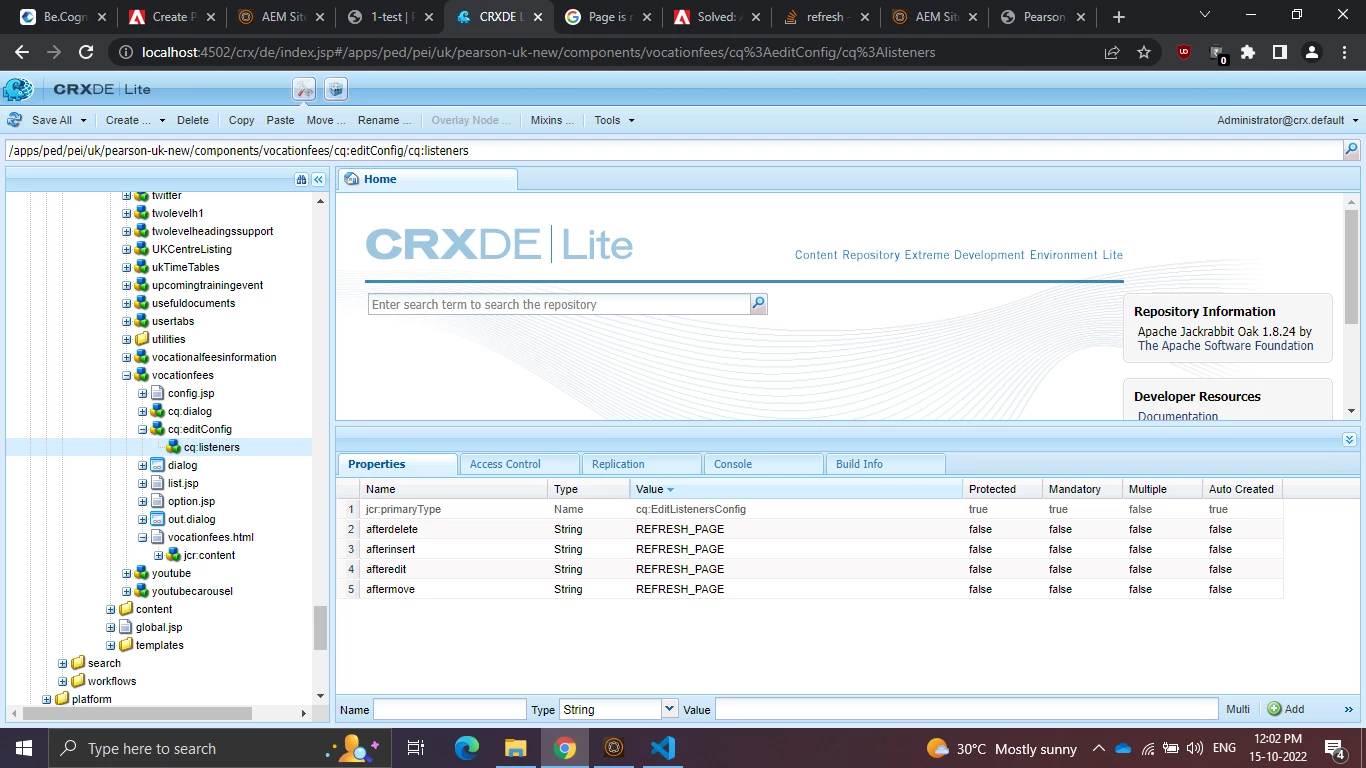
I'm trying to refresh the page after insert of a component in a page with following cq:editConfig Listeners.

AfterEdit, AfterDelete & AfterMove Page is getting refreshed but NOT afterinsert?

Give me some solution to resolve this issue.


This post is no longer active and is closed to new replies. Need help? Start a new post to ask your question.
Best answer by Nandheswara

Page refresh is not happened due to some unwanted DIV tags present in component html files now its working 

Thanks all

5 replies

Jagadeesh_Prakash
Community Advisor
Community Advisor
October 15, 2022

Hi @nandheswara 


  • cq:editConfig (cq:EditConfig) - Defines the edit properties of the component and enables the component to appear in the Components browser or Sidekick.

    Note: if the component has a dialog, it will automatically appear in the Components browser or Sidekick, even if the cq:editConfig does not exist.


If you want to refresh the page after inserting the component try using cq:listner as below


Sachin_Arora_
Community Advisor
Community Advisor
October 17, 2022

Please check if there is any error in browser console. Also please check if same behavior is observed in OOTB sample website as well, to verify if any of your custom code is causing this issue. 

arunpatidar
Community Advisor
Community Advisor
October 17, 2022

Please try with below

afterinsert The handler is triggered after the component is inserted. REFRESH_INSERTED
Arun Patidar
Nandheswara
NandheswaraAuthorAccepted solution
Level 4
October 29, 2022

Page refresh is not happened due to some unwanted DIV tags present in component html files now its working 

Thanks all

Level 3
November 3, 2022

Please check if there is any error in browser console. Also please check if same behavior is observed in OOTB sample website as well, to verify if any of your custom code is causing this issue.