Adobe LiveCycle - table with null values
I use Adobe liveCycle for print editing when using SAP.
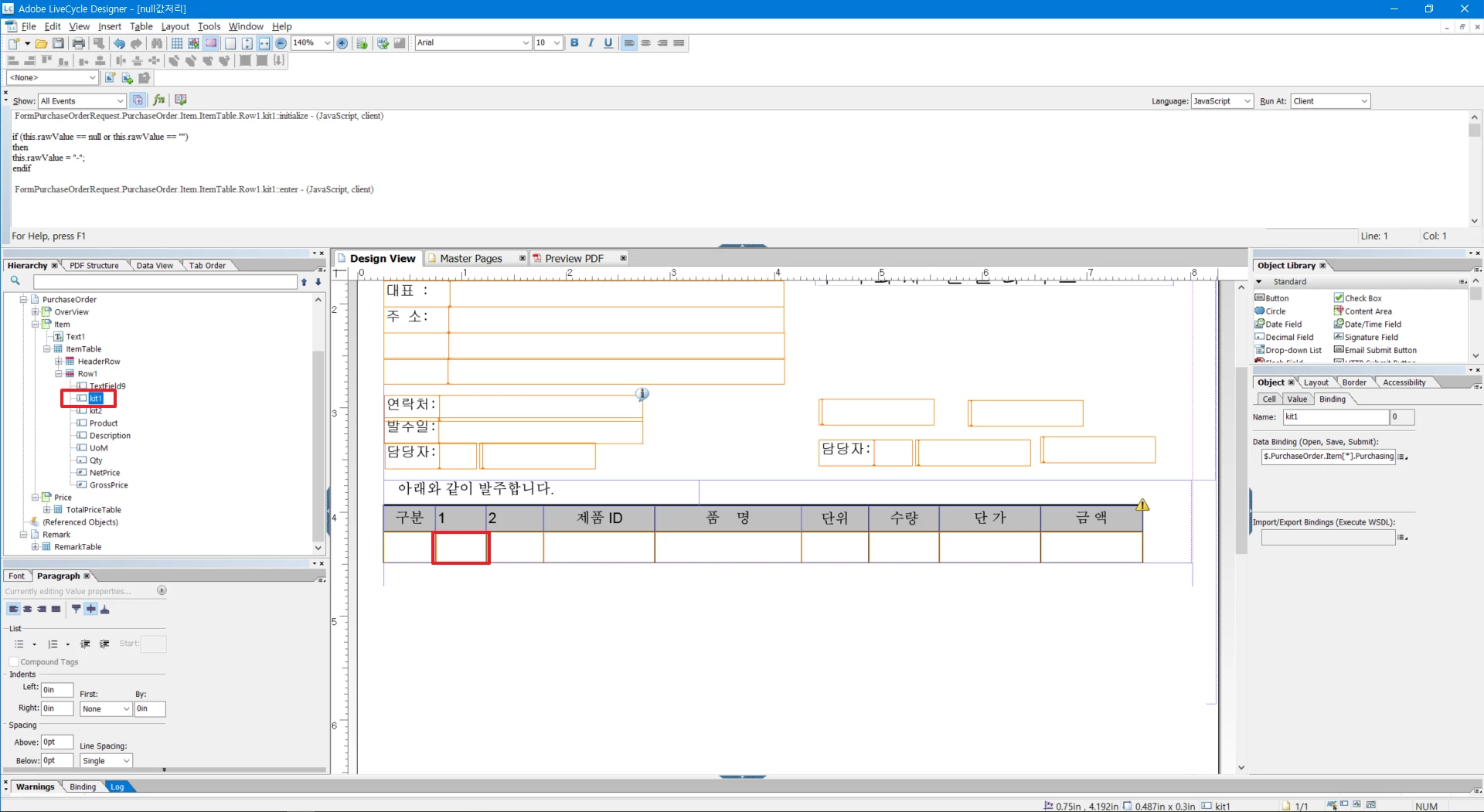
This is my LiveCycle printout 'PO' editing screen. Binding by connecting XML data.
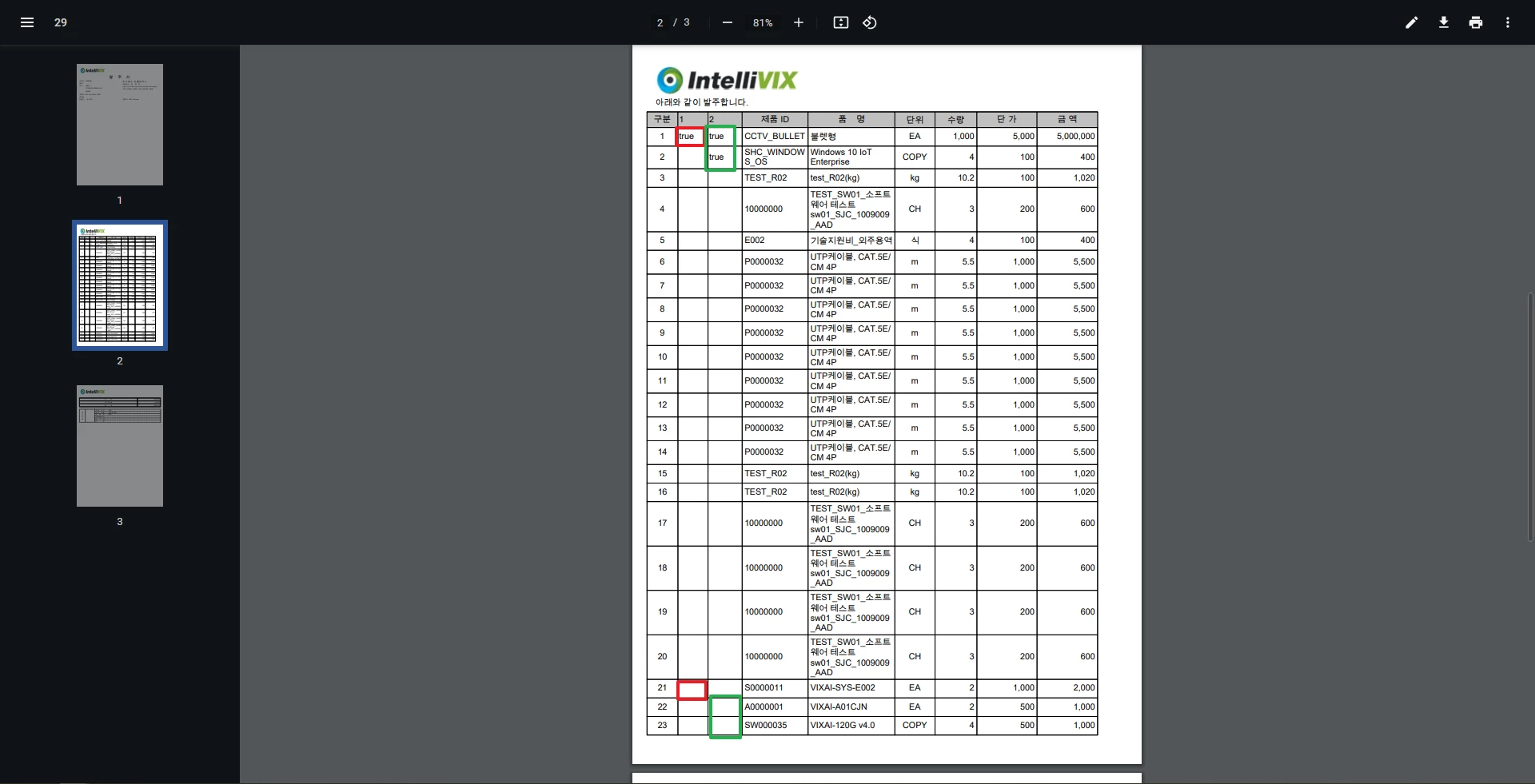
The result of binding can be seen on the printed page.
The screen on which I print out is as follows:
Number 21 on the screen is an Item that has sub-items.
Items 22 and 23 are subcategories of item 21.
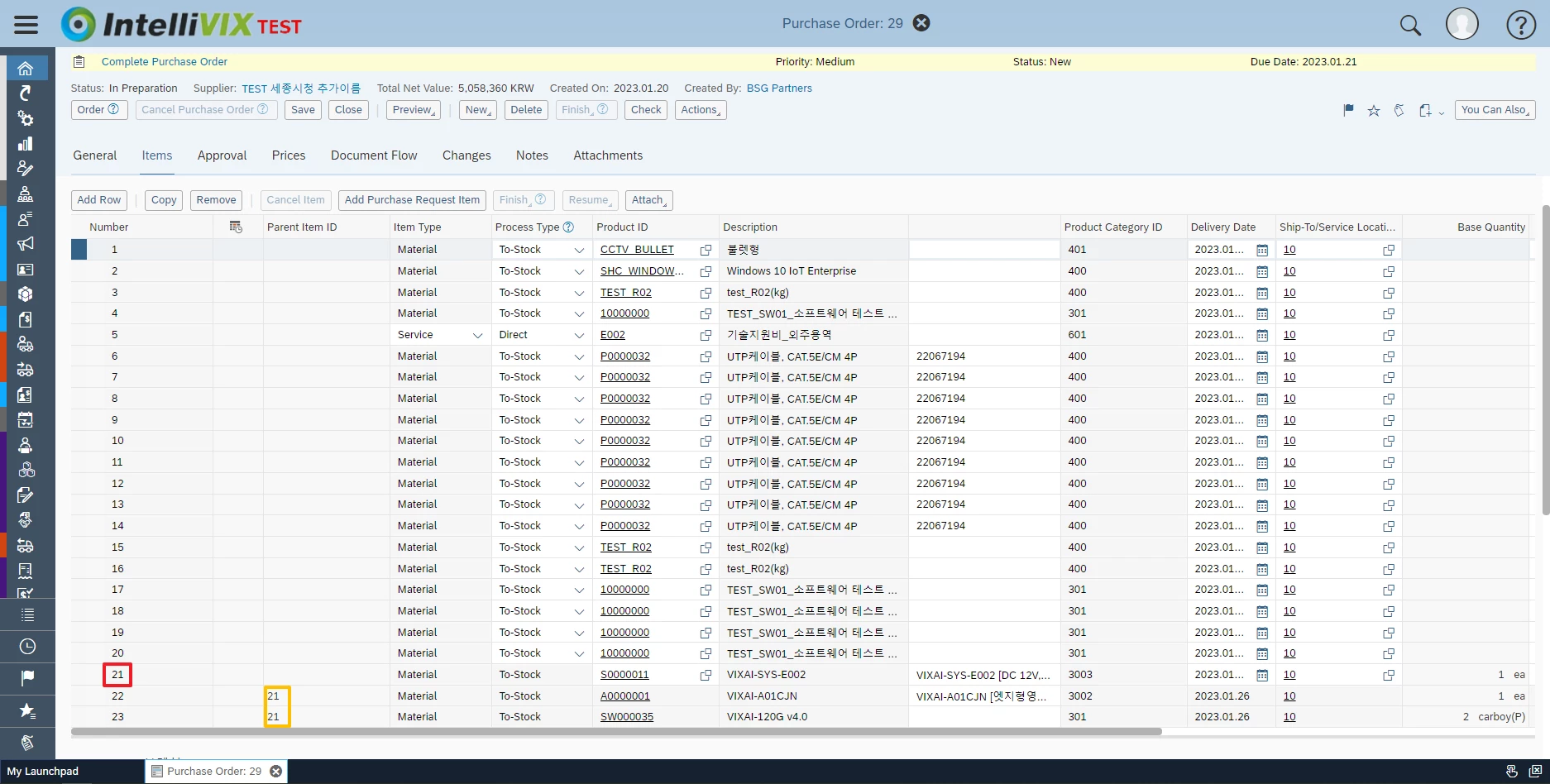
So I would like to display the subitems in the Item table in the printout 'PO'.
But since I'm not using JavaScript, only simple data binding is possible.
Currently, with my technology, the data is not normally output to the table.
* It's not even clear if an empty value has a null value. I'm just guessing.
I'd like to set it up like this:
1. Display "-" in case of null value to replace null value
2. Display 'true' in the row with the corresponding value by linking the rows.
I found a similar community article (https://experienceleaguecommunities.adobe.com/t5/adobe-livecycle-questions/null-values-not-displaying-in-form/m-p/260455), but I don't use JavaScript.
Is there anyone who can help me?