Adobe Dynamic Media | Community
Skip to main content
Level 1
June 30, 2026
Question

Adobe Dynamic Media

  • June 30, 2026
  • 1 reply
  • 53 views

I want to configure Adobe Dynamic Media to overwrite  in any folder, same base asset name/extension as attached in image,
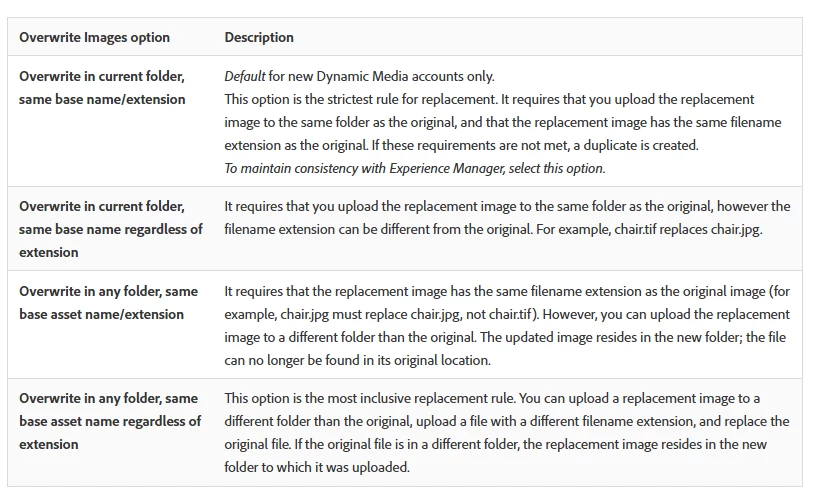
But when I follow these steps and press on Dynamic Media General Settings. 

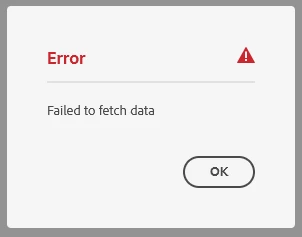
I get the following error 
 

1 reply

v-lazar
Level 2
June 30, 2026

Hi ​@omarelhariry 

The “Failed to fetch data” error usually means AEM cannot retrieve the Dynamic Media configuration from /conf

Adobe documents this issue here https://experienceleague.adobe.com/en/docs/experience-cloud-kcs/kbarticles/ka-25294

Verify that

  1. Dynamic Media is configured in Scene7 mode
  2. valid Dynamic Media Cloud Service configuration exists under /conf
  3. affected user has AEM administrator permissions


Then you can search for a custom Oak index preventing the required query from returning the Scene7 configuration.

You can verify the query using the query tools


AEM 6.5
Tools - Operations - Diagnosis - Query Performance - Explain Query


AEM as a Cloud Service
Tools - General - GraphQL Query Editor


Once the query correctly returns the Dynamic Media configuration, the General Settings page should load again.

https://www.linkedin.com/in/viktor-lazar/ | https://cyber64.com/insights