
Investigating
Adding Rules to Metadata fields in Assets UI
| Request for Feature Enhancement (RFE) Summary: | Adding rules to custom metadata fields in metadata form in Assets UI |
| Use-case: |
A user wants to narrow the search for a particular asset by using fields where the parent is selected, only the remaining values of the children field are displayed to use.
An example is Brand/Subbrand. There may be 20 values in the brand, but there are 5 unique subbrand values under each brand. |
| Current/Experienced Behavior: | Rules are not available in Assets UI |
| Improved/Expected Behavior: | Add rules functionality or an alternative |
| Environment Details (AEM version/service pack, any other specifics if applicable): | AEMaaCS |
| Customer-name/Organization name: | Hershey |
| Screenshot (if applicable): | 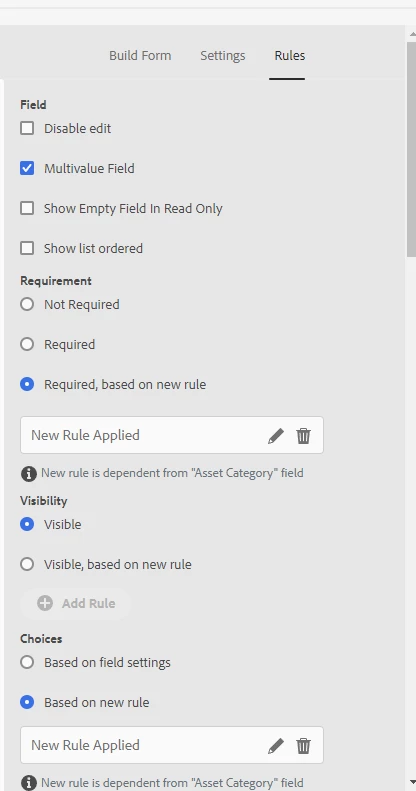
Admin UI view |
| Code package (if applicable): |