Adding Anchor Sprite Image to Custom RTE Plugin | Community
Skip to main content
Level 2
December 7, 2022
Solved

Adding Anchor Sprite Image to Custom RTE Plugin

  • December 7, 2022
  • 2 replies
  • 1241 views

Good afternoon,


I have implemented the Custom RTE Plugin from this article into my local AEM instance.


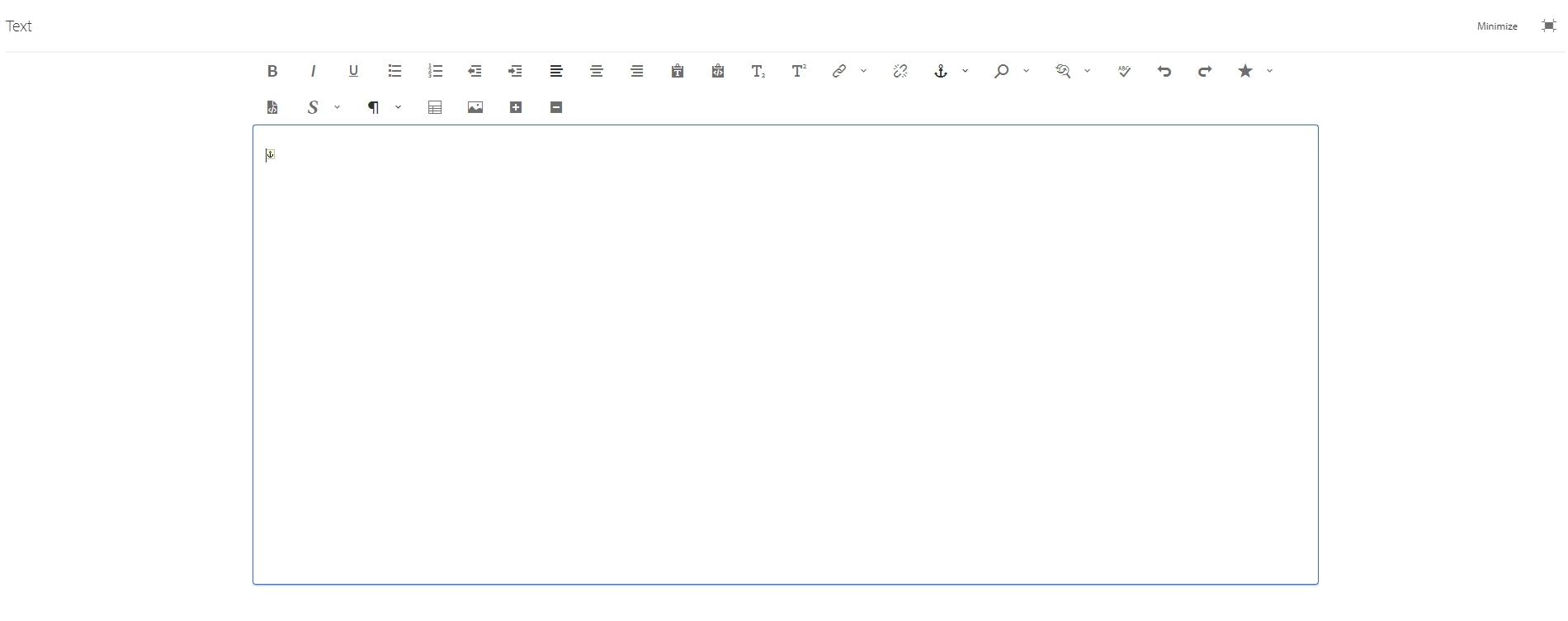
I was wondering if it was possible to add the anchor sprite image in the screenshot below when a new attribute is added using the plugin



This post is no longer active and is closed to new replies. Need help? Start a new post to ask your question.
Best answer by arunpatidar

Example of sample clientlibs which will load for all the components without adding to dialog

https://github.com/arunpatidar02/aemaacs-aemlab/tree/master/ui.apps/src/main/content/jcr_root/apps/aemlab/oneweb/clientlibs/author/clientlib-editdragable 


you can copy this and put in your project inside ui.apps and update draggable.css css or create your own css and add to css.txt

2 replies

SantoshSai
Community Advisor
Community Advisor
December 7, 2022

Hi @benbakos ,

If you are looking to have plugin icon please refer to the blog published by @arunpatidar 

here: https://aemlab.blogspot.com/2019/07/aem-rte-custom-plugins-1.html

Also, worth checking this too: https://mkbansal.wordpress.com/2016/01/09/aem-rte-custom-styles-plugin-touch-ui/

Hope that helps!

Regards,

Santosh

Santosh Sai
arunpatidar
Community Advisor
Community Advisor
December 8, 2022

Hi,

I would say, add a CSS to the RTE dialog, either using extraclientlibs or externalStyleSheets property of RTE.

with CSS you can inject icon based on attribute

example,

I have added an icon if span element has style attribute

.cq-RichText-editable.coral-RichText-editable.coral-RichText.coral-DecoratedTextfield-input span[style]::before {
    content: '⚓';
}


Arun Patidar
benbakosAuthor
Level 2
December 8, 2022

Thanks for the suggestion @arunpatidar. I will give this a try.


Where exactly in CRX would I put this clientlib/external stylesheet?

arunpatidar
Community Advisor
arunpatidarCommunity AdvisorAccepted solution
Community Advisor
December 9, 2022

Example of sample clientlibs which will load for all the components without adding to dialog

https://github.com/arunpatidar02/aemaacs-aemlab/tree/master/ui.apps/src/main/content/jcr_root/apps/aemlab/oneweb/clientlibs/author/clientlib-editdragable 


you can copy this and put in your project inside ui.apps and update draggable.css css or create your own css and add to css.txt

Arun Patidar