Add item to AEM Home page and link it to an internal page, not loosing the nav menu | Adobe Higher Education
Skip to main content
July 28, 2020
Répondu

Add item to AEM Home page and link it to an internal page, not loosing the nav menu

Hey there!

I wonder if is possible and, if so, if you guys can point me in the right direction.

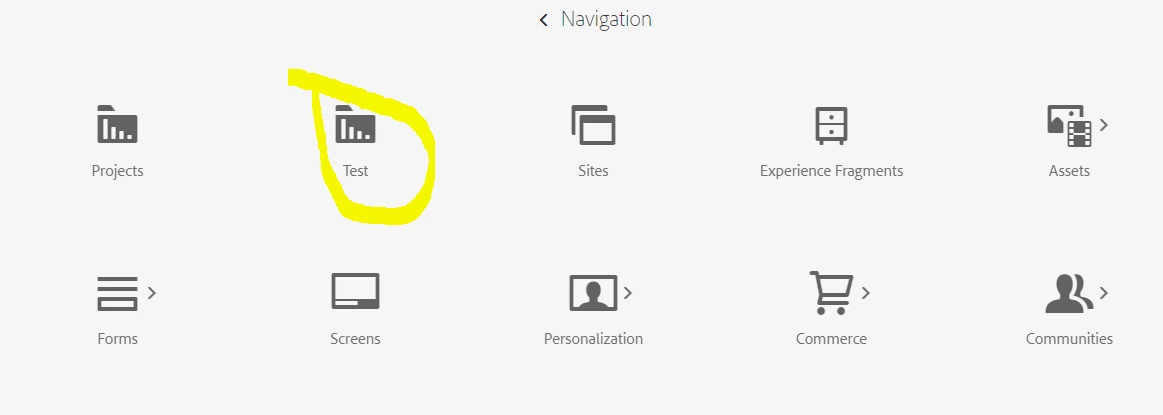
I want to create an icon in the home page of AEM, next to sites, community, experience fragments, etc and link it to a page inside my code (let´s say I create a folder "test" where I put a file "test.html"), so, when an administrator / author click on that item, they go to that page, not loosing the top navigation menu, nor the feel and look of AEM.


About creating the icon, I have done it so far, through crx
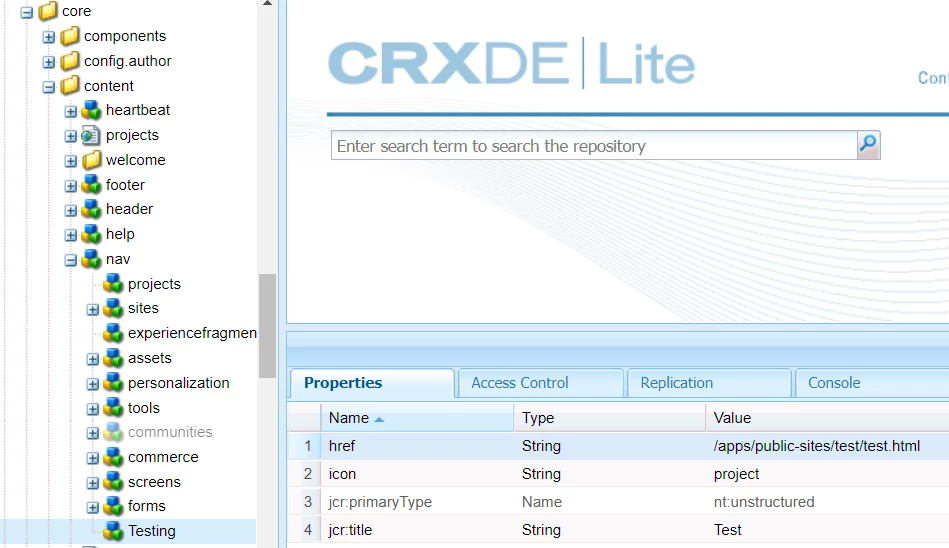
 

problem, here, are two things:

1) if I click on the new icon, it downloads the file, instead of showing it

2) I guess, if I manage to get to the page, I am going to loose the top nav menu.


Any ideas on how can I do this?


Thanks!
Ce sujet a été fermé aux réponses.
Meilleure réponse par p1hampi

Hi @gusboca , 

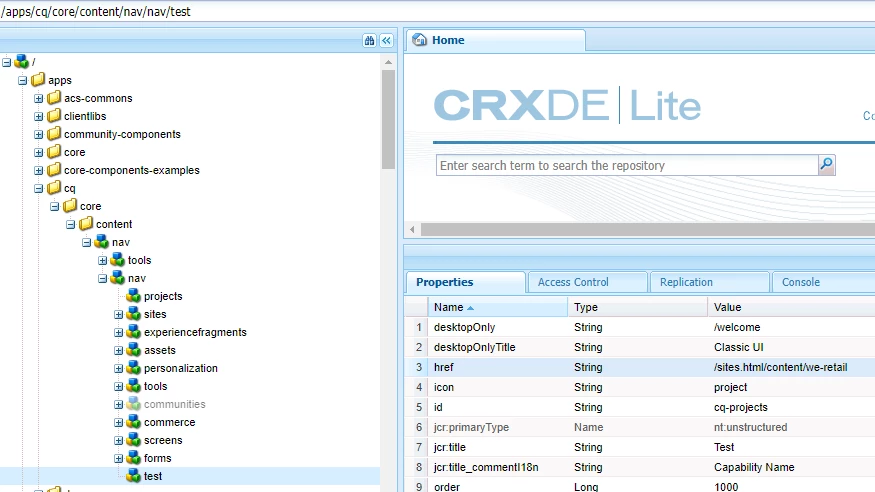
You can achieve this by Overlaying node , as it is good practice not to touch "libs" folder.Please find attached two screenshot. One is of Navigation & other is crxde nodes. 


Hope this will help you. 


2 commentaires

Shashi_Mulugu
Community Advisor
Community Advisor
July 28, 2020

@gusboca I guess you are trying to build custom admin console page with your own data to be displayed. 


Please refer to excellent article by one of our AEM experts on this:


https://blogs.perficient.com/2020/04/21/part-2-building-aem-admin-consoles-that-will-not-break-with-new-aem-releases/

gusbocaAuteur
July 29, 2020
Hey @shashi_mulugu. I tried to follow the explanation in the page you suggested. I´d got a compilation error due to the sly data-sly-set.clientlibPath; so I called the css and js scripts manually. It compiled ok, however I had 4 things: 1) using the sync provided by VSCode, it did not sync due to error "Error importing package into AEM". 2) using aemsync I had many errors. 3) In the crx I do not have the new folder and finally 4) I still have the same issue if I try to go to the folder/ page
p1hampiRéponse
Level 2
July 28, 2020

Hi @gusboca , 

You can achieve this by Overlaying node , as it is good practice not to touch "libs" folder.Please find attached two screenshot. One is of Navigation & other is crxde nodes. 


Hope this will help you. 


gusbocaAuteur
July 29, 2020
Hey @p1hampi! I have tried that... but I have to point this to a specific folder where I want to set up "kind of" a console, but not using the BE (as a matter of fact I want to set up a React SPA page to work as a console). So I tried that and, if I point to the html it downloads the file and if I point to the folder I get a 403 error code