Level 2
June 1, 2023
Solved

Add custom field to AEM Tag

Hi,  I add a field to  "Edit Tag" wizard via "/libs/cq/tagging/gui/content/tags/tagedit/jcr:content/body/items/form/items/wizard/items/editStep/items/fixedColumns/items"
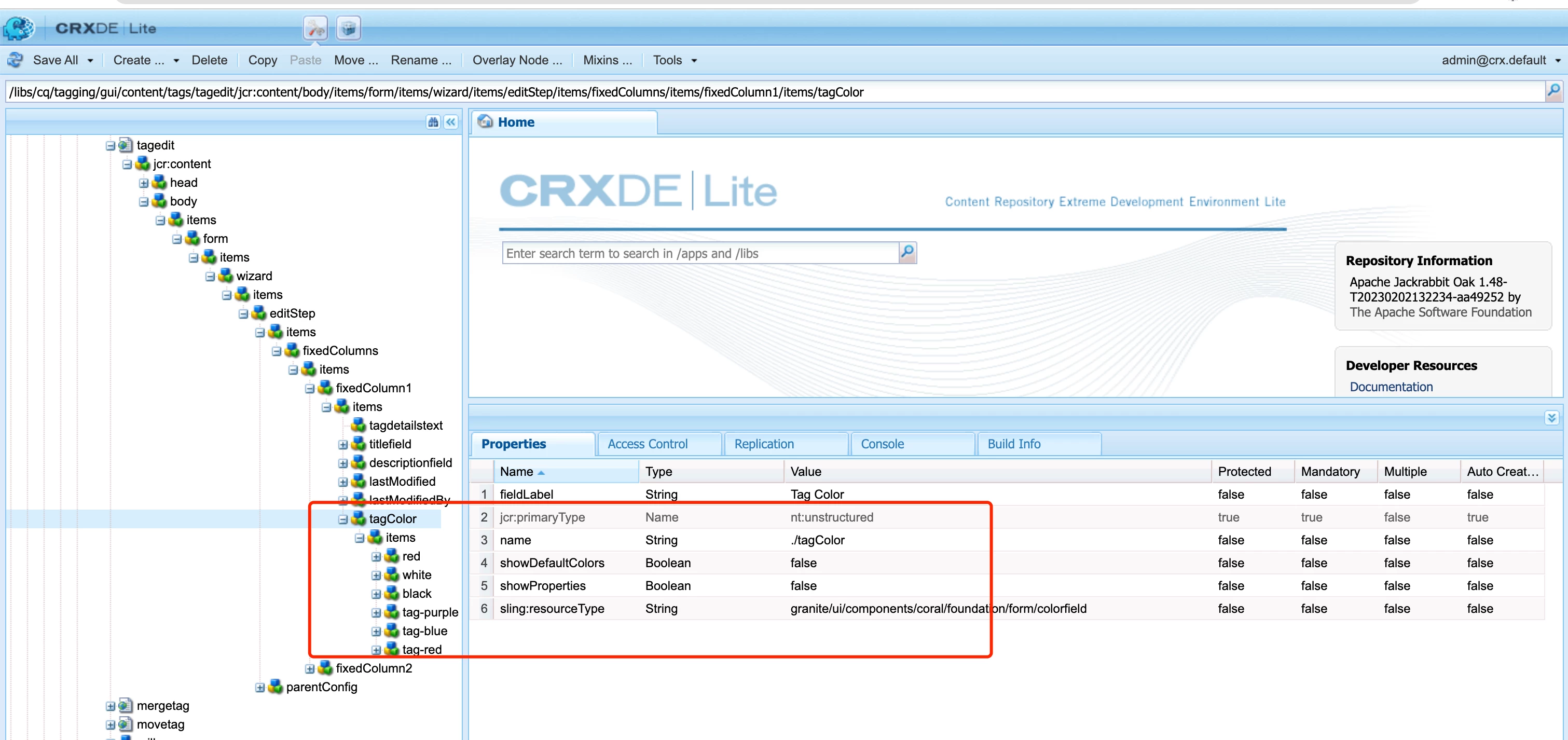
 

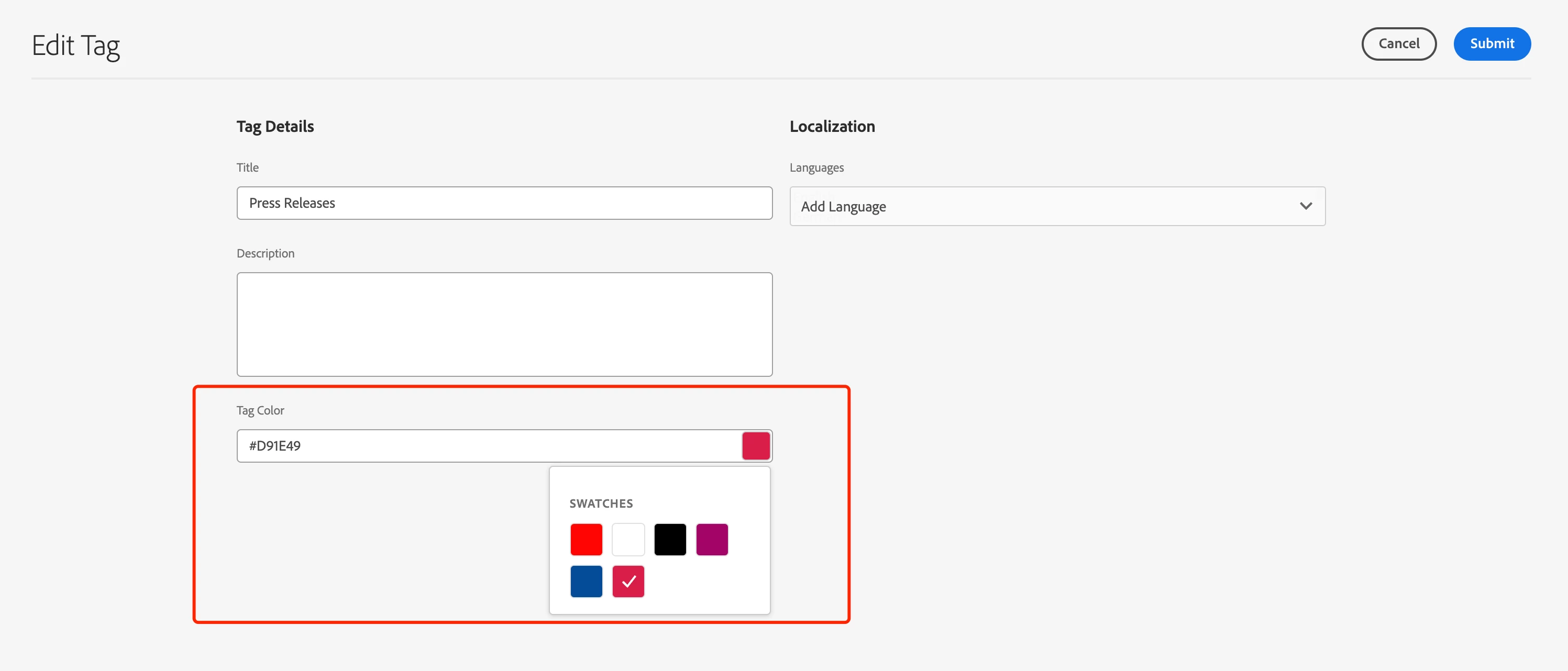
and I assign values to the “Tag Color" ,  but when I open the "edit tag" again, the "Tag Color"  field does not show the value.
Thanks.

This post is no longer active and is closed to new replies. Need help? Start a new post to ask your question.
Sady_Rifat
Sady_RifatAccepted solution
Community Advisor
June 1, 2023

Hello @krist_wang ,
Have you followed this thread? https://experienceleaguecommunities.adobe.com/t5/adobe-experience-manager/add-custom-text-field-on-creation-and-store-the-value-of-tag-in/m-p/315108 
If not please follow this, one of my teammate succeed with this one.
Let me know if it's not working.

3 replies

Sady_Rifat
Community Advisor
Sady_RifatCommunity AdvisorAccepted solution
Community Advisor
June 1, 2023

Hello @krist_wang ,
Have you followed this thread? https://experienceleaguecommunities.adobe.com/t5/adobe-experience-manager/add-custom-text-field-on-creation-and-store-the-value-of-tag-in/m-p/315108 
If not please follow this, one of my teammate succeed with this one.
Let me know if it's not working.

Translate
Level 2
June 2, 2023

Thanks, it's works for me

Translate
ManviSharma
Adobe Employee
Adobe Employee
June 1, 2023

Hi,


When adding a field to the "Edit Tag" wizard in AEM via the specified path, make sure you also update the corresponding backend code to persist the value of the "Tag Color" field. This ensures that the assigned value is stored and retrieved correctly when reopening the "edit tag" dialog.

Translate