Add a new button to assetdetails Screen | Community
Skip to main content
mozzvinod
Level 2
September 17, 2019
Solved

Add a new button to assetdetails Screen

  • September 17, 2019
  • 4 replies
  • 3802 views

Hi All,

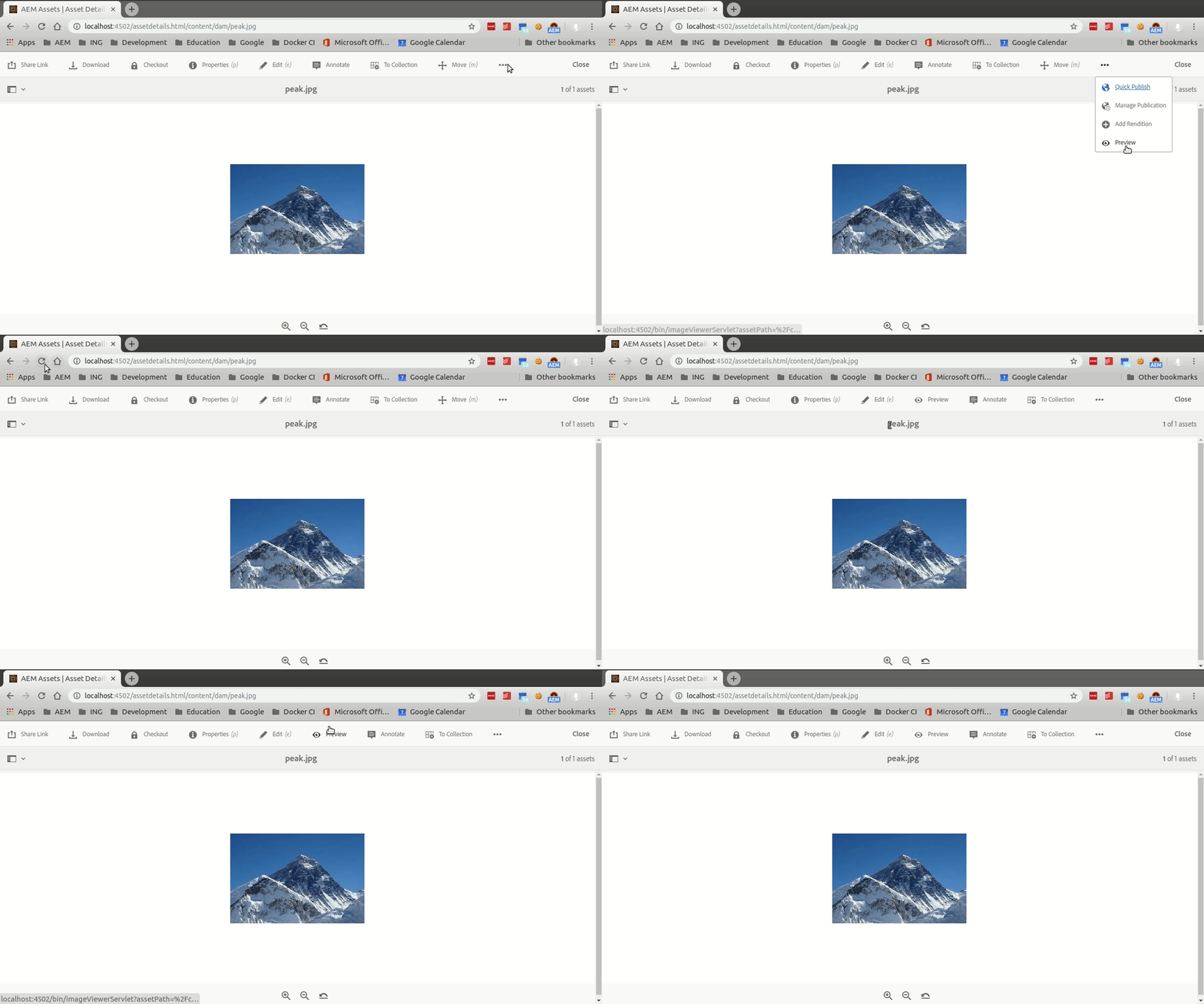
I need to add a new button on to the "assetdetails" screen below. Click action on this would open a new tab with URL like

https://<author-instance>/content/aemreview/en/documentreview.

html/content/dam/review/assets.jpg

It would be very help if someone can share a document or pointer on how to achieve this.

This post is no longer active and is closed to new replies. Need help? Start a new post to ask your question.
Best answer by Theo_Pendle

Hi Vinod,

Im happy it was useful!

To manipulate the order of overlaid nodes (or any node actually) you can add the following property to your custom action node:

sling:orderBefore - String - annotate

Here's the result when you refresh the page after making this change:

For more cool tips and tricks on overlaying and overriding nodes in AEM, have a look at this page: Using the Sling Resource Merger in AEM

4 replies

Adobe Employee
September 17, 2019

Hi,

You can overlay "/libs/dam/gui/content/assetdetails" . Under this you will find all button and their respective action.

Once you overlay and add your new button, you can add variant, rendercondition and etc...

For example have a look at the implementation of move action /libs/dam/gui/content/assetdetails/jcr:content/actions/moveasset

Theo_Pendle
Level 8
September 18, 2019

Hi,

Sorry for the slow reply, but your question inspired me to make a tutorial Here it is: https://medium.com/@theopendle/aem-adding-a-button-to-a-touchui-toolbar-ae1d1dc1c530. If you have any questions, don't hesitate!

mozzvinod
mozzvinodAuthor
Level 2
September 19, 2019

Thanks, this is great help.

QQ : I was able to create button using the information you shared. But I need to place this new button after Annotate link. If possible, how can it be done.

Thanks

Vinod

Theo_Pendle
Theo_PendleAccepted solution
Level 8
September 19, 2019

Hi Vinod,

Im happy it was useful!

To manipulate the order of overlaid nodes (or any node actually) you can add the following property to your custom action node:

sling:orderBefore - String - annotate

Here's the result when you refresh the page after making this change:

For more cool tips and tricks on overlaying and overriding nodes in AEM, have a look at this page: Using the Sling Resource Merger in AEM