ACS Commons report tool | Adobe Higher Education
Skip to main content
tushaar_srivastava
Level 6
February 20, 2023
Besvarat

ACS Commons report tool

  • February 20, 2023
  • 2 svar
  • 1780 visningar

Hi All,

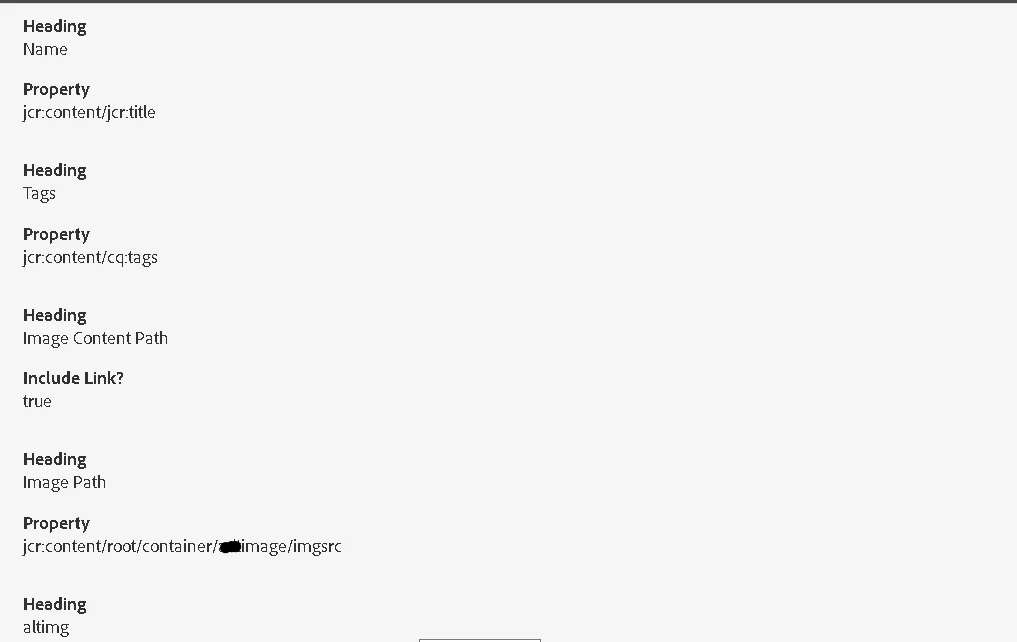
I need to create a report where I need to fetch some values from nodes and display in reports.
The problem I am facing here I need to print the values of multifield,
For example if we check this query,

SELECT * FROM [cq:Page] AS nodes WHERE (isdescendantnode('{{path}}')) AND nodes.[jcr:content/cq:template]='/conf/migration/settings/wcm/templates/image-page-template' AND (nodes.[jcr:content/root/container/adtimage/imgsrc] IS NOT NULL)


which means we can get all the values of imgsrc: 

So, Using ACS AEM Commons report tool we can get the values which we need in reports.
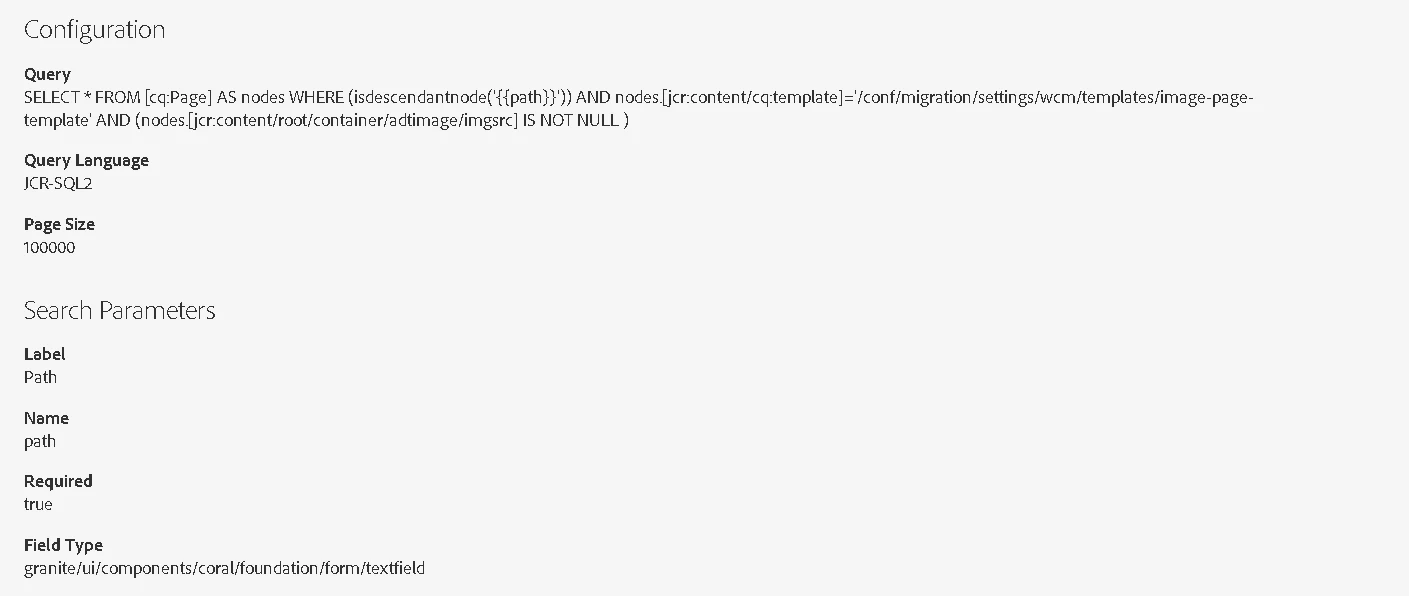

But the problem I am facing here is I need to get the values of multifield Nodes:
which is under jcr:content/root/container/adtimage/altimg/ {item0},{item1}...

 

Can anyone guide me how to do this.

Thanks

@arunpatidar  @kautuk_sahni  @lukasz-m  @briankasingli 

 

Det här ämnet har stängts för svar.
Bästa svar av Jagadeesh_Prakash

@tushaar_srivastava  I think their is no OOTB functionality available with ACS.


I suggest you to write a custom script which will read the multifield nodes and display it as a report.


To generate a report based on AEM multifields, you can follow these steps:

  1. Identify the multifield component on the page or template you want to report on.
  2. Determine the data structure of the multifield, including the fields and data types used.
  3. Extract the data from the multifield component and store it in a data structure that is easy to process, such as JSON or XML.
  4. Parse the data and generate a report based on the information you want to present.
  5. Format the report according to your requirements, such as CSV or PDF, and distribute it to the relevant stakeholders.

2 svar

Jagadeesh_Prakash
Community Advisor
Community Advisor
February 20, 2023

@tushaar_srivastava  I think their is no OOTB functionality available with ACS.


I suggest you to write a custom script which will read the multifield nodes and display it as a report.


To generate a report based on AEM multifields, you can follow these steps:

  1. Identify the multifield component on the page or template you want to report on.
  2. Determine the data structure of the multifield, including the fields and data types used.
  3. Extract the data from the multifield component and store it in a data structure that is easy to process, such as JSON or XML.
  4. Parse the data and generate a report based on the information you want to present.
  5. Format the report according to your requirements, such as CSV or PDF, and distribute it to the relevant stakeholders.
tushaar_srivastava
Level 6
February 22, 2023

Hi @jagadeesh_prakash , Thank you for your response, do you have any sample example or any supporting link for it, that will really help.

Thanks

September 3, 2023

Have you tried by custom code?? Or tried with the query itself??


Currently I have the same situation that I need to fetch the multifield node values..


Please help me out