Accessing metadata of featured image uploaded to a page in AEM | Community
Skip to main content
Level 3
January 7, 2025
Solved

Accessing metadata of featured image uploaded to a page in AEM

  • January 7, 2025
  • 1 reply
  • 633 views

Hi,

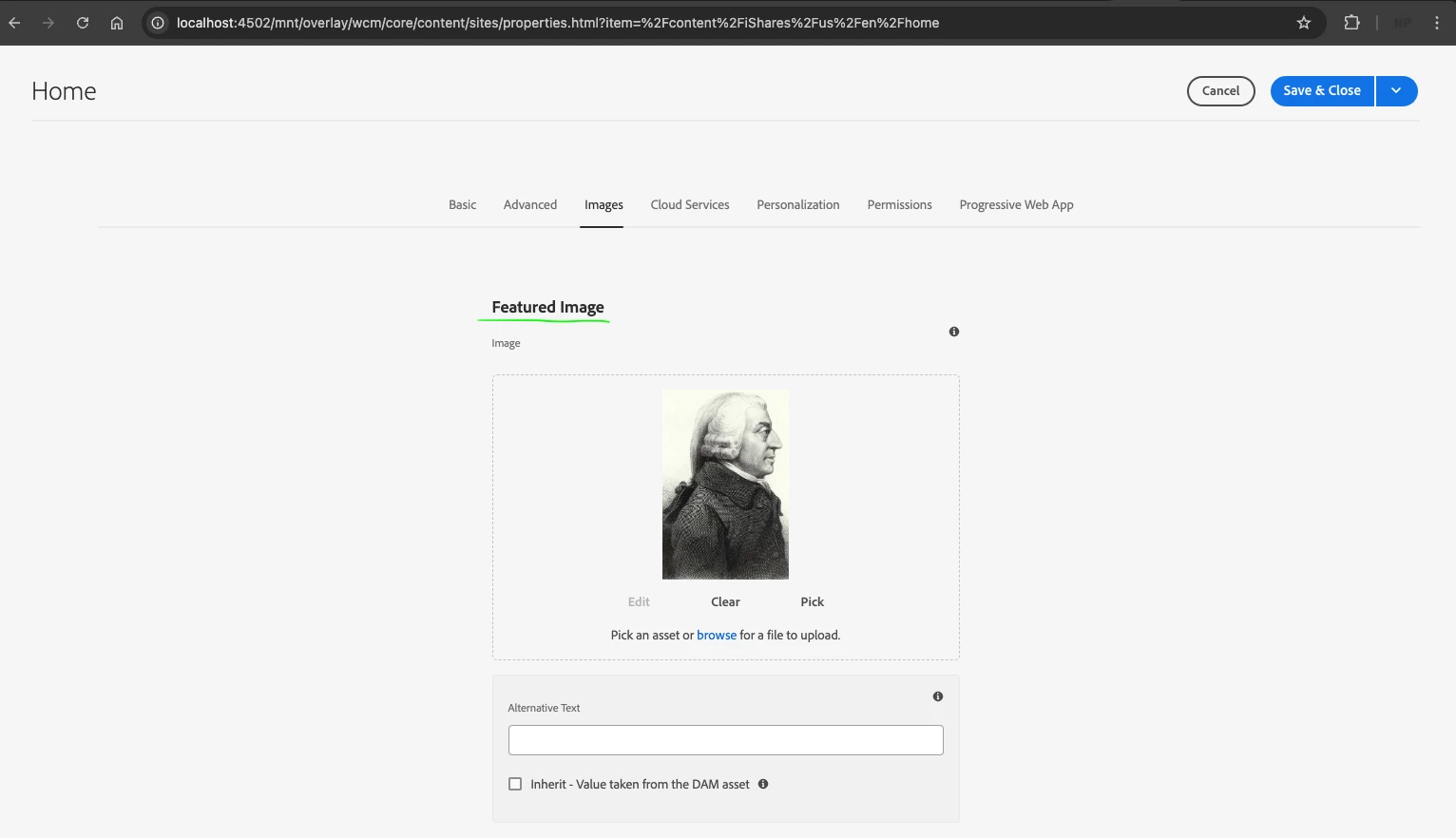
I have uploaded a featured image on the page's images tab. Is there a way to access the image metadata from JCR (e.g. its height in a custom Sling model exporter)?
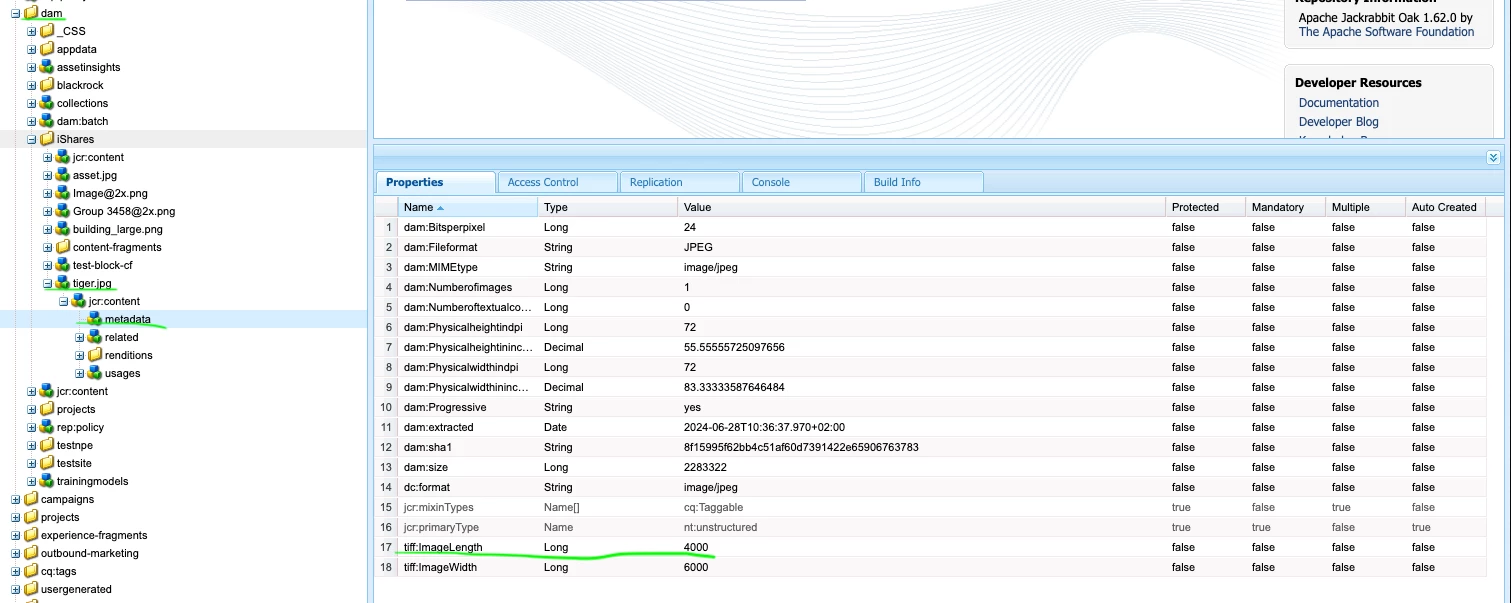
I know the image metadata for a DAM asset image is available in JCR but could not find a way to get the same information for an image uploaded as a page image directly.
Attaching some screenshots about the properties.

Thanks and regards,
Peter


Page image uploaded:
 

JCR content for the uploaded image:

 

JCR content for a DAM image:
Best answer by EstebanBustamante

Hi, 


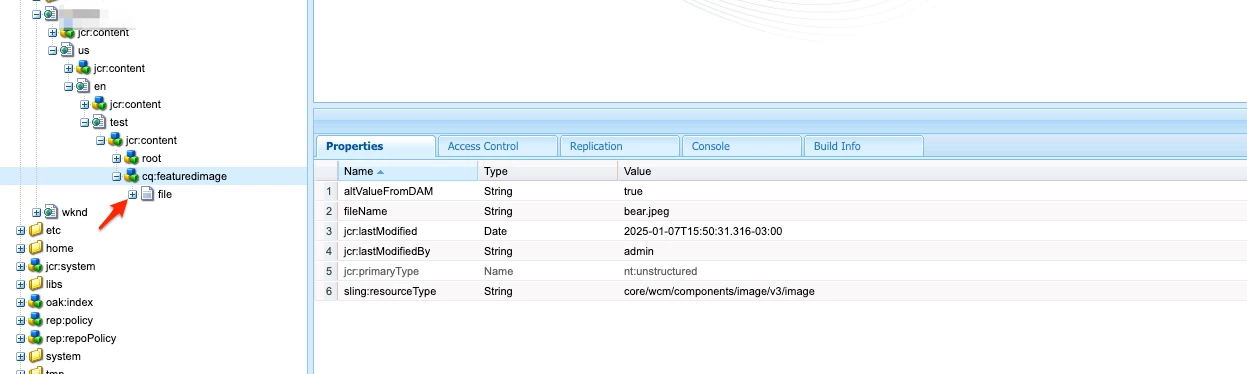
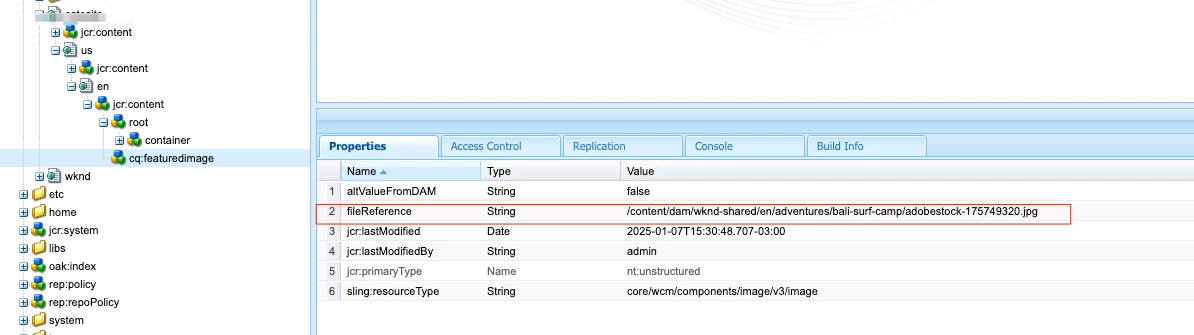
No, the metadata is created on images that are uploaded into the DAM not pages, so there won't be any metadata available on the page's featuredImage. Now, regarding the featuredImage you can either upload your own image, which won't be linked to any existing image in the DAM, but it will add the image itself underneath the cq_featuredImage [1], or you can select an image from the DAM [2]. In the latter scenario, you should be able to grab the "fileReference" property and access the DAM image metadata.


If you need the metadata, the best approach is to upload the image first into a DAM folder and then select that image from the Page properties.


[1]. No FileReference because I uploaded the image


[2]. FileReference because I used the "pick" option and referenced the image


You can check here more about how to grab the "fileReference" property in the backend: https://experienceleaguecommunities.adobe.com/t5/adobe-experience-manager/fetch-featured-image-from-page-properties-in-aem-6-5/m-p/558292 


Hope this helps

1 reply

EstebanBustamante
Community Advisor and Adobe Champion
EstebanBustamanteCommunity Advisor and Adobe ChampionAccepted solution
Community Advisor and Adobe Champion
January 7, 2025

Hi, 


No, the metadata is created on images that are uploaded into the DAM not pages, so there won't be any metadata available on the page's featuredImage. Now, regarding the featuredImage you can either upload your own image, which won't be linked to any existing image in the DAM, but it will add the image itself underneath the cq_featuredImage [1], or you can select an image from the DAM [2]. In the latter scenario, you should be able to grab the "fileReference" property and access the DAM image metadata.


If you need the metadata, the best approach is to upload the image first into a DAM folder and then select that image from the Page properties.


[1]. No FileReference because I uploaded the image


[2]. FileReference because I used the "pick" option and referenced the image


You can check here more about how to grab the "fileReference" property in the backend: https://experienceleaguecommunities.adobe.com/t5/adobe-experience-manager/fetch-featured-image-from-page-properties-in-aem-6-5/m-p/558292 


Hope this helps

Esteban Bustamante
pnagyAuthor
Level 3
January 8, 2025