


5 things: Creating HTML for a component | AEM Community Blog Seeding
5 things: Creating HTML for a component by Anmol Bhardwaj
Abstract
In this article, I will keep it very very simple.
We just create a simple HTML file for the new component which we created, to show all the dialog fields which are authored.

Create a new file under your component. ( You can do this in any IDE or CRXDE as well )
Keep the file name the same as the name of your component, or more precisely, the name of the node which you created as the type cq:component.
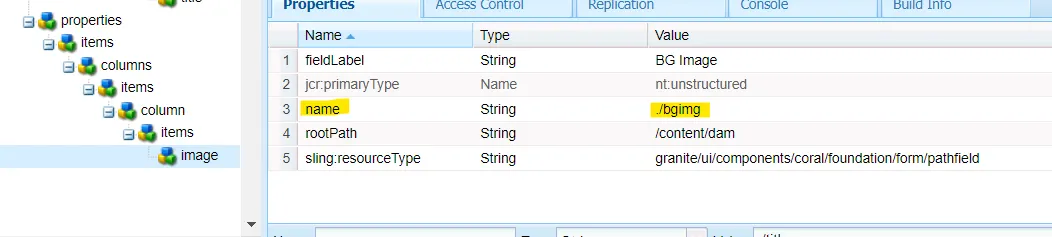
You can access the dialog properties by the name which you gave them.

And then you can use them simply like

${propeties.}
// you can or cannot use a string, it depends where you are using this.
4. Write the HTML code for your component
${properties.title}
${properties.copytext}
5. data-sly-test is equivalent to if.
data-sly-unwrap will not render the div on the page, just the text instead. If you notice.
I have used quotes in the img src, but not in the div. It works in both places.
Read Full Blog
5 things: Creating HTML for a component
Q&A
Please use this thread to ask the related questions.