This post is no longer active and is closed to new replies. Need help? Start a new post to ask your question.
MRashidRazaAccepted solution
Adobe Employee
May 10, 2023 5:39 AM UTC

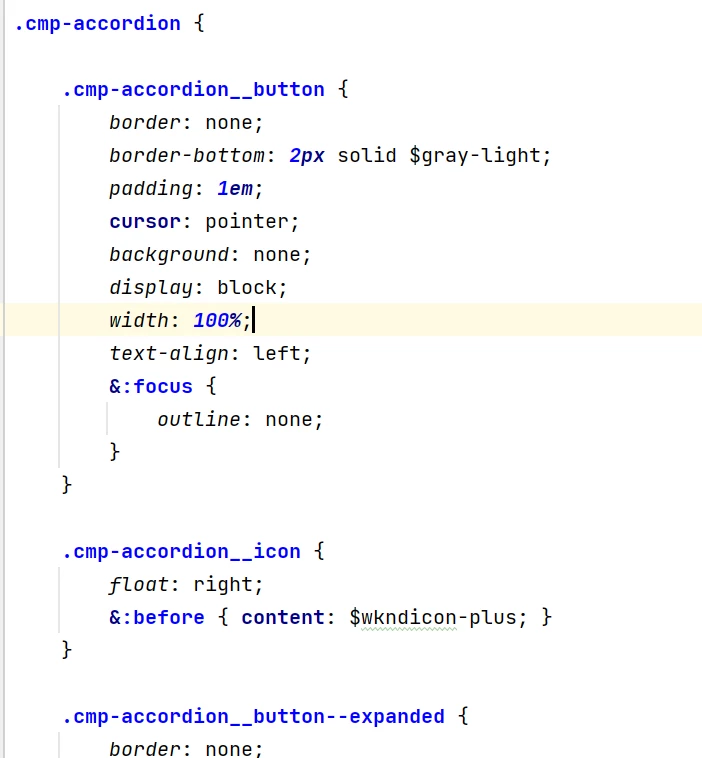
There is no mapping is required. Using ClientLibs categories adding the JS and CSS under /apps/<project>/cleintlibs. And then while writing the css use a parent class name like cmp-<component_name> that work as prefix with all css and JS(ref screenshot 1 below). 

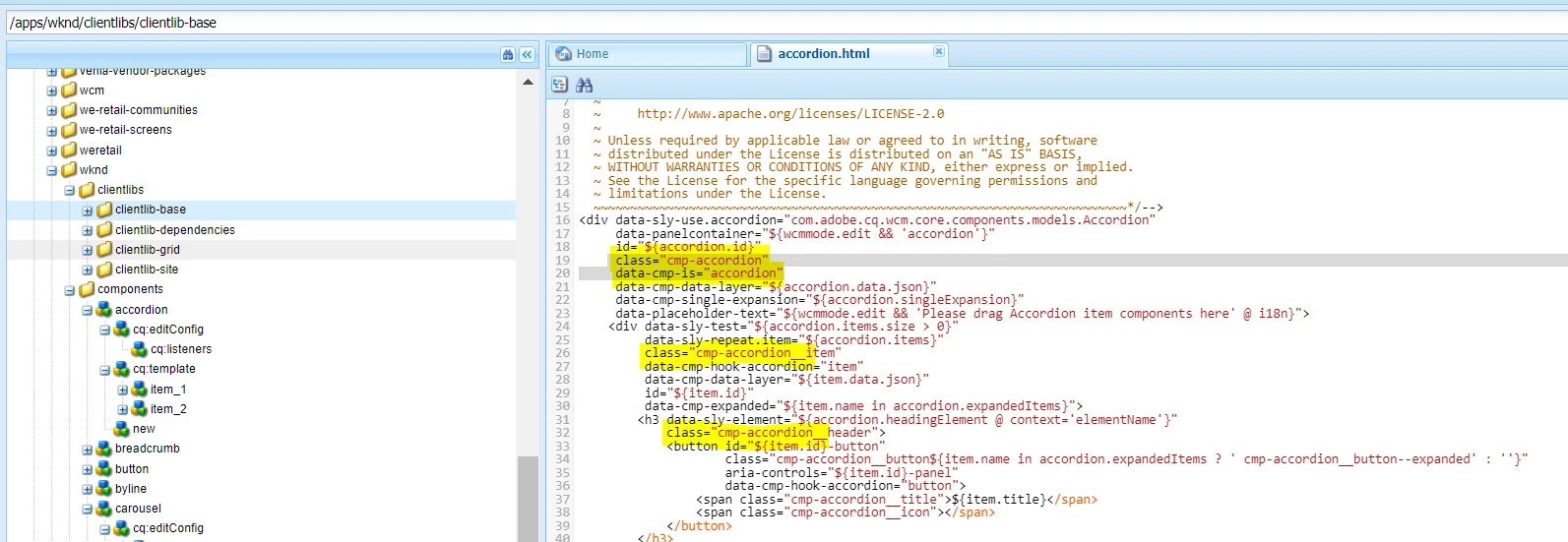
Then in component html use the same prefix classname with all your classes. Like below screenshot 2.

screenshot 1:


screenshot 2:


5 replies

Saravanan_Dharmaraj
Community Advisor
Community Advisor
May 9, 2023 6:55 PM UTC
Keerthi0555
Level 5
May 10, 2023 4:58 AM UTC

Hi Sravanan,


I went through the documentation it's there about adding clientlibs to the template but for a specific component how to add css / js from ui.frontend.


Is it based on the name of the css and js files with component's name?

Translate
MRashidRazaAdobe EmployeeAccepted solution
Adobe Employee
May 10, 2023 5:39 AM UTC

There is no mapping is required. Using ClientLibs categories adding the JS and CSS under /apps/<project>/cleintlibs. And then while writing the css use a parent class name like cmp-<component_name> that work as prefix with all css and JS(ref screenshot 1 below). 

Then in component html use the same prefix classname with all your classes. Like below screenshot 2.

screenshot 1:


screenshot 2:


Translate
Keerthi0555
Level 5
May 10, 2023 6:02 AM UTC

no from ui.frontend not from ui.apps.

Translate
Adobe Employee
May 10, 2023 6:42 AM UTC

I answered from ui.frontend only. Read carefully and browse the project.

Translate