How to add json-ld property to page metadata for pages in EDS with Universal Editor | Community
Skip to main content
New Member
August 22, 2025

How to add json-ld property to page metadata for pages in EDS with Universal Editor

  • August 22, 2025
  • 2 replies
  • 1287 views

Hello,

we are trying to add seo schema to our page, Adobe's documentation suggests to use json-ld to author seo schema, but I am clueless on how to add it as a property to page.json. Whenever I tried to add it as a property to page.json, the content which I author in that page is being rendered as a meta tag with name property which I have defined in page.json. It is not rendering as script tag as it was mentioned in documention.
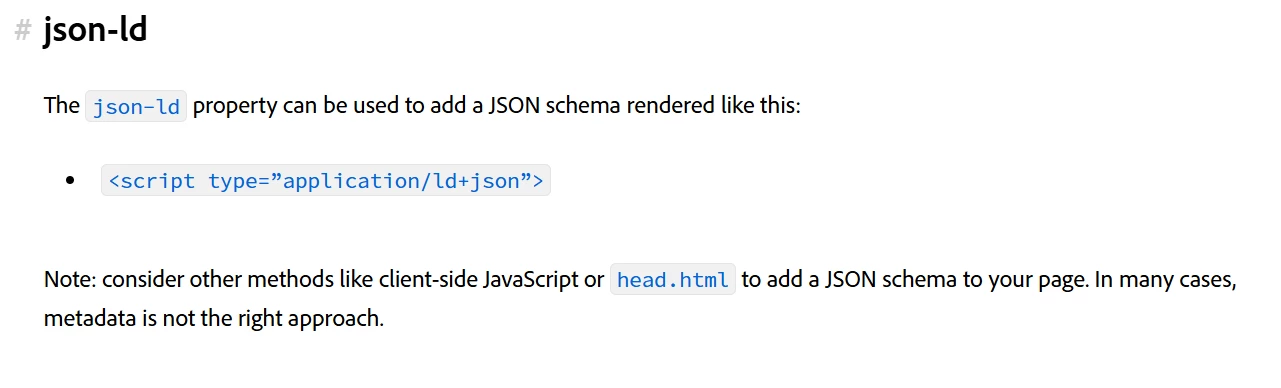
 

Could anyone help me with this.


Thank You.

2 replies

August 24, 2025

It sounds like you’re running into the common confusion between how AEM (Adobe Experience Manager) handles metadata via page.json and how JSON-LD needs to be rendered for SEO.

When you define a property in page.json, AEM by default maps that into

<meta name="..." content="...">

. That’s why you’re seeing your schema data show up as a meta tag instead of a 

<script type="application/ld+json">

block.

To get JSON-LD working correctly for SEO, you don’t want to store the raw schema directly as a page property. Instead, you should:

  1. Store the schema content (as text or JSON) in a property of the page/component.

  2. Create a component (or use a custom HTL script) that outputs this property wrapped in:


<script type="application/ld+json"> { ... your schema json ... } </script>

This way, AEM renders it exactly as required by search engines.

If you’re using AEM’s Core Components, you could extend the Page component to include a JSON-LD rendering hook. Otherwise, add a simple custom component to your page template that reads the schema property and outputs it with the correct 

<script>

wrapper.

So in short:

  • Adding schema to page.json directly will always render as

<meta>

 → not suitable.

  • Instead, store schema as a property and output it with a dedicated 

<script type="application/ld+json">

block in your page.

That should align with Adobe’s documentation and ensure the schema is picked up properly by crawlers.

Strony internetowe Nowy Tomyśl

seshasaiAuthor
New Member
August 25, 2025

Hello,

Thanks for the reply. I guess I am not specific with my question. We are trying this in AEM with Edge Delivery Services. Here we do not have HTL scripts.


Thank You.

Shashi_Mulugu
Community Advisor
Community Advisor
August 25, 2025

@seshasai are you using Document based authoring or AEM EDS Sites?

If you are using document based authoring, you can use metadata section to author JSON-LD schema as below screenshot..

seshasaiAuthor
New Member
September 1, 2025

No, we are using Universal Editor.

AmitVishwakarma
Community Advisor
Community Advisor
March 12, 2026

Hi ​@seshasai 

You're hitting a limitation of how Edge Delivery + Universal Editor currently handles metadata.

For Universal Editor pages (AEM EDS Sites), any extra field you add to page.json is rendered as:

<meta name="your-field" content="...">

There is no built‑in special case that turns a json-ld property into

<script type="application/ld+json">...</script>

That "magic" only exists for document‑based authoring metadata blocks, not for Universal Editor page models.

Because of that, trying to add JSON‑LD as a page property in page.json will always give you <meta> tags, not a JSON‑LD <script>.

Best‑practice solution for Universal Editor + EDS

To get proper JSON‑LD on EDS pages authored with Universal Editor, you need to do it in code, not via a plain page property:

  • Expose a field for authors
    • Add a dedicated SEO/JSON‑LD field to your page model or an "SEO settings" component that Universal Editor can edit (simple text/textarea field that stores raw JSON‑LD).
  • Render JSON‑LD in your site's head template
    • In your Edge Delivery front‑end code (the repo that defines your HTML templates), read that field and output:
  • <script type="application/ld+json">
    { ...raw JSON from the page property... }
    </script>

    This can be done in:

    • a shared head.html (or equivalent head template), or

    • a dedicated "SEO JSON‑LD" block/component that renders only in <head>.

  • Validate your JSON‑LD

    • Make sure the value you store is valid JSON and valid schema.org JSON‑LD so that search engines can parse it correctly.

This way:

  • Authors still manage JSON‑LD per page via Universal Editor.
  • The site's front‑end, not the metadata system, is responsible for emitting the <script type="application/ld+json"> tag, which is exactly what Google and other crawlers expect.


Note on document‑based authoring
On document‑based EDS sites using the metadata block, the special json-ld property does render as a JSON‑LD <script> tag, as described in Adobe's metadata authoring docs for Edge Delivery Authoring and Publishing Content and Page metadata. That behavior is not available automatically on Universal Editor pages. https://www.aem.live/docs/authoring https://experienceleague.adobe.com/en/docs/experience-manager-learn/sites/document-authoring/page-metadata

Amit Vishwakarma - Adobe Commerce Champion 2025 | 16x Adobe certified | 4x Adobe SME