Custom block instance name in Universal Editor (Content Tree) | Community
Skip to main content
Level 4
May 5, 2026
Question

Custom block instance name in Universal Editor (Content Tree)

  • May 5, 2026
  • 1 reply
  • 17 views

Hi everyone,

I’m working with AEM + Universal Editor + Edge Delivery Services.

Is there a way to display a custom name per block instance in the Content Tree, based on a model field (e.g., authorLabel)?

I want authors to label blocks like “Hero – Home” or “Hero – Campaign” and see that in the tree, instead of just the default component name.

Is this supported or is there any extension point to achieve it?

Thanks!
1 reply

Level 2
May 6, 2026

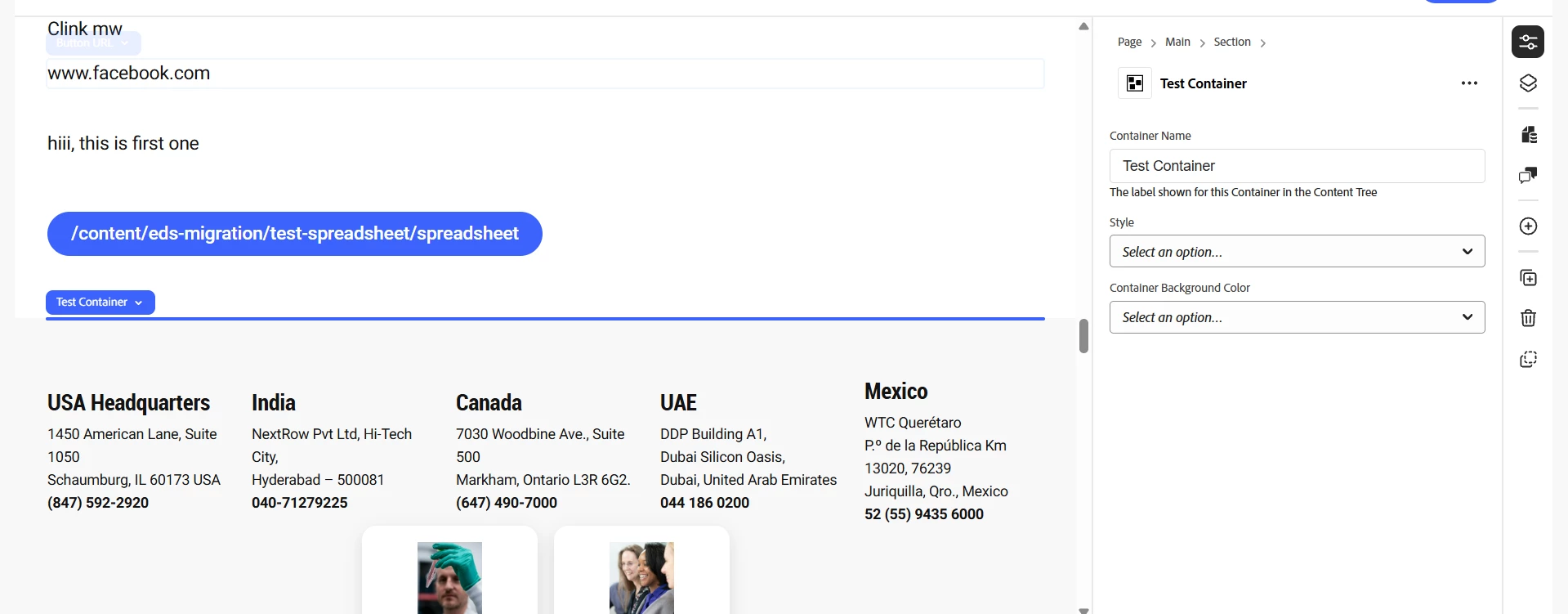
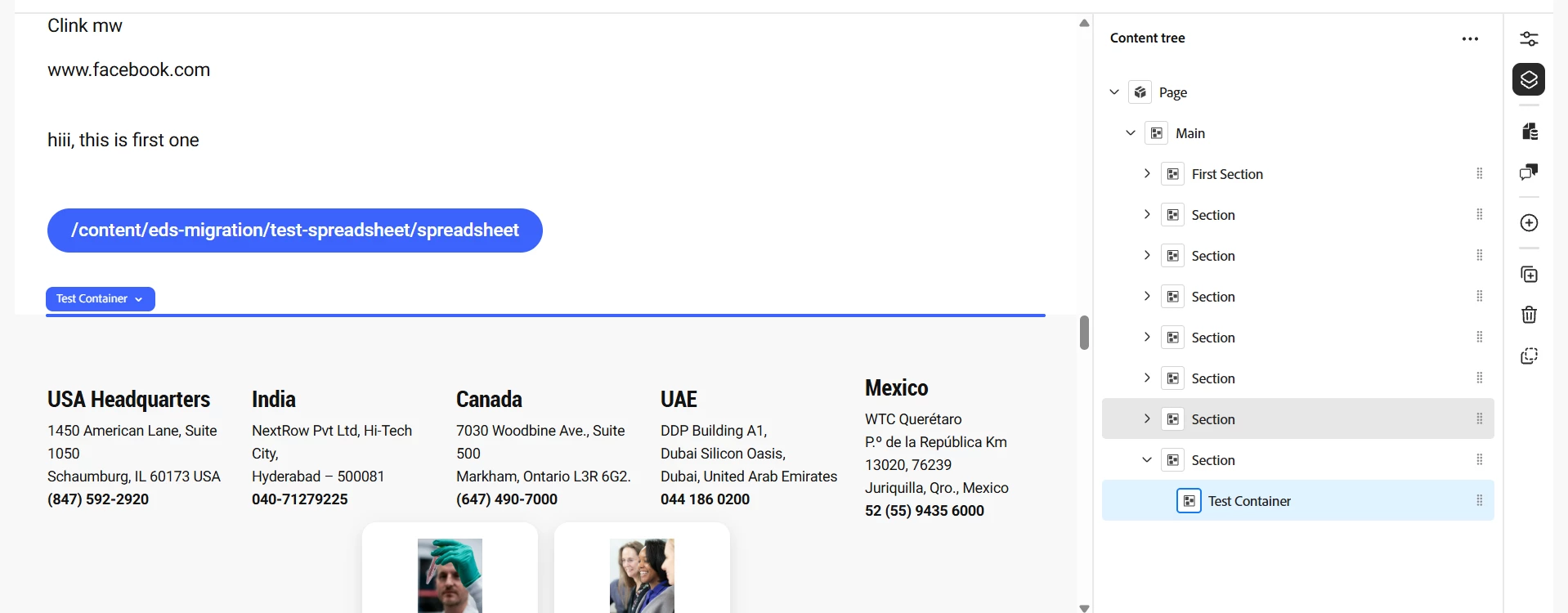
Hi ​@olsalas711 , you can do this using a name field in the block model and use it as the label in the Content Tree.

{
"component": "text",
"name": "name",
"label": "Container Name",
"description": "The label shown for this Container in the Content Tree"
}

Authors can then set values like "Hero – Home" or "Hero – Campaign", and that will be shown in the Content Tree instead of the default component name.


Please refer to the attached screenshots for reference,