Adobe X-Walk release 0.2.0 (EDS + UE) not working, Repo not getting synced with AEM site | Community
Skip to main content
Level 2
July 21, 2026
Solved

Adobe X-Walk release 0.2.0 (EDS + UE) not working, Repo not getting synced with AEM site

  • July 21, 2026
  • 3 replies
  • 67 views

Hi team, I was following the Adobe EDS implementation steps.
I had forked the xwalk repo from last release version 0.2.0 
In this paths.json has been deprecated and xwalk.json is introduced.

This new release is not working for me.
I have correctly setup the site using site-template from xwalk release page.
And then configured AEM code sync as well for my repo.
In my repo I have correctly setup the mount point as that of my dev author.

fstab.yaml

mountpoints:
/:
url: "https://{dev-author-domain}.adobeaemcloud.com//bin/franklin.delivery/pulkit-vashistha/aem-eds-demo/main"
type: "markup"
suffix: ".html"

x-walk.json

{
"public": {
"xwalk": {
"multi-field": {
"enabled": true
}
}
}
}


But when I publish the page from AEM author to preview or live
I have unable to view my page at https://main--<repo>--<owner>.aem.page/ or https://main--{repo}--{owner}.aem.live/
It shows 404 page not found.
When I click on update in AEM sidebar , I still see the original adobe x-walk repo sync failed.
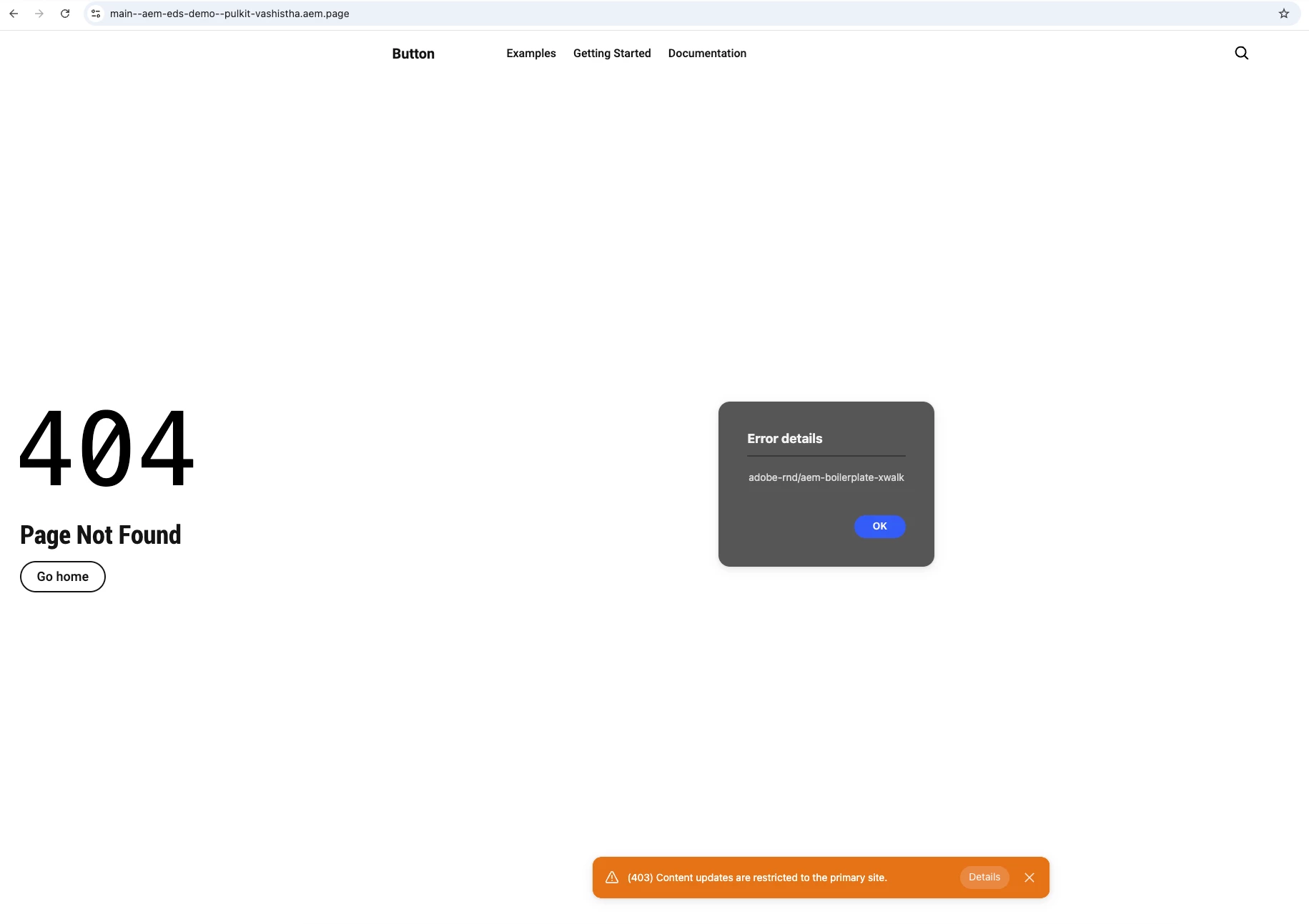
 

Has anyone else faced such issue?
Are there ways in which I can debug for root cause?

Best answer by rk_pandian

Hi ​@Pulkit , I believe this is Helix 5, so fstab.yaml will not work here. The content source needs to be updated via the config API and the user will need config_admin OR config read/write rights to update it. Please raise a support ticket with Adobe as they have to do it for the first time. Please make sure the login which has access to AEM instance gets the CONFIG access.

The auth token has to be retrieved from https://admin.hlx.page/login

Sample cURL below:

curl -X PUT https://admin.hlx.page/config/<github-owner>/sites/<repo-name>.json
-H 'content-type: application/json'
-H 'x-auth-token: <token>'
--data '{
"version": 1,
"code": {
"owner": "<github-owner>",
"repo": "<repo-name>"
},
"content": {
"source": {
"url": "https://<author-instance>.adobeaemcloud.com/bin/franklin.delivery/<github-org>/<project-name>/main/",
"type": "markup"
}
}
}'


Hope this helps!


Regards,

Ramkumar

3 replies

PulkitAuthor
Level 2
July 21, 2026

@Jennifer_Dungan 

PulkitAuthor
Level 2
July 21, 2026

.

rk_pandian
rk_pandianAccepted solution
Level 4
July 21, 2026

Hi ​@Pulkit , I believe this is Helix 5, so fstab.yaml will not work here. The content source needs to be updated via the config API and the user will need config_admin OR config read/write rights to update it. Please raise a support ticket with Adobe as they have to do it for the first time. Please make sure the login which has access to AEM instance gets the CONFIG access.

The auth token has to be retrieved from https://admin.hlx.page/login

Sample cURL below:

curl -X PUT https://admin.hlx.page/config/<github-owner>/sites/<repo-name>.json
-H 'content-type: application/json'
-H 'x-auth-token: <token>'
--data '{
"version": 1,
"code": {
"owner": "<github-owner>",
"repo": "<repo-name>"
},
"content": {
"source": {
"url": "https://<author-instance>.adobeaemcloud.com/bin/franklin.delivery/<github-org>/<project-name>/main/",
"type": "markup"
}
}
}'


Hope this helps!


Regards,

Ramkumar

PulkitAuthor
Level 2
July 21, 2026

@rk_pandian Thanks for the reply, 
I have carried out the above steps now till successful PUT request.
Still its not working.
I have republished the pages and the EDS cloud config as well.


Any other steps that I need to carry out.

rk_pandian
Level 4
July 21, 2026

@Pulkit Can you please hit this and share the response pls? (mask any sensitive content)

https://admin.hlx.page/config/{org}/sites/{site}.json

You need the token again if doing via REST client or you can use https://tools.aem.live/tools/admin-edit/index.html


Regards,

Ramkumar