Weird Runtime Error: The action did not produce a valid response and exited unexpectedly.
I have two Runtime actions:
1) Get a list (array) of files to download (filename -> download URL)
2) Upload file contents to database.
The array in action 1 contains 200-250 key/value pairs at any given time. Per key/value pair in the Action 1 array, I invoke action 2 (upload files) as non-blocking via the OpenWhisk package. I'm also leveraging a 5 second delay after every 10 results to avoid concurrency error.
for (let i = 0; i < filesToUpload.length; i++) {
  if((i + 1) % 10 === 0 )await sleep(5000);
  var name = 'upload-file';
  var blocking = false;
  var result = true;
  var params = {file: filesToUpload[i]};

  await ow.actions.invoke({name, blocking, result, params}).then(result => {
    activations.push(result);
  }).catch(err => {
    activations.push(err);
  })
}
When I look at my activation log (limit 50) after running action 1 (consequently invoking 200-250 action 2), I see 85% success, but 15% have a "developer error" status:
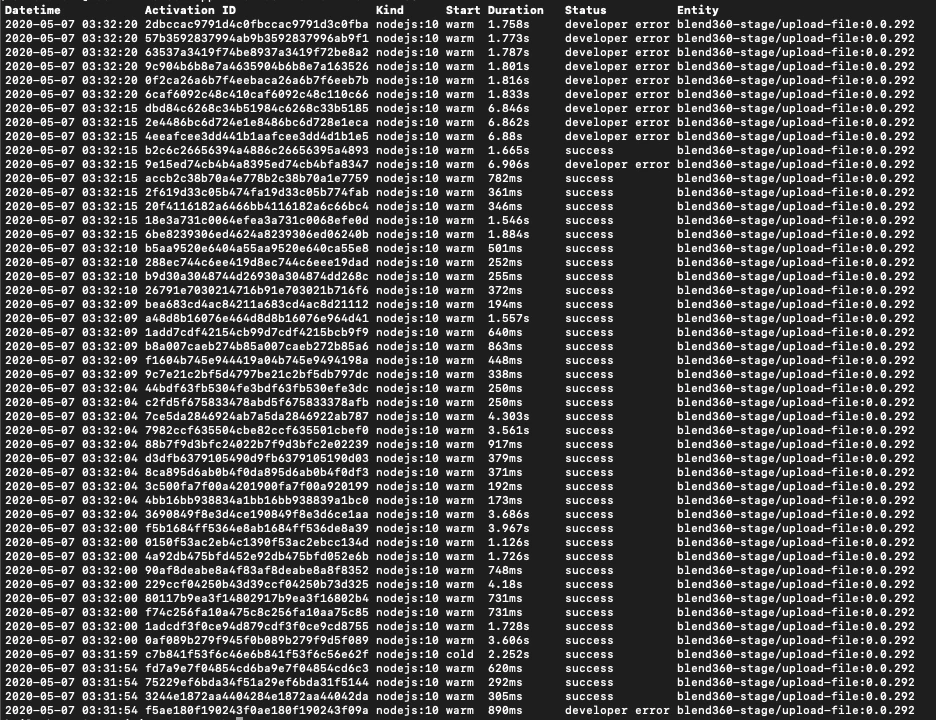
When I dig into an individual activation with a "developer error" using wsk activation get, I see this in the response:
"response": {
        "status": "action developer error",
        "statusCode": 0,
        "success": false,
        "result": {
            "error": "The action did not produce a valid response and exited unexpectedly."
        }
    }
I have no idea why this is happening without any real rhyme or reason. The error message is non-descriptive and doesn't really help me drill down to the root of the issue. I have proper error handling set up and return error statusCodes/messages when errors happen in my code.
@mihai-corlan , you seem to be the Runtime responder in this forum from Adobe. Any thoughts on this?