how it works | Community
Skip to main content
July 14, 2023
Solved

how it works

  • July 14, 2023
  • 2 replies
  • 821 views

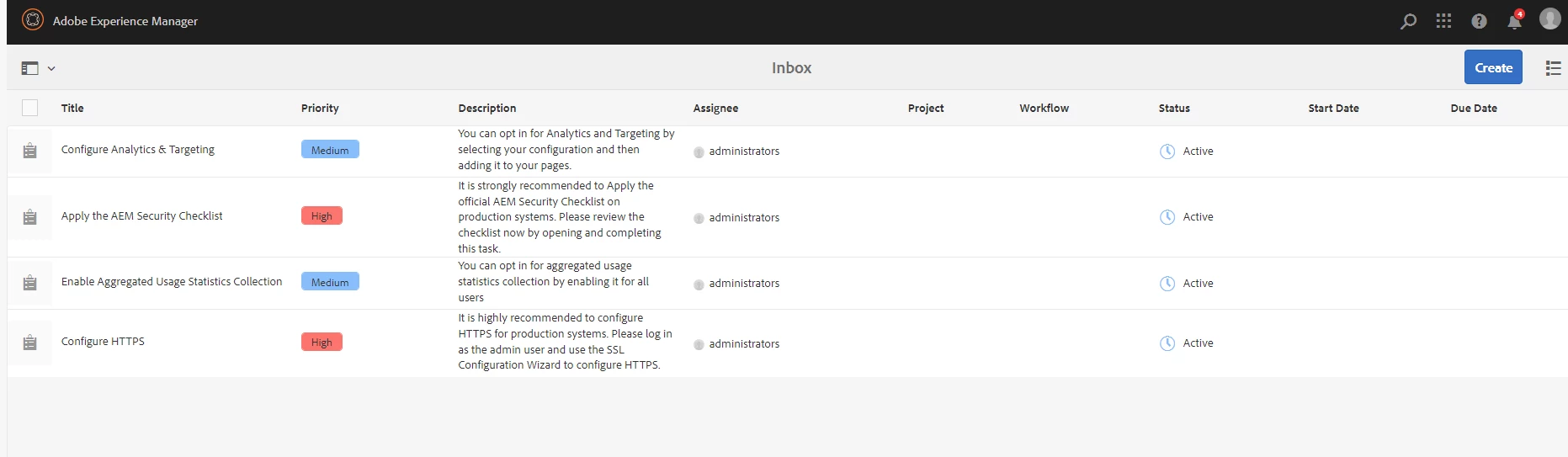
i need to know how nodes are created under  /var/taskmanagement/tasks/configuration

the values of this are storing there and.  it is possible when we publish page it neeed to create node on target.

i need to what is an exact use of this 

This post is no longer active and is closed to new replies. Need help? Start a new post to ask your question.
Best answer by partyush

Hi  @dillibabu05 

I hope this will make you understand it, a little bit better. 

1. Node Creation Under /var/taskmanagement/tasks/configuration:

  • Imagine /var/taskmanagement/tasks/configuration as a special place (like a folder) in Adobe Experience Manager (AEM) where information is stored.
  • Nodes are like little containers inside this folder where data can be stored. Think of them as small compartments to hold information.

2. Storing Values:

  • These nodes are used to store values or settings related to tasks or configurations. For example, if you have tasks that need certain settings, those settings can be stored in these nodes.

3. Publishing Pages and Creating Nodes:

  • When you publish a page in AEM, it means making it visible to the public on the website. If you've set up things in a certain way, publishing a page can also trigger the creation of nodes in /var/taskmanagement/tasks/configuration.

4. Use Case Example:

  • Let's say you have a task management system on your website. When you create a new task, you might want to store information about that task in these nodes under /var/taskmanagement/tasks/configuration.
  • When you publish the page containing the task, AEM can automatically create the necessary nodes to store that task's information.

5. Benefit of This Setup:

  • This setup helps keep things organized. Instead of storing task-related information all over the place, you have a specific spot (/var/taskmanagement/tasks/configuration) where everything related to tasks is neatly stored.

6. Simplified Explanation:

  • Think of /var/taskmanagement/tasks/configuration as a storage area in AEM. Nodes are like containers inside that storage area. You use these nodes to save task-related information, and when you publish a page with tasks, AEM takes care of creating the right containers for the task information.

7. Example Analogy:

  • Imagine you have a filing cabinet. /var/taskmanagement/tasks/configuration is like a specific drawer in that cabinet. Nodes are like folders inside that drawer. When you add a new task, you create a new folder inside that drawer to hold all the task's details.

Remember, this is a simplified explanation, but I hope it helps you understand the concept of nodes, storage, and how they relate to tasks and publishing in Adobe Experience Manage.
2 replies

sarahxxu
Adobe Employee
Adobe Employee
July 14, 2023

https://experienceleaguecommunities.adobe.com/t5/adobe-experience-manager/ct-p/adobe-experience-manager-community might be a better spot for this question as thats where the aem experts are hanging out! 

partyush
Community Advisor
partyushCommunity AdvisorAccepted solution
Community Advisor
August 13, 2023

Hi  @dillibabu05 

I hope this will make you understand it, a little bit better. 

1. Node Creation Under /var/taskmanagement/tasks/configuration:

  • Imagine /var/taskmanagement/tasks/configuration as a special place (like a folder) in Adobe Experience Manager (AEM) where information is stored.
  • Nodes are like little containers inside this folder where data can be stored. Think of them as small compartments to hold information.

2. Storing Values:

  • These nodes are used to store values or settings related to tasks or configurations. For example, if you have tasks that need certain settings, those settings can be stored in these nodes.

3. Publishing Pages and Creating Nodes:

  • When you publish a page in AEM, it means making it visible to the public on the website. If you've set up things in a certain way, publishing a page can also trigger the creation of nodes in /var/taskmanagement/tasks/configuration.

4. Use Case Example:

  • Let's say you have a task management system on your website. When you create a new task, you might want to store information about that task in these nodes under /var/taskmanagement/tasks/configuration.
  • When you publish the page containing the task, AEM can automatically create the necessary nodes to store that task's information.

5. Benefit of This Setup:

  • This setup helps keep things organized. Instead of storing task-related information all over the place, you have a specific spot (/var/taskmanagement/tasks/configuration) where everything related to tasks is neatly stored.

6. Simplified Explanation:

  • Think of /var/taskmanagement/tasks/configuration as a storage area in AEM. Nodes are like containers inside that storage area. You use these nodes to save task-related information, and when you publish a page with tasks, AEM takes care of creating the right containers for the task information.

7. Example Analogy:

  • Imagine you have a filing cabinet. /var/taskmanagement/tasks/configuration is like a specific drawer in that cabinet. Nodes are like folders inside that drawer. When you add a new task, you create a new folder inside that drawer to hold all the task's details.

Remember, this is a simplified explanation, but I hope it helps you understand the concept of nodes, storage, and how they relate to tasks and publishing in Adobe Experience Manage.