October 11, 2022
Solved

Year over Year trend analysis, where current year does not drop to 0 for remainder of year

I am trying to set up a year over year comparison of Visits. With the dimension either being Week or Month, I want to show, for example all of 2021, but then for 2022, rather than the line dropping to 0 for November and December, is there a way that the line just ends at where it currently is, so we don't see a huge drop until time catches up?

This post is no longer active and is closed to new replies. Need help? Start a new post to ask your question.
Jennifer_Dungan
Jennifer_DunganAccepted solution
Adobe Champion and Community Advisor
October 11, 2022

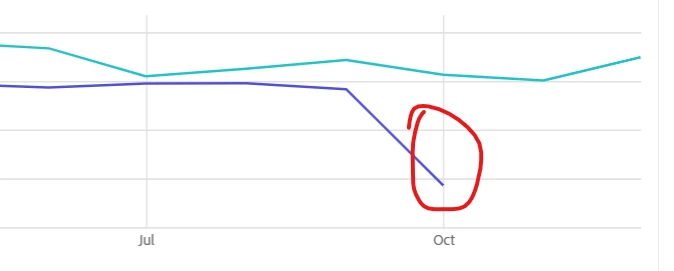
So I assume you are looking at something like:

or


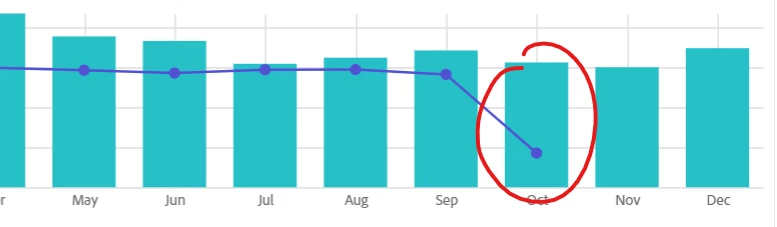
Where the current partial month looks really bad by comparison.


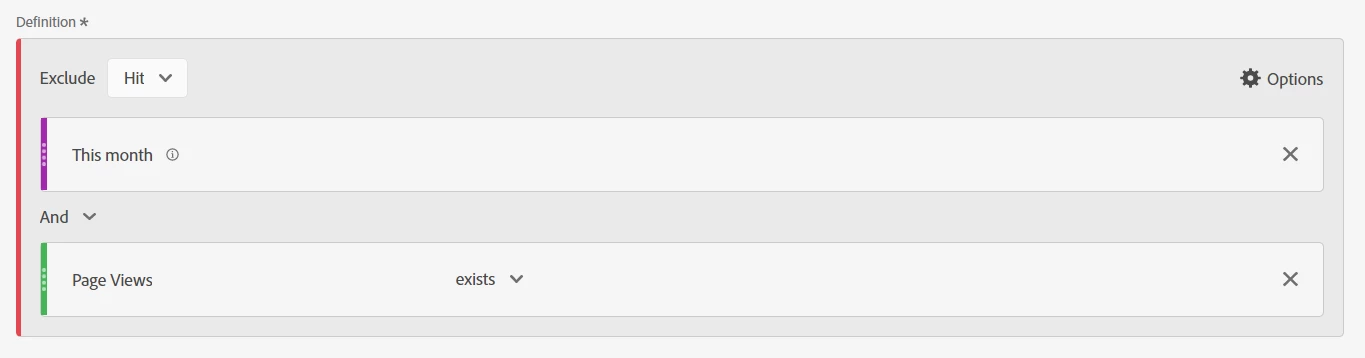
You can use a little trick to create a segment that will exclude traffic from "this month":


(Notice the entire segment is an exclude rule - and you can change the metric to something more appropriate for your graph)


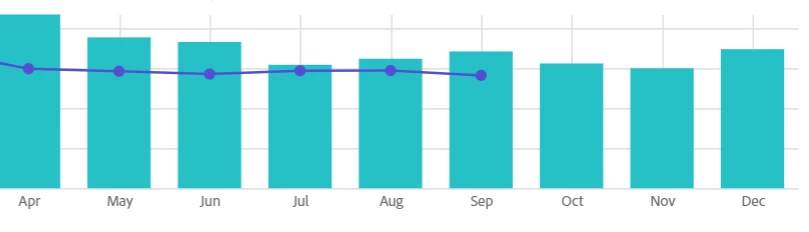
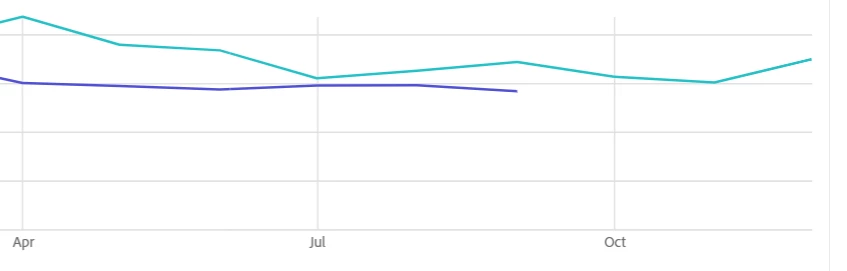
You can apply to the panel, or to the "current year column" in your data table, and it will result in:


or


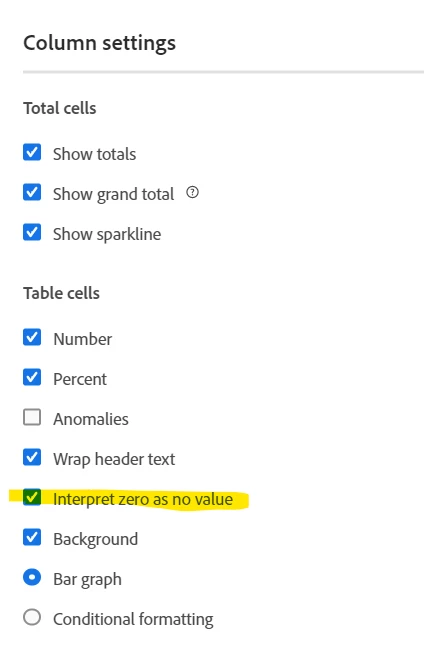
Notice that all the data from this month (October) is removed. I also made sure to "interpret zero as no value":


Now, October's data will only show up once it's Nov 1, and November will then be hidden.


3 replies

Jennifer_Dungan
Adobe Champion and Community Advisor
Jennifer_DunganAdobe Champion and Community AdvisorAccepted solution
Adobe Champion and Community Advisor
October 11, 2022

So I assume you are looking at something like:

or


Where the current partial month looks really bad by comparison.


You can use a little trick to create a segment that will exclude traffic from "this month":


(Notice the entire segment is an exclude rule - and you can change the metric to something more appropriate for your graph)


You can apply to the panel, or to the "current year column" in your data table, and it will result in:


or


Notice that all the data from this month (October) is removed. I also made sure to "interpret zero as no value":


Now, October's data will only show up once it's Nov 1, and November will then be hidden.


Translate
October 11, 2022

Brilliant!!! Thank you so much!


Translate
Jennifer_Dungan
Adobe Champion and Community Advisor
October 11, 2022

You're very welcome! Glad I could help.

Translate