Level 3
February 22, 2023
Solved

Workspace - Send file to emails not working?

  • February 22, 2023
  • 4 replies
  • 1203 views

I am trying to send a workspace file to various users that do not have access to Adobe. 


I am able to send a file when I select my user name from the dropdown but not when I type in my email. 
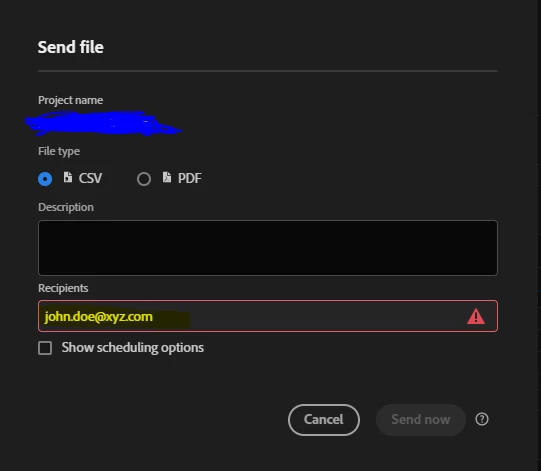
Why is this not letting me send the file as an email?

This post is no longer active and is closed to new replies. Need help? Start a new post to ask your question.
Best answer by MandyGeorge

Hi @yohan_khan00 - did you hit enter after putting in the email? Try that, it should work.

4 replies

MandyGeorge
Adobe Champion and Community Advisor
MandyGeorgeAdobe Champion and Community AdvisorAccepted solution
Adobe Champion and Community Advisor
February 22, 2023

Hi @yohan_khan00 - did you hit enter after putting in the email? Try that, it should work.

Jennifer_Dungan
Adobe Champion and Community Advisor
February 22, 2023

@mandygeorge beat me to it 😛


Before hitting enter:


After hitting enter:


Each email added needs to be "confirmed" by hitting enter to turn it into a object in the recipients list. I believe this is because you can mix emails with users from the system, so you can't just add a list of emails with semi-colons separating them, you have to confirm each email as a complete object.

Level 3
February 22, 2023

I cant believe I got stumped on this little thing here. Thank you for identifying the issue and helping me resolve it.