


New
Workspace: display % metrics when column % is off
When using metrics as rows rather than in columns the "percentage" column setting has an unfortunate affect any percentage based metrics...
Take the following example:
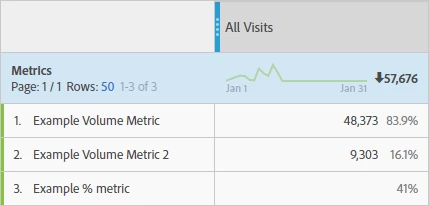
The 'column' percentages (83.9%, 16.1%) for the first 2 volume based metrics are meaningless so we don't want to display them (to reduce confusion among users).
However turning off column percentage leaves us with a blank cell for the the final percentage based metric! (see below)
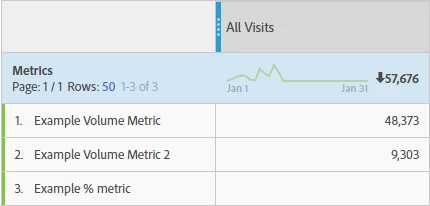
This is different to the behaviour in previous Adobe products such as Ad Hoc Analysis.
Please can you consider altering how this works to allow the percentage based metric to display even if the column percentage is turned off?