Workspace- Change Row Default Setting for Large Breakdowns | Community
Skip to main content
Level 3
June 30, 2020
Solved

Workspace- Change Row Default Setting for Large Breakdowns

  • June 30, 2020
  • 1 reply
  • 1665 views

Hi All, 


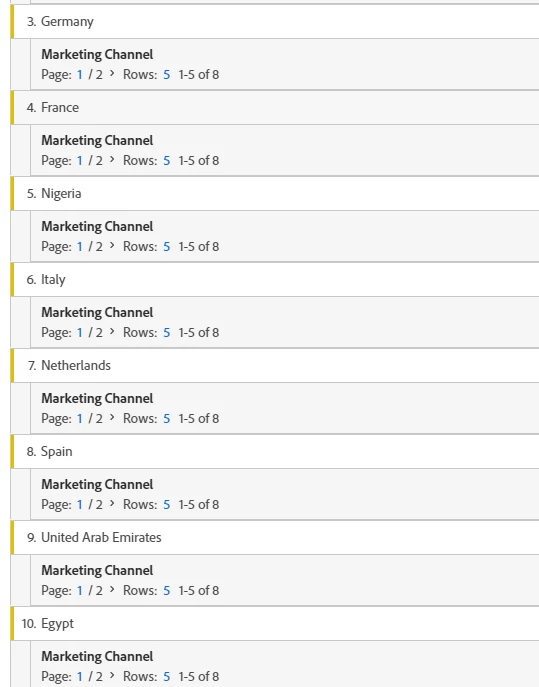
I have a free form table that shows countries (192 rows) and I broke it down by Marketing Channel. The Marketing Channel breakdown by default shows just 5 rows (we need to show 10). Is there an easy way to change rows from 5 to 10 without having to go through each country? Screen shot below. Thanks!

This post is no longer active and is closed to new replies. Need help? Start a new post to ask your question.
Best answer by raj_mandalapu

Can you please try to build using Table Builder in the free form table, seems they delivered this functionality recently  

Check this video https://www.youtube.com/watch?v=GUMWiJAmMGI

Refer this link for more information

https://experienceleaguecommunities.adobe.com/t5/adobe-analytics-ideas/default-breakdown-rows-in-workspace/idc-p/352334#M14204

1 reply

raj_mandalapu
raj_mandalapuAccepted solution
Level 7
June 30, 2020

Can you please try to build using Table Builder in the free form table, seems they delivered this functionality recently  

Check this video https://www.youtube.com/watch?v=GUMWiJAmMGI

Refer this link for more information

https://experienceleaguecommunities.adobe.com/t5/adobe-analytics-ideas/default-breakdown-rows-in-workspace/idc-p/352334#M14204

EMeyer79Author
Level 3
July 8, 2020
Thank you! That worked!