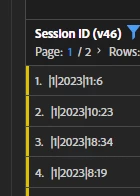
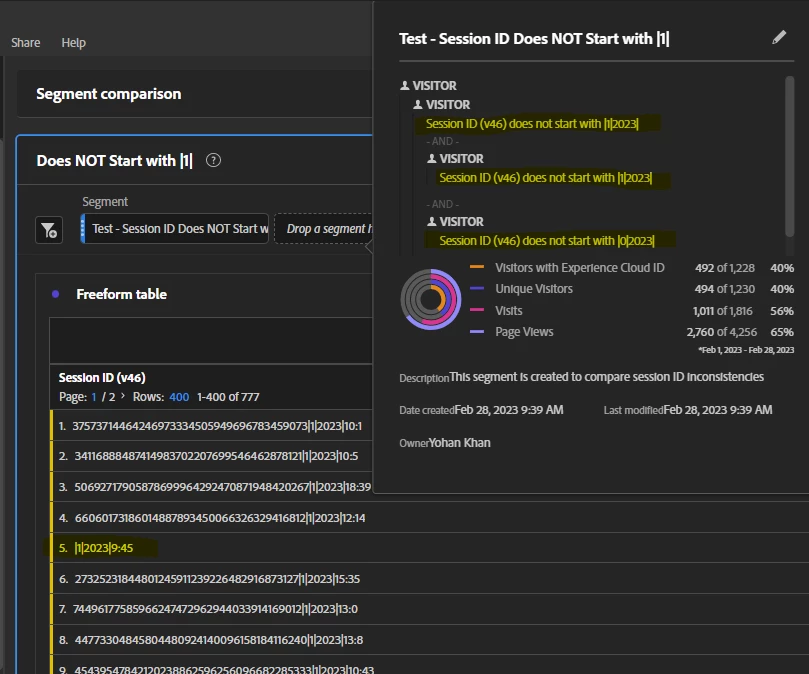
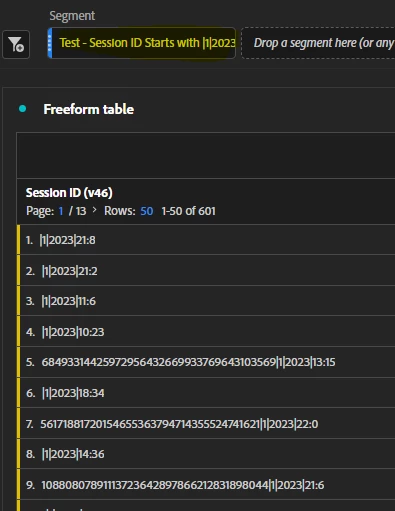
I believe the issue is that all your logic is using "Visitor".. basically you are looking for visitors that have session ids that do not start with "x".. the problem is, if that visitor has any value that doesn't start with "x" they will be included...
Since you are just trying to get rid of the data that is missing specific values, you can just make you segment "hit" level... don't include hits that start with "x" (make everything hit level).
Unless you are trying to exclude all traffic from Visitors that ever had that scenario... then you need to actually use exclude rules...
Think of the segment logic this way:
- VISITOR: "Does not start with x" means any hits that don't meet that criteria for the visitor, the visitor will still be included in the segment
- VISITOR: Exclude "starts with x" means that any visitors that have ever met that criteria are fully excluded from the segment (including the hits where it populated correctly)
- HIT: "does not start with x" means that the hits that failed to populate shouldn't show in your table
- HIT: Exclude "starts with x" means that the hits that failed to populate shouldn't show in your table (should work the same as the above, since you are just looking at a hit level)
Try playing with your segments and try some of these scenarios and see if that works better for you.
---
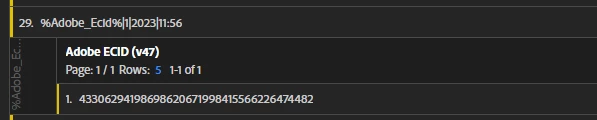
Now, part 2, where you are seeing %Adobe_Ecid%
That looks like an instance where Launch is failing to see / pull the data element correctly... usually this happens if there is no exact matching data element (they are case sensitive)....
I suspect this may be coming from one specific rule (maybe a click action, or something like that)..
Try correlating that value to a page or action and then check your Launch implementation.. While I don't know your tagging setup, my guess is that the data element may be called "Adobe_ECID" or "Adobe_ecid" and not "Adobe_Ecid"... or maybe you have multiple Launch properties in your implementation and one of them is missing the Data Element...