visit totals different in adobe data warehouse and workspace | Community
Skip to main content
Damonwhall
Adobe Employee
Adobe Employee
May 14, 2024
Solved

visit totals different in adobe data warehouse and workspace

  • May 14, 2024
  • 4 replies
  • 2835 views

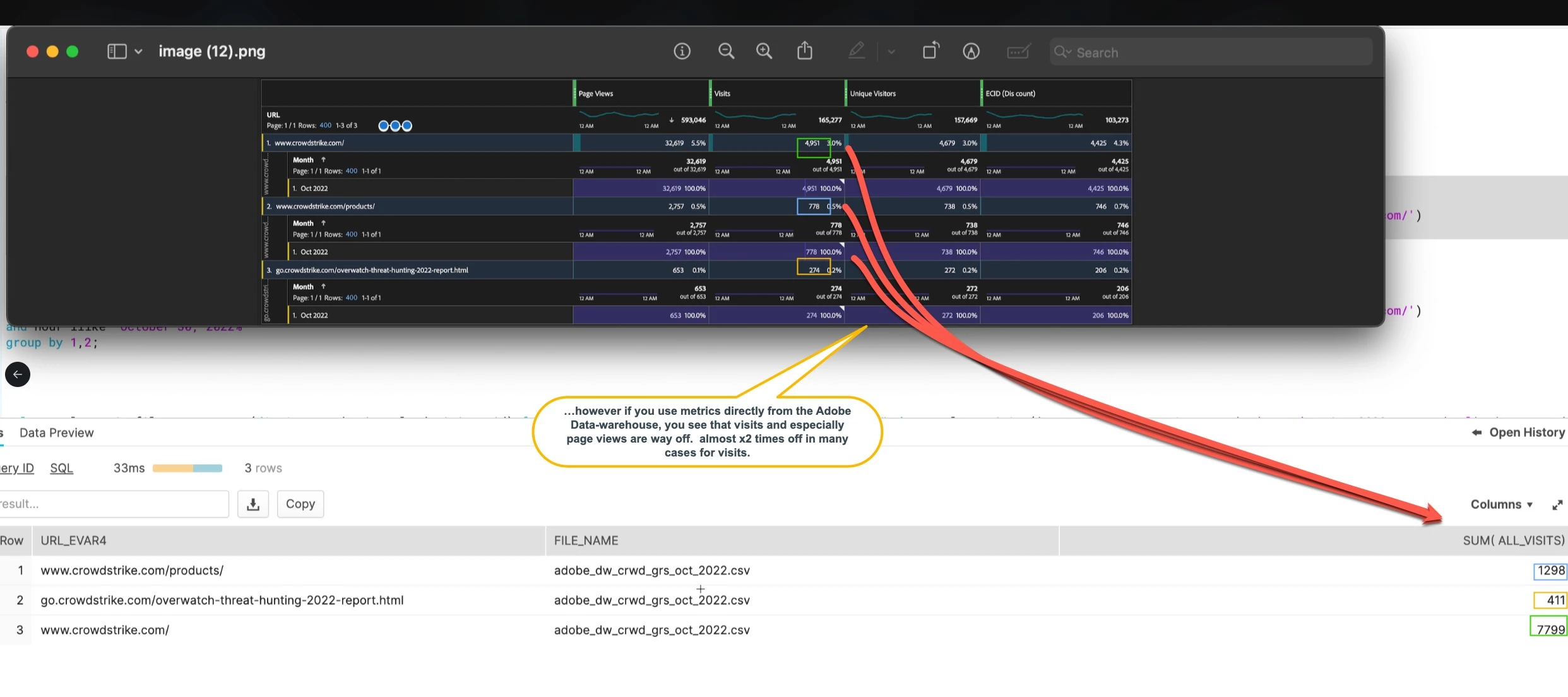
After initially attempting to used the data sync to get Adobe Analytics data into Snowflake, we are now using the Adobe Data Warehouse (the row count difference was insane because you cannot aggregate and retain hit ID).  Using the Data Warehouse, I'm seeing that when looking at the same page and same date range, I see different visit totals for a given URL or site or similar type of dimension.  


It seems that in all cases, there is almost x2 the volume of visits in the Adobe Data warehouse compared to what I see for the same in Adobe workspace.  
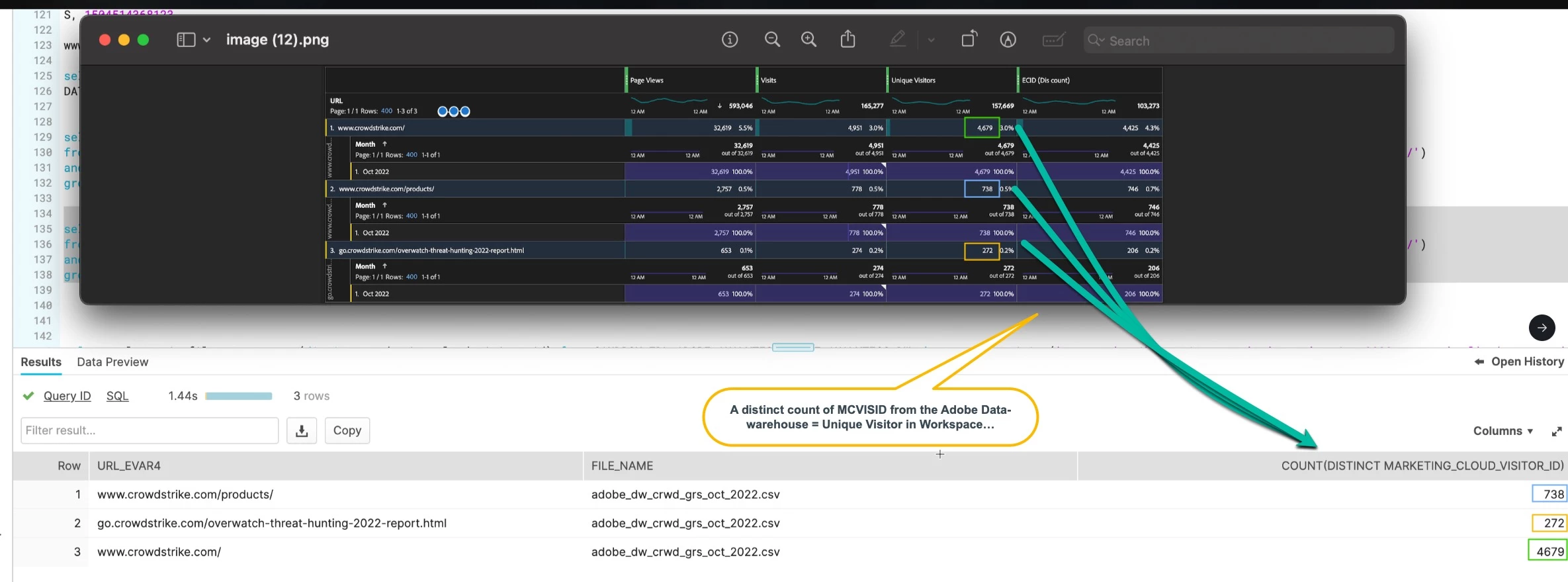
           

Is there a way I should be calculating visits on the Snowflake side?  This way, when I create a view, and visualize in Tableau, I will see visit data consistent to what I see in Workspace.  


(if you are asking why we are bringing this into snowflake and visualizing in Tableau.  We are going to join this data into our backend lead-funnel data so that we can see "x" web attribution or KPI impact to "y" lead-funnel metric on the lead side.  We will join on the ECID that is captured as a hidden field in our forms.). 


This post is no longer active and is closed to new replies. Need help? Start a new post to ask your question.
Best answer by abhinavpuri

Hi @damonwhall ,


I tend to always export dimensions  'VisitorId', 'VisitNumber' along with other dimensions, metrics required for analysis. Then concatenate both 'VisitorId', 'VisitNumber' values and calculate unique values 'visits'. This is technically deduping the export to calculate visits metrics.

4 replies

abhinavpuri
Community Advisor and Adobe Champion
abhinavpuriCommunity Advisor and Adobe ChampionAccepted solution
Community Advisor and Adobe Champion
May 15, 2024

Hi @damonwhall ,


I tend to always export dimensions  'VisitorId', 'VisitNumber' along with other dimensions, metrics required for analysis. Then concatenate both 'VisitorId', 'VisitNumber' values and calculate unique values 'visits'. This is technically deduping the export to calculate visits metrics.

Jennifer_Dungan
Community Advisor and Adobe Champion
May 15, 2024

Hi @damonwhall,


How many columns of data are you exporting in your Data Warehouse export? Remember that Data Warehouse doesn't really de-duplicate... so @abhinavpuri's suggestion to include additional fields to allow you to run your own de-duplication is a good one... 


Data Warehouse can be good for flat table data, but it works a lot better for hard metrics like Page Views and Occurrences, rather than metrics that have attribution like Visits or Visitors....

Kanishka_Bajaj
Level 2
May 15, 2024

@damonwhall , that is true that deduplication could be one reason

but other can also be processing time and data latency , any filters/segments used and attribution


Here are other few pointers that you should ensure

  1.  Definition of Metric
  2. Segment Consistency
  3. Time Period Consistency
  4. Check for Bots and Internal Traffic

Run a simple comparison report in both Workspace and Data Warehouse using the same unique visitor metric without any additional dimensions. This helps isolate if the discrepancy is due to the metric calculation itself


Damonwhall
Adobe Employee
Adobe Employee
May 15, 2024

@jennifer_dungan and @abhinavpuri , from your responses I have added dimensions for "visits".  Should I also include "visit page number" for page view that are off?


abhinavpuri
Community Advisor and Adobe Champion
May 15, 2024

Hi @damonwhall ,


Pageviews metric doesn't need deduplication so the reports can be extracted without Visit Page Number as well. 

Not sure how your implementation is setup but looking at list of dimensions I would recommend to export Custom Link Instances as well as Custom link so you're able to filter as per requirement.