UI RENDER ERROR | Community
Skip to main content
Level 2
June 10, 2022
Solved

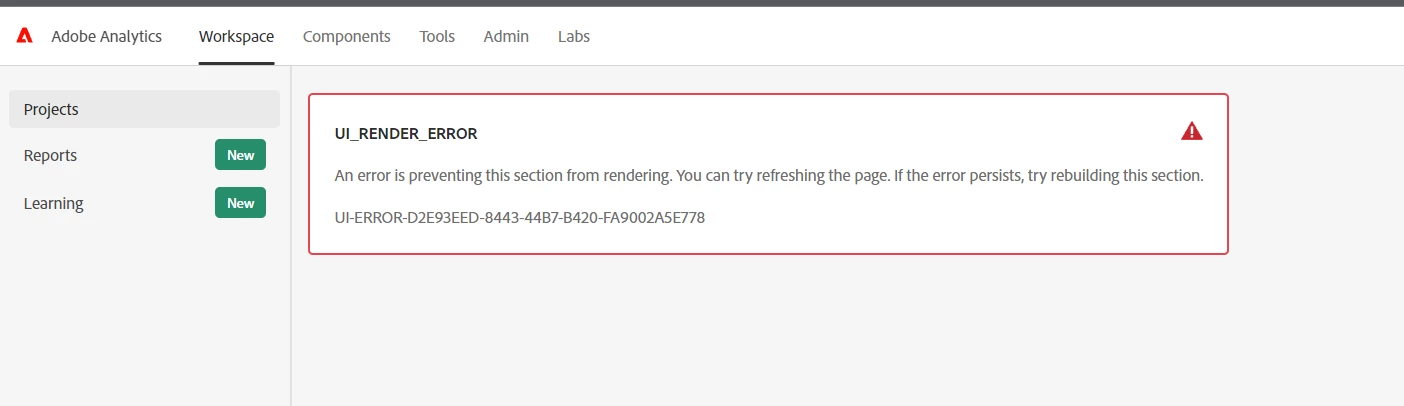
UI RENDER ERROR

  • June 10, 2022
  • 2 replies
  • 2396 views

Has anyone else been getting the UI Render Error after logging into AA? I've been experiencing this issue intermittently over the last several weeks but clearing all my browsing data and/or switching to Incognito Mode usually let me bypass this error message. Today, however, I am persistently getting this error and those actions are having no effect.  =(  


The UI Render Error is occurring in both the latest versions of Chrome and Edge.
 

This post is no longer active and is closed to new replies. Need help? Start a new post to ask your question.
Best answer by Pablo_Childe

I tested with 4 different PCs. This error occurred on the PCs that ran Windows 11 but not on the PCs that ran Windows 10.


So its likely a bug in how windows 11 is rendering pages. 


try this see if it helps:

https://customer.precisely.com/s/article/How-to-Check-Your-Compatibility-Mode-Settings-in-IE-11-360047849073?language=en_US

2 replies

Pablo_Childe
Community Advisor
Community Advisor
June 10, 2022

Are you on any special VPN?


It may be time to clear browser cache and any related cookies.


GLTU

tsherwiAuthor
Level 2
June 10, 2022

I am not on any VPN when this error occurs. Clearing cookies and browser cache doesn't do anything to fix this issue.

Level 2
November 30, 2023

Hello,


Were you able to find a solution to this error? I am seeing this error now and not finding any options.


The correct answer listed here was not helpful.