Two-conditional filter in Workspace | Community
Skip to main content
haroldpwc
June 13, 2019
Solved

Two-conditional filter in Workspace

  • June 13, 2019
  • 4 replies
  • 3729 views

Hello! I am trying to get a list of all our pages that meets two requirements: has 100k+ visits AND and then sort by bounce rate.  I can't figure out how to do this in Workspace but assume it's a fairly easy thing to do? I want to avoid exporting and manually sorting the info.

Thank you,

Hal

This post is no longer active and is closed to new replies. Need help? Start a new post to ask your question.
Best answer by Andrey_Osadchuk

Hi haroldpwc, magnusf30000295,

The segments in Analytics are used to get a subset of Visitors/Visits/Hits, but not to filter the columns by aggregated sum of values.

The solution is to use Advanced Calculated Metrics. Unfortunately, it is not very easy and requires some setup. Have a look at the screenshots, and let me know if it helps you build what you were looking for.

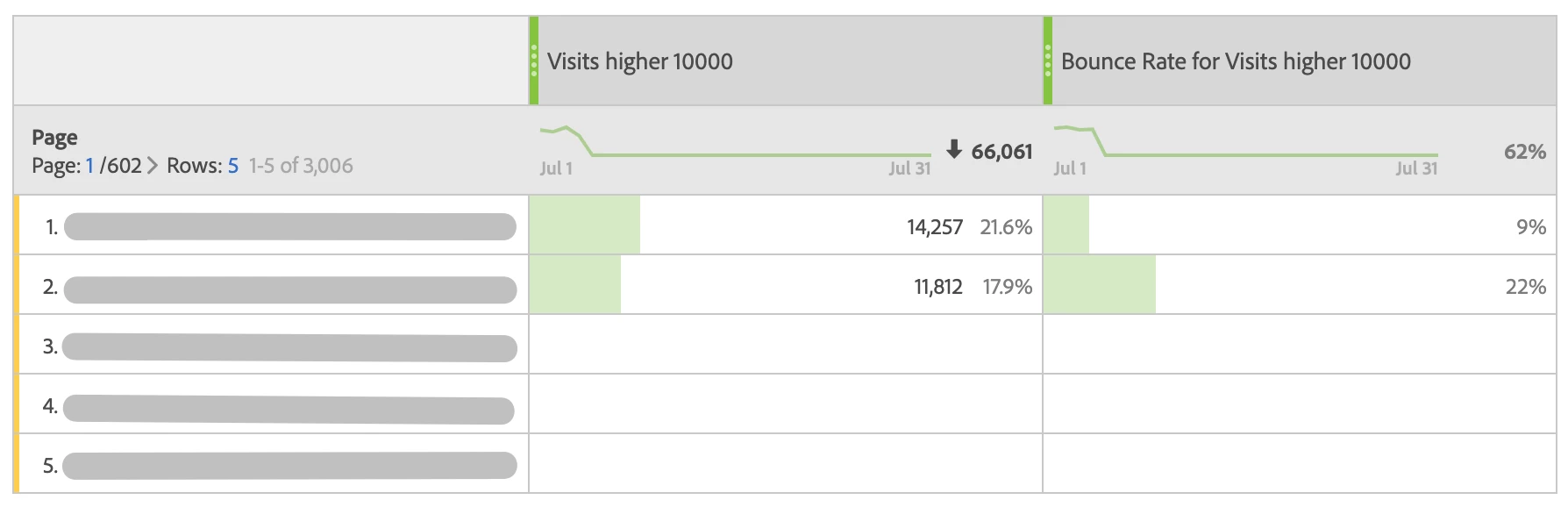
1. This is how it will look once you set up the Calc metrics:

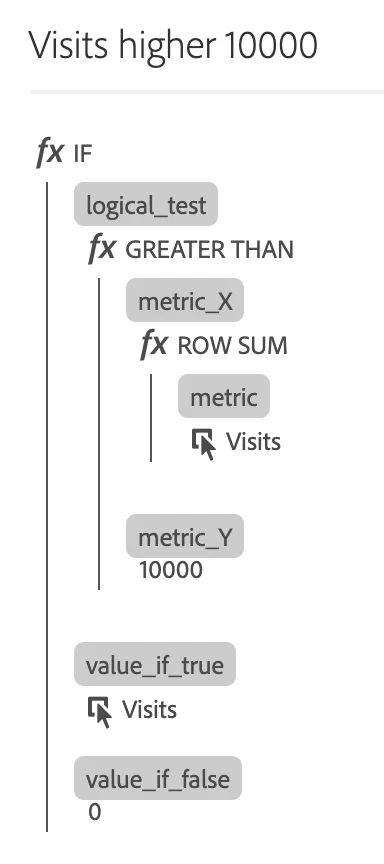
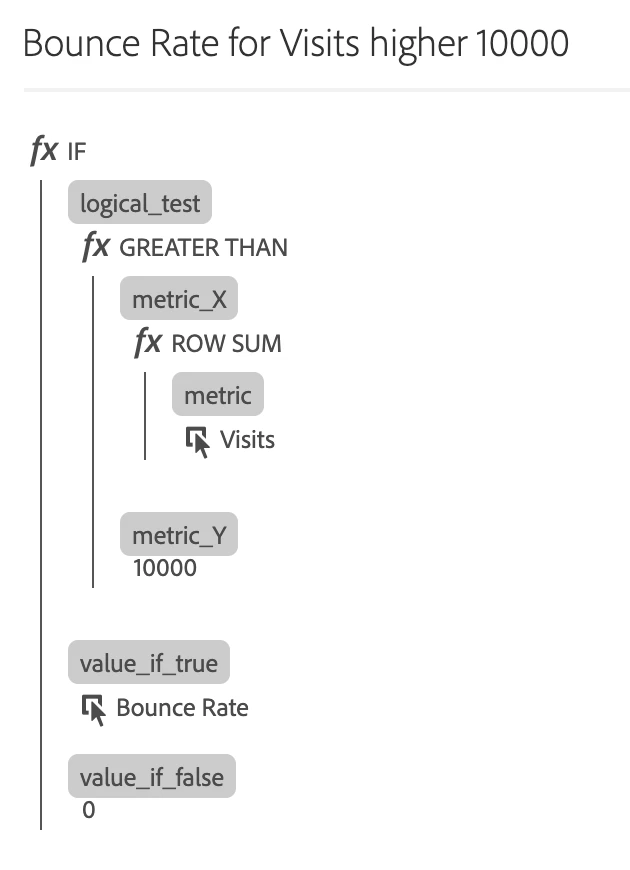
2. Calc metrics:

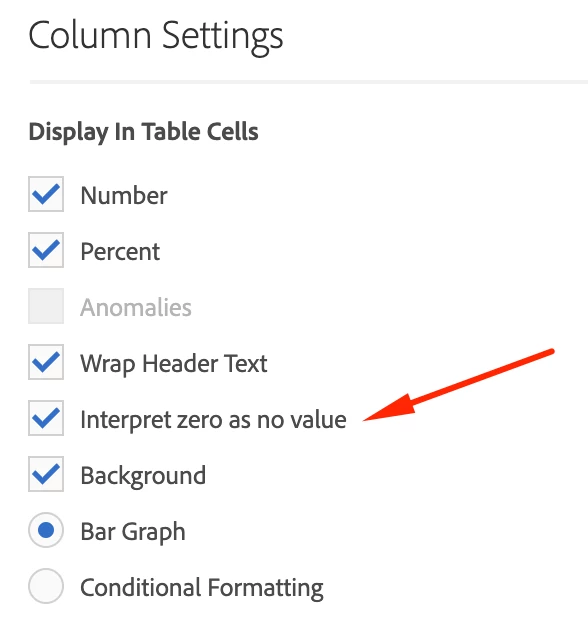
3. The column setting to hide zero values:

4 replies

Adobe Employee
June 13, 2019

Can you please try using a segment with Visits > 100K condition and apply it on Pages report in Workspace with Bounce Rate and Visits as the metric?

Level 2
June 19, 2019

have the same question, but doesnt seem to work as intended if this is the setup on the segment you was referring to?! I assume its not important if you apply this to the whole workspace or if you only drops it into the metrics column to get this to work (in theory)?! It doesnt work any way on my side at least.....

Andrey_Osadchuk
Andrey_OsadchukAccepted solution
Level 10
July 4, 2019

Hi haroldpwc, magnusf30000295,

The segments in Analytics are used to get a subset of Visitors/Visits/Hits, but not to filter the columns by aggregated sum of values.

The solution is to use Advanced Calculated Metrics. Unfortunately, it is not very easy and requires some setup. Have a look at the screenshots, and let me know if it helps you build what you were looking for.

1. This is how it will look once you set up the Calc metrics:

2. Calc metrics:

3. The column setting to hide zero values:

Level 2
July 4, 2019

Hi, Andrey,

my current "tweak" on the setup is somehow similar, but i just set the value to -1000, and sort by that column... But it could be usefull to make the variables containing that value (or zero in your case) to not show in the table at all... but thats not a feature i can fint any place (would be to supress variables with value=0).