Tracking Code not displayed | Community
Skip to main content
Level 2
October 25, 2018
Solved

Tracking Code not displayed

  • October 25, 2018
  • 4 replies
  • 3244 views

I'm setting s.campaign with 'cid' as so;

if (s.Util.getQueryParam('cid'))  s.campaign = s.Util.getQueryParam('cid');

When checking the beacon (filtering for b/ss) I can see v0 is populated with the cid parameters;

Also in Admin > Report Suites > Conversion > Conversion Variables.... I have the campaign variable set.

Yet my tracking code report still looks like this:
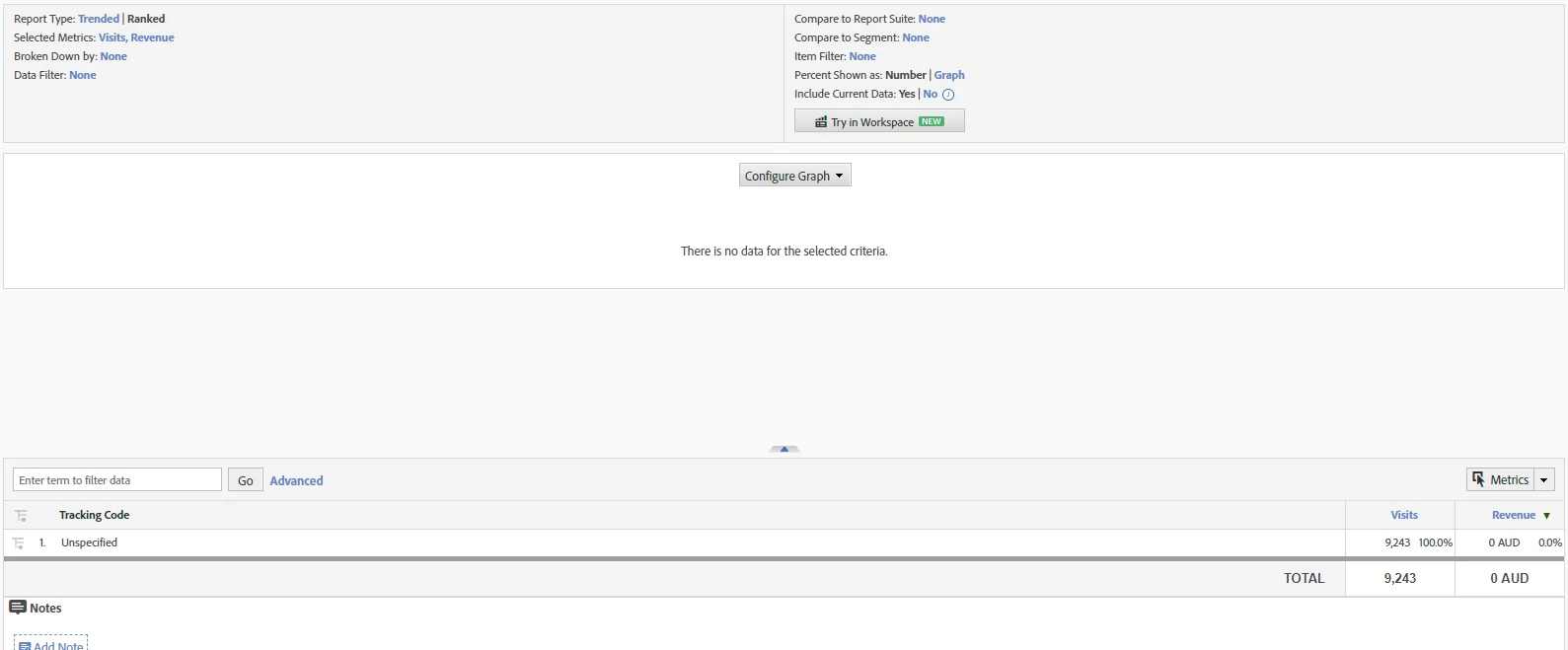
Any assistance on this would be great!

This post is no longer active and is closed to new replies. Need help? Start a new post to ask your question.
Best answer by Timf7292

Hi All,

Thanks for the help on this one!

It was one of those dumb moments when I realized that the processing rules weren't quite right. The implementation was using context data and in the process of adding the rules included setting the campaign variable, when it was already being sent to v0.

4 replies

Hyder_Ziaee
Adobe Employee
Adobe Employee
October 25, 2018

Hi Tim,

You might have already done this, but have you verified the report suite ID?

also you can get a data feed for a day/hour when you are sure to have sent the data and check the exclude_hit, campaign and post_campaign columns. If the exclude_hit is >0 then it the hit is being excluded. Also if the campaign column contains the value but not the post_campaign, then there is something manipulating the value in the interim.

Pablo_Childe
Community Advisor
Community Advisor
October 25, 2018

It seems you have a bunch of different pieces of info in tracking code. Is it possible you just haven`t uploaded any associated SAINT categories and the "Tracking Code" report is really a sub report blank...

Can you display where in menu hierarchy the Tracking code report is?

Also just a recommendation. You may not have hit it yet but "pipe" delimiters can cause 3rd parties issues with your click through URLs

Switching over to underscore "_" will eliminate that.

Regards

Gigazelle
Adobe Employee
Adobe Employee
October 30, 2018

Hi Tim, were Hyder's or Pablo's answers able to answer your question?

Timf7292AuthorAccepted solution
Level 2
October 31, 2018

Hi All,

Thanks for the help on this one!

It was one of those dumb moments when I realized that the processing rules weren't quite right. The implementation was using context data and in the process of adding the rules included setting the campaign variable, when it was already being sent to v0.