Level 2
Mar 29, 2023 9:24 PM UTC
Solved

Third Party Cookie disable in Experience Cloud Identity Service via Launch

Hello Community,

I am looking to turn off/disable the demdex.net cookie on our sites for security reasons and wondering how I could do that. I've found below document online which says I need to set the "disableThirdPartyCookies" flag to "true" but can someone please show me the steps on how I can add this flag to Experience Cloud ID Service extension via Launch?  https://experienceleague.adobe.com/docs/id-service/using/id-service-api/configurations/disable-cookies.html?lang=en#


Much appreciated!

This post is no longer active and is closed to new replies. Need help? Start a new post to ask your question.
Jennifer_Dungan
Jennifer_DunganAccepted solution
Adobe Champion and Community Advisor
Mar 29, 2023 10:02 PM UTC

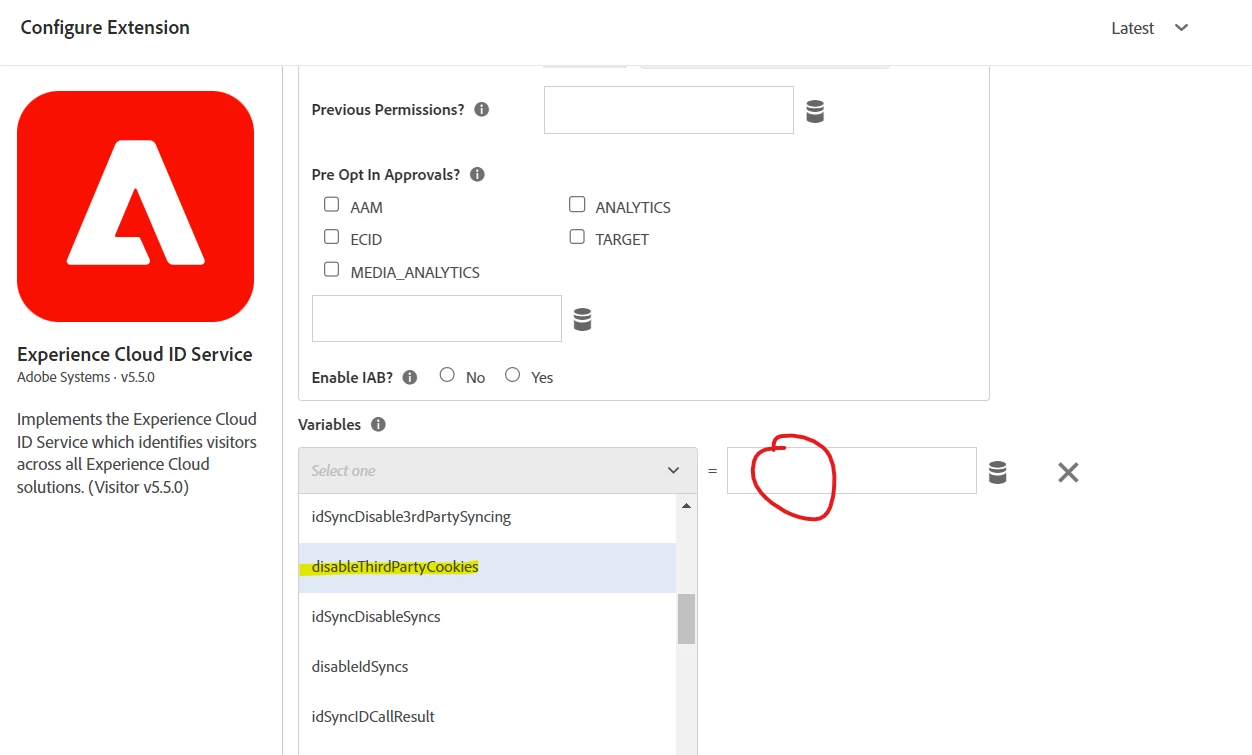
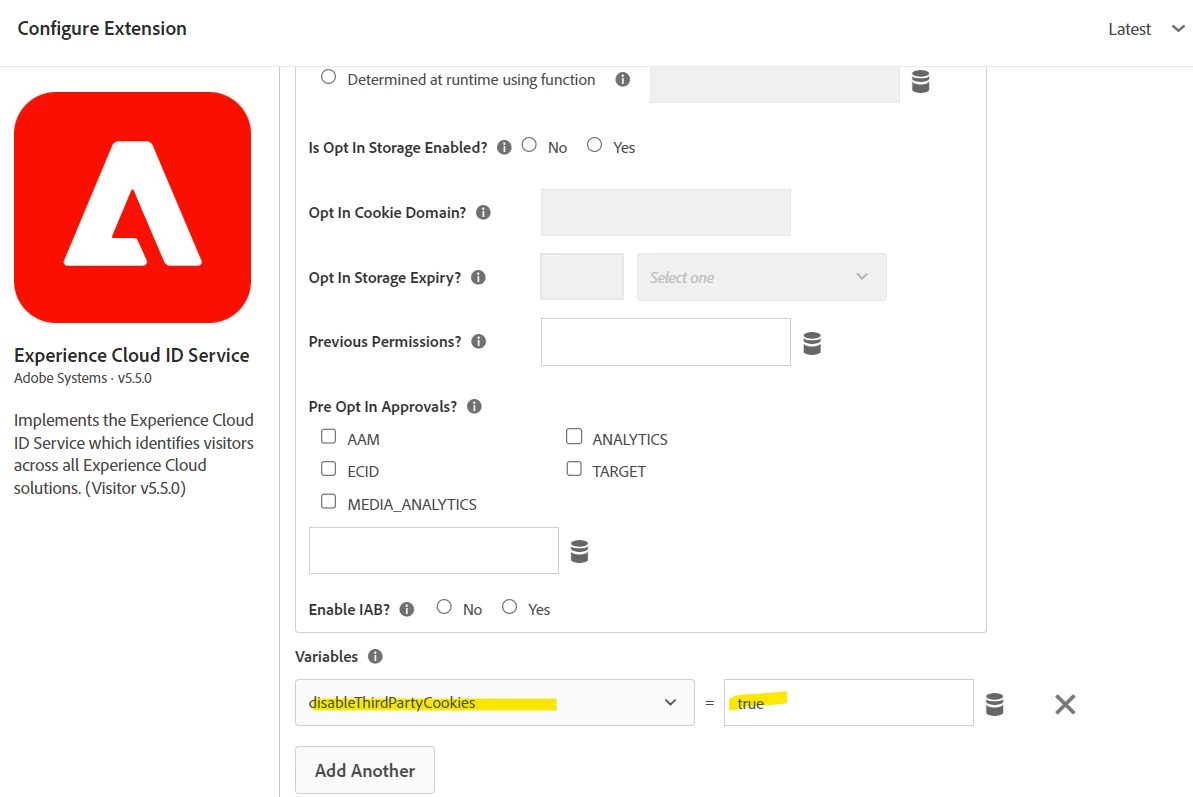
I believe you would set this in your Experience Cloud ID Service extension:


I haven't done this myself, but this looks like the setting, and I have set other parameters this way.


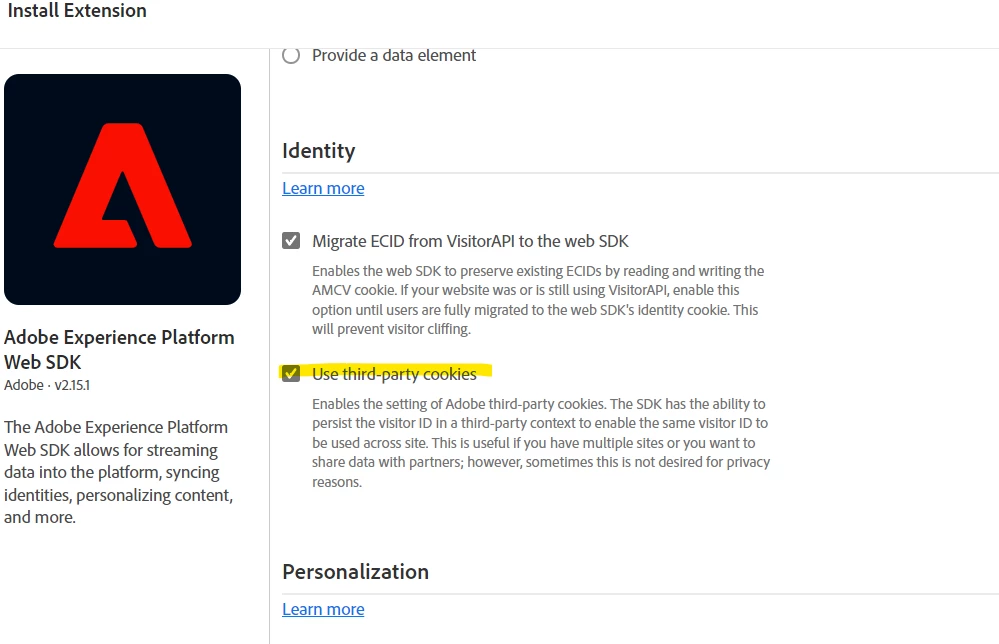
If you are using the Web SDK, (I have not yet), I see a checkbox for third party cookies, so try starting there?


4 replies

Jennifer_Dungan
Adobe Champion and Community Advisor
Jennifer_DunganAdobe Champion and Community AdvisorAccepted solution
Adobe Champion and Community Advisor
Mar 29, 2023 10:02 PM UTC

I believe you would set this in your Experience Cloud ID Service extension:


I haven't done this myself, but this looks like the setting, and I have set other parameters this way.


If you are using the Web SDK, (I have not yet), I see a checkbox for third party cookies, so try starting there?


Translate
vallusAuthor
Level 2
Mar 30, 2023 4:05 PM UTC

Thanks Jennifer! Appreciate it!

Translate
Jennifer_Dungan
Adobe Champion and Community Advisor
Mar 30, 2023 5:33 PM UTC

Any time 🙂

Translate
Amruthesh_AG
Community Advisor
Community Advisor
Jan 9, 2024 8:06 AM UTC

Follow below steps to block all the third party cookie call when consent is not accepted.

1. Update Experience Cloud ID Service Enable Opt In? as YES


2.. Create a rule with event as window load.

2. In action select action type a custom code and place below custom code.


var visitor = Visitor.getInstance ("Organisation id@AdobeOrg",{
trackingServer: "INSERT-TRACKING-SERVER-HERE", // same as s.trackingServer

//For CNAME support only. Exclude these variables if you're not using CNAME
marketingCloudServer: "INSERT-TRACKING-SERVER-HERE",

//Function variable
disableThirdPartyCookies: true
});


Translate