Level 1
April 24, 2026
Solved

The virtual report suite you selected is not compatible with Data Warehouse.

  • April 24, 2026
  • 3 replies
  • 69 views

Hiya,

I currently created a VRS based on a parent RS. Other VRS can be selected in Data warehouse and the RS is also enabled Data warehouse but when I selected the one that I created, the error as below will be pop up. What else setup do i miss?

FYI:
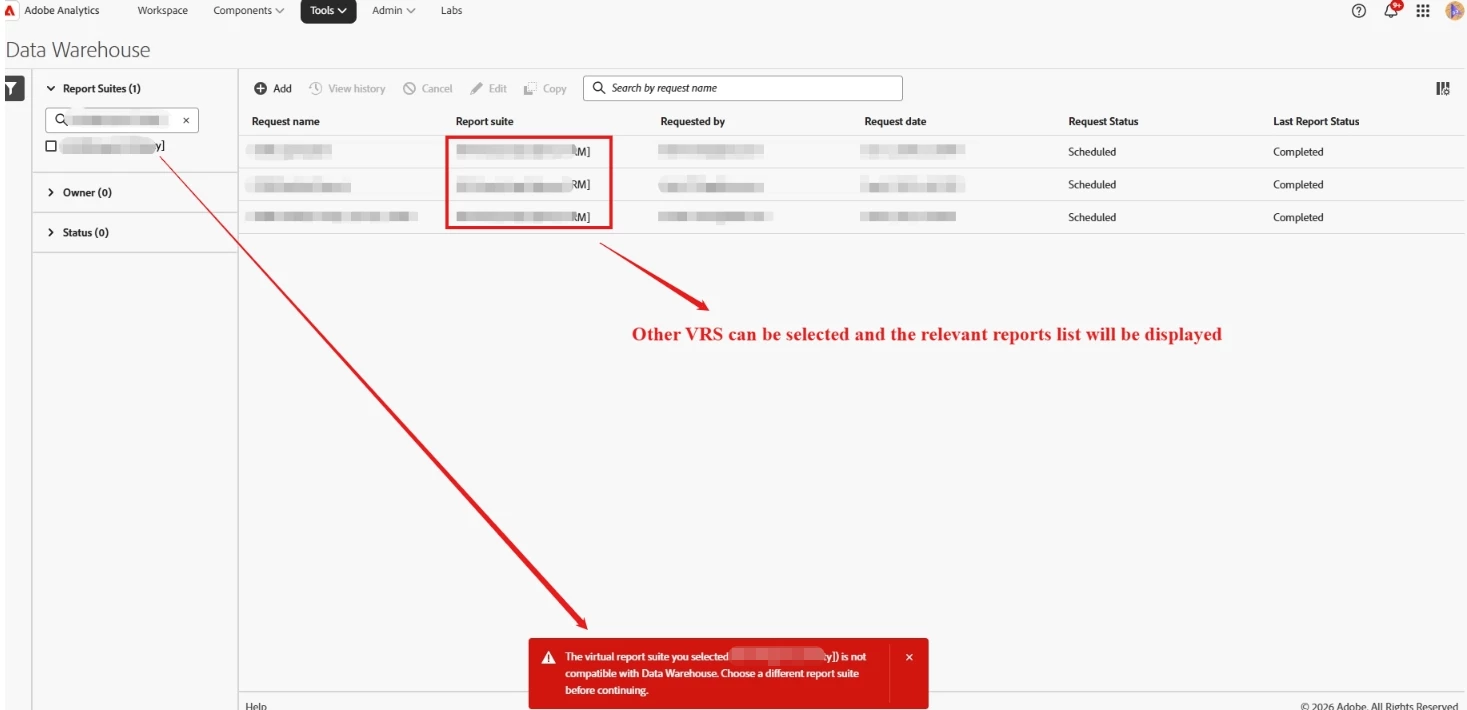
Error:

The virtual report suite you selected is not compatible with Data Warehouse. Choose a different report suite before continuing.



Best answer by MandyGeorge

There are some virtual report suites that arent able to be used in data warehouse because of the segments used to create them. I recommend referencing this page here.

https://experienceleague.adobe.com/en/docs/analytics/components/segmentation/segment-reference/seg-compatibility


You can review the segments that are used to make your VRS, and make sure that they meet the criteria on that page to be compatible.

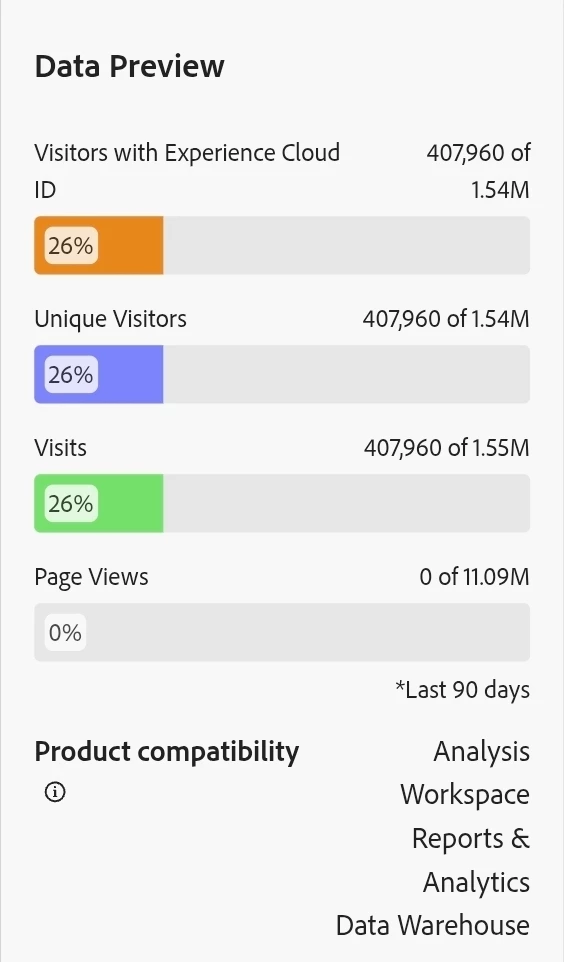
A second thing you can do to check is when you're saving the segment, look at the product compatibility on the right and make sure it says data warehouse.


3 replies

EurosIMS
Level 3
April 24, 2026

@justinlu3  It’s a while since I’ve used standard Analytics but I’d suggest it might be because you’ve created that VRS using a segment that isn’t available for Data Warehouse, eg. based on a Marketing Channel. As such, DW won’t be able to recreate the segment & therefore extract data based on it. What is the setup of the VRS?

MandyGeorge
Community Advisor and Adobe Champion
MandyGeorgeCommunity Advisor and Adobe ChampionAccepted solution
Community Advisor and Adobe Champion
April 24, 2026

There are some virtual report suites that arent able to be used in data warehouse because of the segments used to create them. I recommend referencing this page here.

https://experienceleague.adobe.com/en/docs/analytics/components/segmentation/segment-reference/seg-compatibility


You can review the segments that are used to make your VRS, and make sure that they meet the criteria on that page to be compatible.

A second thing you can do to check is when you're saving the segment, look at the product compatibility on the right and make sure it says data warehouse.


manpreetkaur27
Adobe Support
Adobe Support
April 27, 2026

Hi ​@MandyGeorge 
Thank you for sharing the documentation, I’m marking this as the best answer.

Jennifer_Dungan
Community Advisor and Adobe Champion
April 26, 2026

Yes, I agree with the others, it’s definitely due to a segment using something that is incompatible with Data Warehouse.


You might be able to rewrite the segment to do what you need it to do, but with compatible logic… you also might not… without knowing what you are doing with your segments, I can’t say for sure… but that is definitely where you need to start your investigation.


Good Luck!