Test Adobe Analytics | Community
Skip to main content
October 29, 2020
Solved

Test Adobe Analytics

  • October 29, 2020
  • 2 replies
  • 1457 views

Hi All,

I was wondering if you can guide me on how to configure Adobe Analytics using a guest account.
The idea is to run some tests and have a quick insight about how the information is collected by the analytics tool and the different ways to analyze and extract this information.
I have already did this same approach with Google Analytics and I would like to do the same with Adobe Analytics.

Based on my understandings, I cannot use the Experience Cloud Platform as it is an enterprise solution (paid). So I went ahead and try to implement Analytics using the javascript implementation (legacy). The problem is that I'm not able to download the AppMeasurement.js script from the Admin panel because this section is empty.
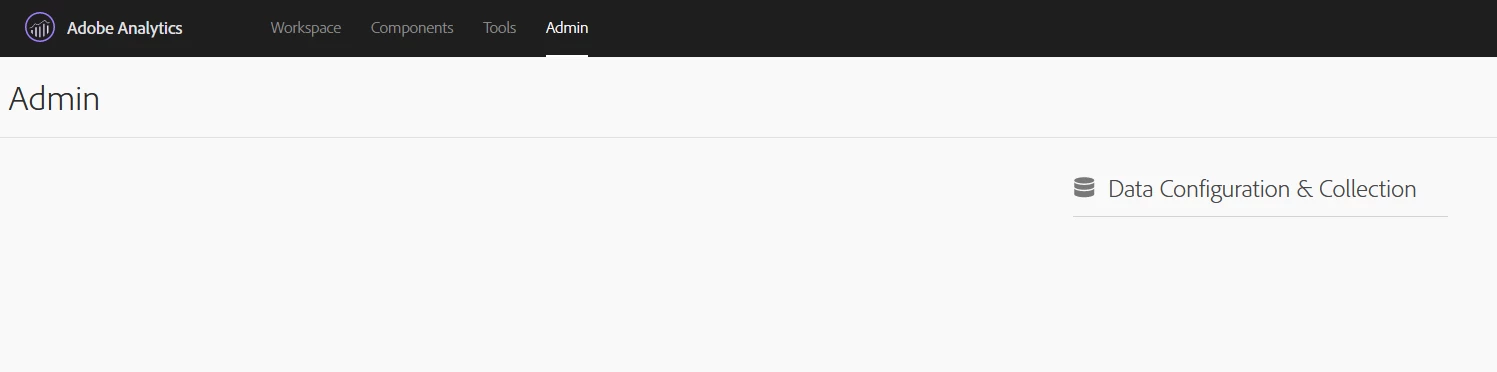


Can you help me with this implementation or give some hints about how to proceed with it?
Is there any way to subscribe to the Experience Cloud Platform using a trial or something similar?
Thanks in advance!

This post is no longer active and is closed to new replies. Need help? Start a new post to ask your question.
Best answer by yuhuisg

Well, the thing is… you do need to be at least a Bronze-level Solution Partner to get access to the sandboxes. Adobe does not provide Analytics for free, even for those who want to try it out.

2 replies

yuhuisg
Community Advisor
yuhuisgCommunity AdvisorAccepted solution
Community Advisor
October 31, 2020

Well, the thing is… you do need to be at least a Bronze-level Solution Partner to get access to the sandboxes. Adobe does not provide Analytics for free, even for those who want to try it out.

rameshpowar
November 10, 2023

Purva Tranquility used a cloud-based continuous testing platform that allows you to run Adobe tests on websites and mobile apps developed by Adobe on a powerful cloud of devices