Summary Number; Adding Row Values | Community
Skip to main content
rachelm62387824
July 11, 2019
Solved

Summary Number; Adding Row Values

  • July 11, 2019
  • 1 reply
  • 1174 views

Hello. Can anyone provide advice on how to get the "Summary Number" visualization to display a single total for multiple row values? Right now it will only display the number seen on the top row or whatever row value is selected.

If it cannot be done via Summary Number, how can I create a total # of Visits row to get an aggregate number for these row values. I currently am just doing the ad hoc way of coping the numbers into excel and adding them together, but I am sure there is an easier way.

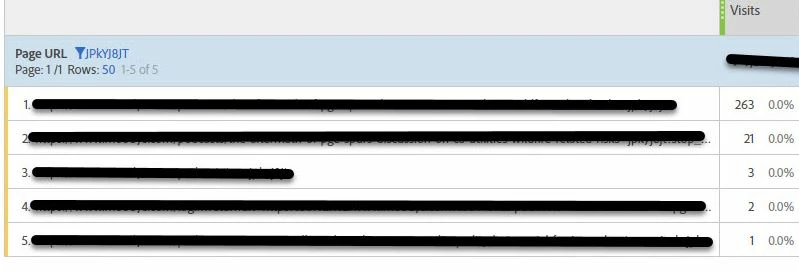
The screen shot below shows you that I have PAGE URL filtered by a unique identifier and displays on the rows that have that identifier. However the number under "Visits" that I blocked out is the total for the entire website, that total doesn't seem to filter down.

Any help would be great for this newbie.
This post is no longer active and is closed to new replies. Need help? Start a new post to ask your question.
Best answer by Urs_Boller

you might use a segment - applied to the table the total will be filtered to your desired number.

1) create "new segment" and add condition (similar to your filter)

2) add new segment either to the whole project panel (at head of project) lr above the metric in the table

1 reply

Urs_Boller
Community Advisor
Urs_BollerCommunity AdvisorAccepted solution
Community Advisor
July 11, 2019

you might use a segment - applied to the table the total will be filtered to your desired number.

1) create "new segment" and add condition (similar to your filter)

2) add new segment either to the whole project panel (at head of project) lr above the metric in the table