Select Report Suite from Workspace startpage
I would like a option to choose a Report Suite or Virtual Report Suite directly from the Workspace "start page".
The report suites should be placed in the left side menu, where project links are located now (My Favorite Project + Frequently Viewed Project)
When i then select a report suite from the list the project listed should reflect those made/assigned* for that specific report suite.
(* assigned: This is a part of the idea Assign a Workspace Project to multiple Report Suites )
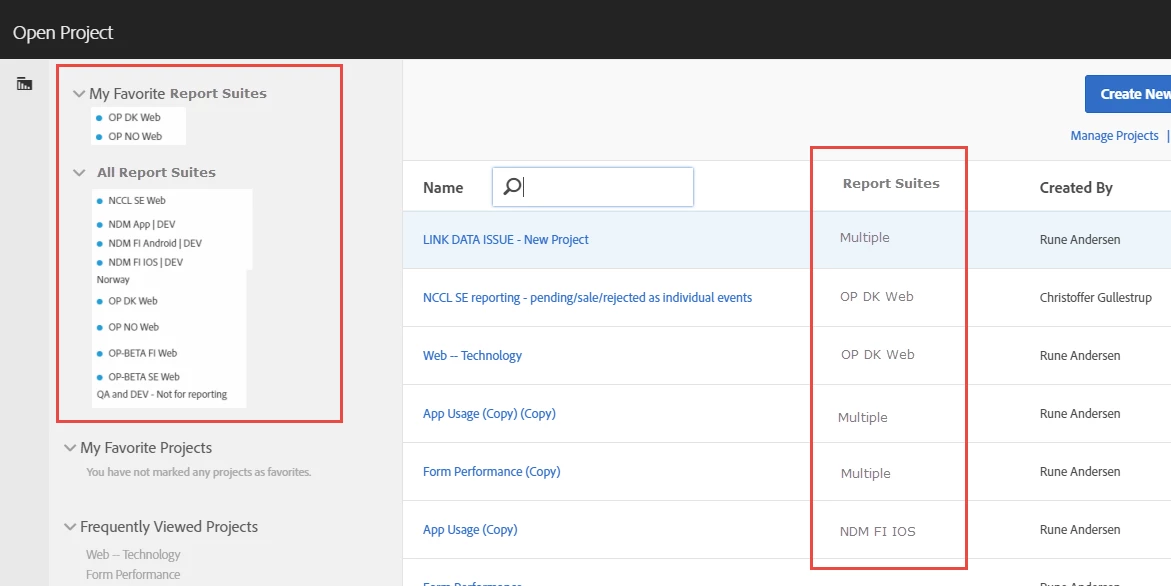
As it is now, i need to first choose a project, and then i can shift report suite after. And in many cases you start working on the wrong report suite.
A user/analyst would normally know WHERE (specific Website or App), he want to see data for, and then chose WHAT after that.
And you would normally have multiple WHAT (project) question to one WHERE (Report Suite):
But in Workspace the logic is turned around, where a user first need to chose WHAT, and then have to chose WHERE after that.
I'm new to Adobe and Workspace, and it came as a big surprise that Workspace did not worked this way already.
I predict so many cases where a user, make wrong conclusions, (or waste time) because they look into data for a wrong report suite.