Segment is not filtering visits properly | Community
Skip to main content
Level 4
October 7, 2019
Solved

Segment is not filtering visits properly

  • October 7, 2019
  • 11 replies
  • 9800 views

Hi Team,

You can refer project here: https://sc5.omniture.com/x/5_9yvti

I have a created a segment for particular campaign as shown below:
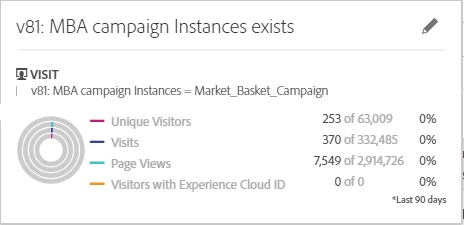
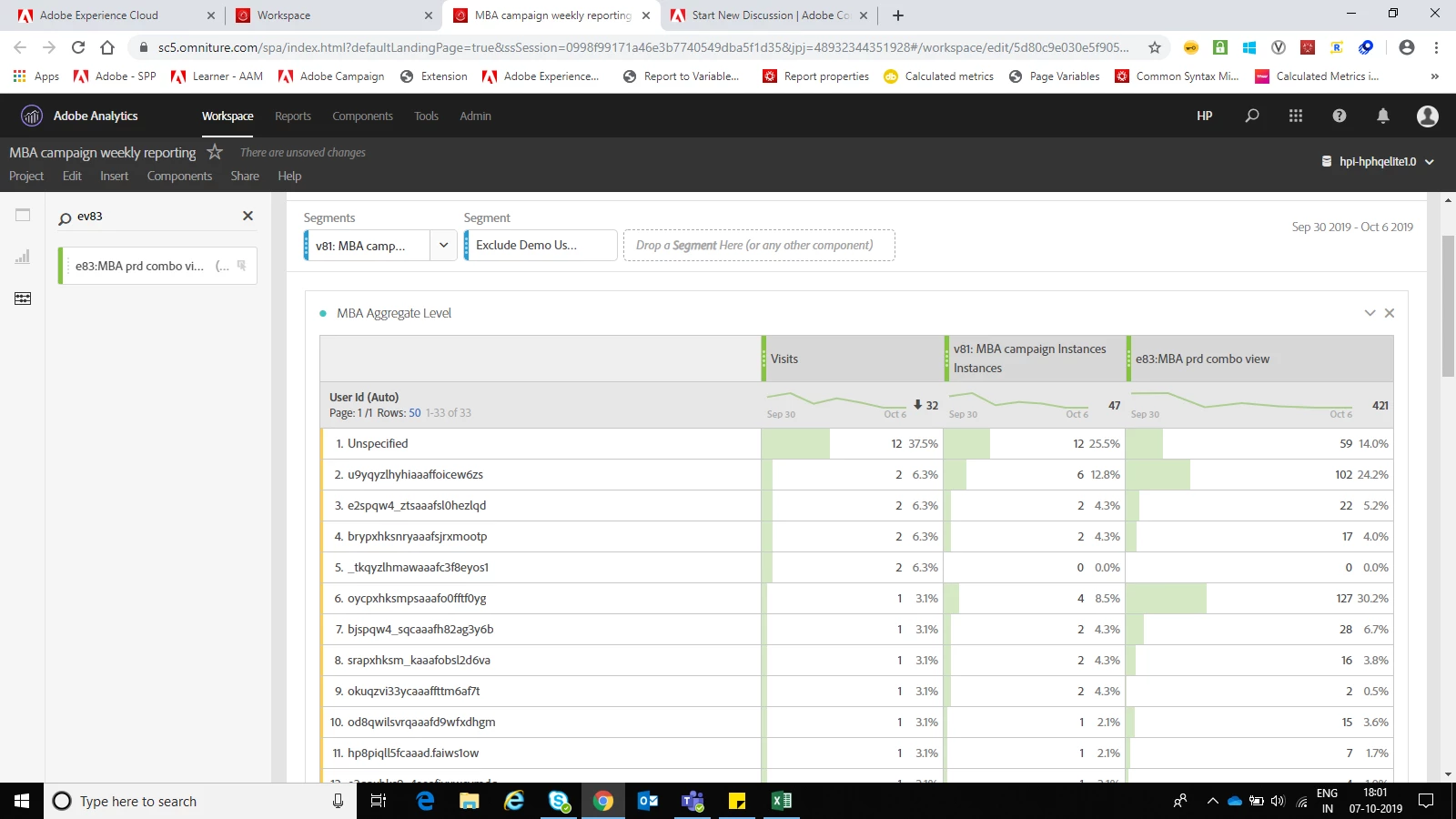
I am using the above segment to filter out the campaign visits from overall visits. v81 fires only when user see the banner(campaign). Along with v81, I am firing event83 as a counter.  As in the below screen shot, row#5 has 2 visits, v81 = 0, e83= 0. How is this possible? when v81 = 0 (means v81 not fired for that particular visits) how come Segment named v81: MBA campaign is allowing that visits in the report. I think row#5 should not be present in the below table. Please help me here.

This post is no longer active and is closed to new replies. Need help? Start a new post to ask your question.
Best answer by Urs_Boller

but did the visits without the zero-numbers on the right disappear with the new segment?

btw: what is your evar81 expiry?

and a last comment about the orders: you're right, you can't add the standard "orders" metric. but you could create another {visit segment with hit-container (order exists and eVar81=Market_Basket_Campaign)}. just add this segment as new row with visits counter and you should see how many visits with order you had (even in the overall hit-segmentation).

11 replies

jantzen_b
Adobe Employee
Adobe Employee
March 17, 2020

Do any of these replies provide an answer to your original question? If so, please mark the most correct answer. If not, can you provide some additional details to help the community better answer your question.