
Segment Does Not Appear in Data Warehouse Request | Community
Skip to main content
MoriE2
Level 2
September 14, 2023
Solved

Segment Does Not Appear in Data Warehouse Request

  • September 14, 2023
  • 3 replies
  • 3404 views

Adobe Gurus, need your expertise:

I have successfully built a segment, which, as indicated by the red box in the screenshot below, is marked as compatible with both Analytics Workspace and Data Warehouse.
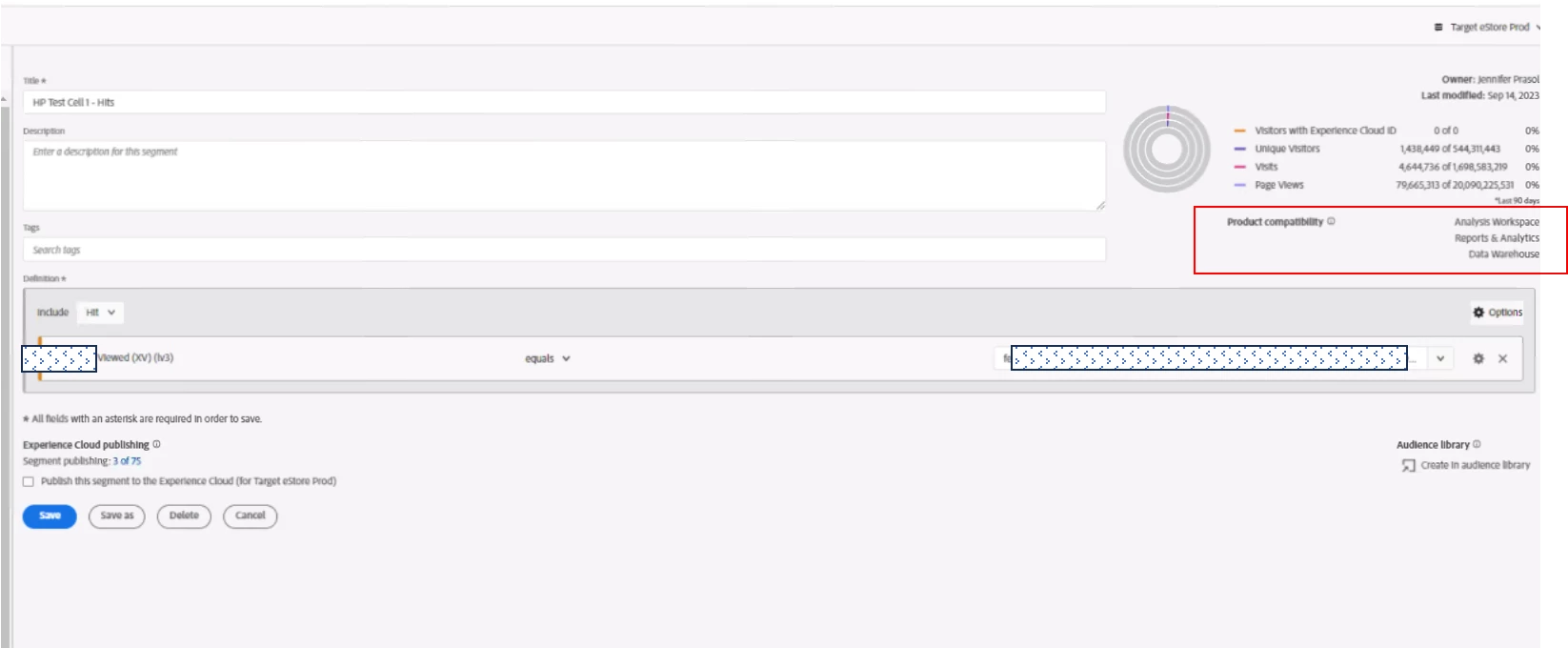


However, when I attempt to build a report using a new Data Warehouse request, I am unable to locate the segment I've created. I have thoroughly checked and toggled across all the available report suites, but the segment does not appear in the list.

Could you please advise on where or how can I access the segment in the Data Warehouse request? It seems to be missing from the options despite its compatibility. Thank you! 

This post is no longer active and is closed to new replies. Need help? Start a new post to ask your question.
Best answer by Jennifer_Dungan

Was this segment created as an "Ad Hoc" segment within a Workspace? Or saved publicly to your Components lists? Only segments in components will appear....


Otherwise, that is very odd... like @isinha I see no reason why it shouldn't appear....

3 replies

Adobe Employee
September 15, 2023

@morie2- I don't see any reason why this segment won't be available in DW. I suspect it to be a bug - probably some new features were rolled out recently (it's a phased roll out) and that could impact it - https://experienceleague.adobe.com/docs/analytics/release-notes/latest.html?lang=en. Worth getting this investigated further by Adobe team.

September 15, 2023

As a premier support client, how do we go about getting it investigated and resolved?

Jennifer_Dungan
Community Advisor and Adobe Champion
September 15, 2023

I am not sure if you would log a ticket with Client Care (and there's a flag on your account), or if you have a premium support portal in which to log issues....

Jennifer_Dungan
Community Advisor and Adobe Champion
Jennifer_DunganCommunity Advisor and Adobe ChampionAccepted solution
Community Advisor and Adobe Champion
September 15, 2023

Was this segment created as an "Ad Hoc" segment within a Workspace? Or saved publicly to your Components lists? Only segments in components will appear....


Otherwise, that is very odd... like @isinha I see no reason why it shouldn't appear....

MoriE2
MoriE2Author
Level 2
September 15, 2023

Thank you for clarification, it is listed under component, I think it is a bug, I'll reach out to our Adobe account manager.  Thanks

Jennifer_Dungan
Community Advisor and Adobe Champion
September 15, 2023

Good luck, I hope it gets sorted out soon.

Level 2
December 14, 2023

@morie2  Was this issue ever resolved by Adobe support? I'm encountering the same challenge and wondering if it's worth escalating with Adobe support or there was a work around you identified? 


Thanks in advance! 

December 14, 2023

Hi @jlatin - It was resolved by adobe support rolling our data warehouse back to the original DW interface. The bug appeared to be in the updated version of DW that looks like workspace. I do not know if it has been resolved in the new DW version. There are a lot of reasons why a segment may not appear in DW, so make sure it says 'Data Warehouse Compatible' in the upper right of the segment.