Scheduled Workspace Project were always showed in Chinese | Community
Skip to main content
Level 3
July 5, 2021
Solved

Scheduled Workspace Project were always showed in Chinese
  • July 5, 2021
  • 4 replies
  • 1588 views

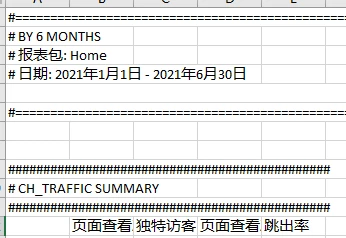
Why the csv data were always in Chinese in the scheduled project?

But if I directed send the project to me, it will show in English.


My Language Setting:English


This post is no longer active and is closed to new replies. Need help? Start a new post to ask your question.
Best answer by amgup

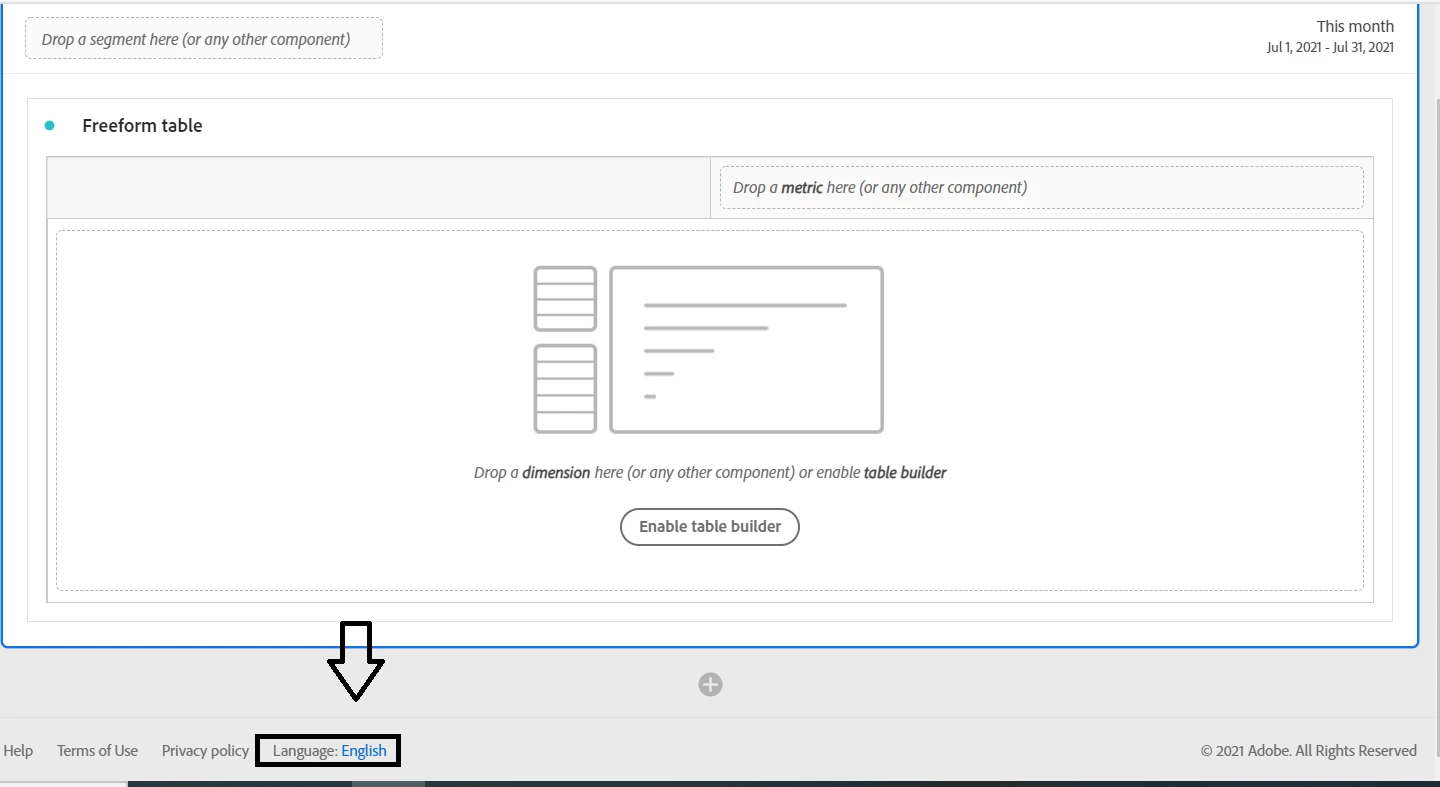
@debbynpl  Can you check the default language set for the workspace project as per the screenshot below ?
 

4 replies

amgupAccepted solution
Level 7
July 5, 2021

@debbynpl  Can you check the default language set for the workspace project as per the screenshot below ?


DebbyNPLAuthor
Level 3
July 6, 2021
It's always English....
Adobe Employee
July 6, 2021

@debbynpl 

Like @amgup said workspace is supposed to be downloading or sending the project as per the language selected at the bottom of the workspace project UI. 

If it is selected as English and still you get downloaded CSV in Chinese, it could be an issue with your Excel language.

Are you the only facing this issue at your end? Could you please ask any of your colleague to try this?

Level 7
July 9, 2021

@debbynpl  Are you still facing the issue with language settings in downloaded report ? Have you checked on other browser or with any of your colleague ?

jantzen_b
Adobe Employee
Adobe Employee
July 19, 2021
Do any of the answers below answer your initial question? If so, can you select one of them as the correct answer? If none of the answers already provided answer your question, can you provide additional information to better help the community solve your question?