Scheduled projects display issue when on rolling dates | Community
Skip to main content
September 6, 2021
Solved

Scheduled projects display issue when on rolling dates

  • September 6, 2021
  • 2 replies
  • 1426 views

I've scheduled a daily report on rolling dates but data of the latest days would be hidden if I did not manually expand the component once in a while. Is there a way to have this done automatically? Thanks!

This post is no longer active and is closed to new replies. Need help? Start a new post to ask your question.
Best answer by suneeshkachroo

This is because the FreeForm size stays the same as last saved project which is the layout that gets rendered while generating the scheduled output. 

The workaround would be 

1. Avoid table and have some visualization for the same table . 

2. Create FreeForm table sized more then number of line items you are estimating  like for 3months data by day should have atleast size of 90-93 line items  with the max number of Row 200-400. 

3. Or spilt the date range, with that you have have week by week or Monthly equaly split FreeForm table which will no screw up the PDF output . 
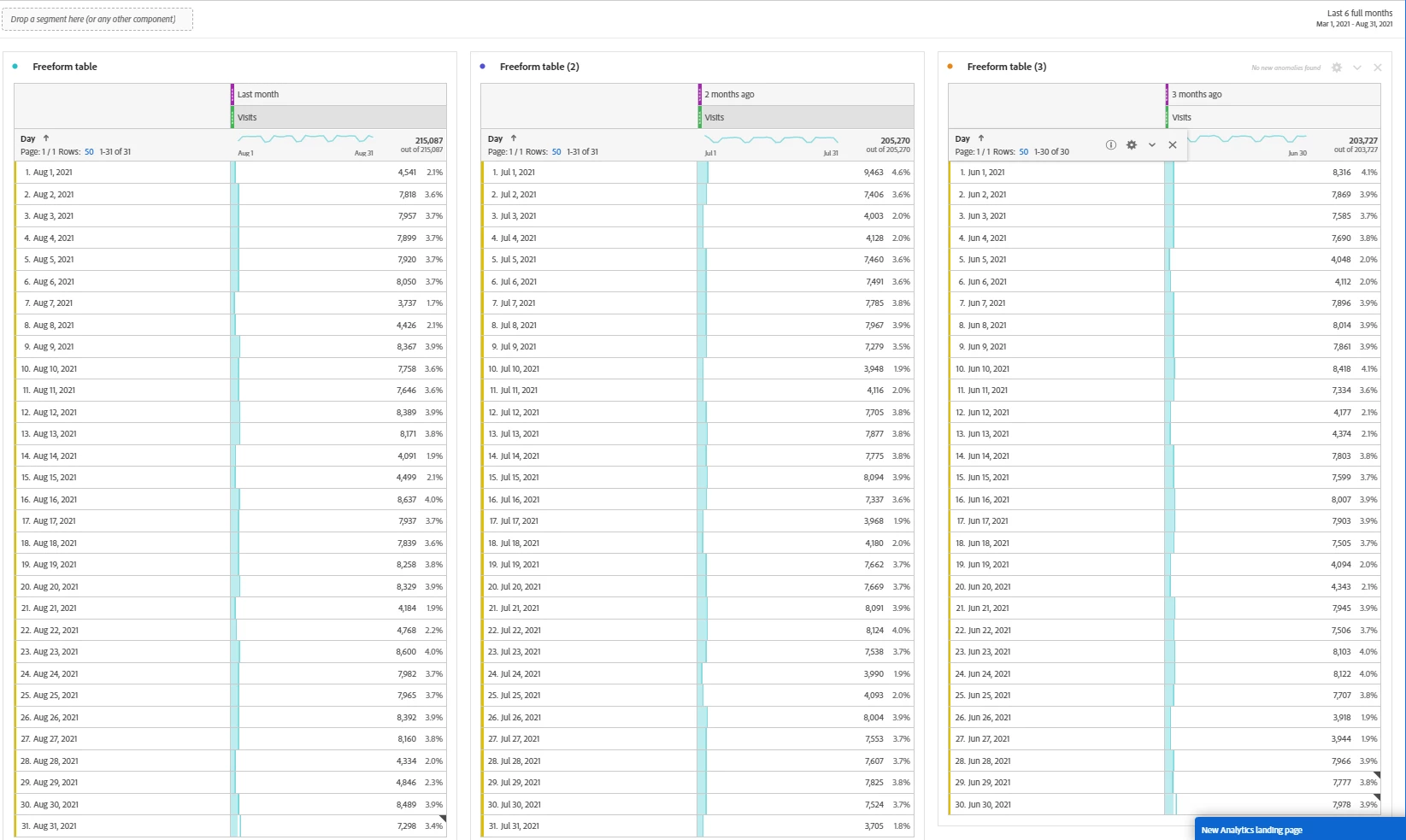


4. SHould be Identified as bug. 


2 replies

VaniBhemarasetty
Adobe Employee
Adobe Employee
September 6, 2021

@kittychang Rolling dates allow you to generate a dynamic report that looks forward or backward for a set period of time based on when you ran the report. For example, if you want to report on all Orders placed “Last Month” (based on the Created Date field) and ran that report in December, you’d see orders placed in November. If you ran that same report in January, you’d see orders placed in December.


Now can please elaborate more on the issue you are facing in this context ?

calvint58827894
September 6, 2021

@vanibhemarasetty Thanks for your response. However, in our case, we are using the rolling dates function to monitor daily visits & visit trend of our campaigns, which is the reason we are having Adobe Analytics schedule-send a daily visit report PDF to our colleagues. The issue here is that, even if we left space for 10 rows of data in a component/chart/campaign first day of launch, for example, we'll have to come back once in a while to manually expand each component because when there are 15 rows of data the component will not automatically expand itself to display the 11-15th rows but gives you a scrollbar. The 11-15th rows, nevertheless, will not be displayed in the daily visit report PDF as you can't use a scrollbar in a PDF.


Moreover, since our campaigns usually last around 3 months and at the end there will be at least 90 rows of data per component. We'll have to manually expand the components for multiple times during when the campaigns are up and running.

suneeshkachroo
suneeshkachrooAccepted solution
Level 4
September 6, 2021

This is because the FreeForm size stays the same as last saved project which is the layout that gets rendered while generating the scheduled output. 

The workaround would be 

1. Avoid table and have some visualization for the same table . 

2. Create FreeForm table sized more then number of line items you are estimating  like for 3months data by day should have atleast size of 90-93 line items  with the max number of Row 200-400. 

3. Or spilt the date range, with that you have have week by week or Monthly equaly split FreeForm table which will no screw up the PDF output . 


4. SHould be Identified as bug. 


Adobe Employee
September 6, 2021

@kittychangThanks for writing in. I have heard of this behavior earlier too. What happens when you try scheduling the report by selecting all 400 rows, by default?


September 7, 2021

@isinha We selected all 400 rows for all charts but the problem was still not solved. So I think the reason is, as @suneeshkachroo suggested above, "FreeForm size stays the same as last saved project which is the layout that gets rendered while generating the scheduled output."