
SAINT files upload Status in Adobe Analytics? | Community
Skip to main content
JyotiSharmaV
Community Advisor
Community Advisor
June 1, 2021
Solved

SAINT files upload Status in Adobe Analytics?

  • June 1, 2021
  • 1 reply
  • 1577 views

Hello! I have uploaded two saint files in the classification importer and after hitting the import file button. I got the same message for both of the files.
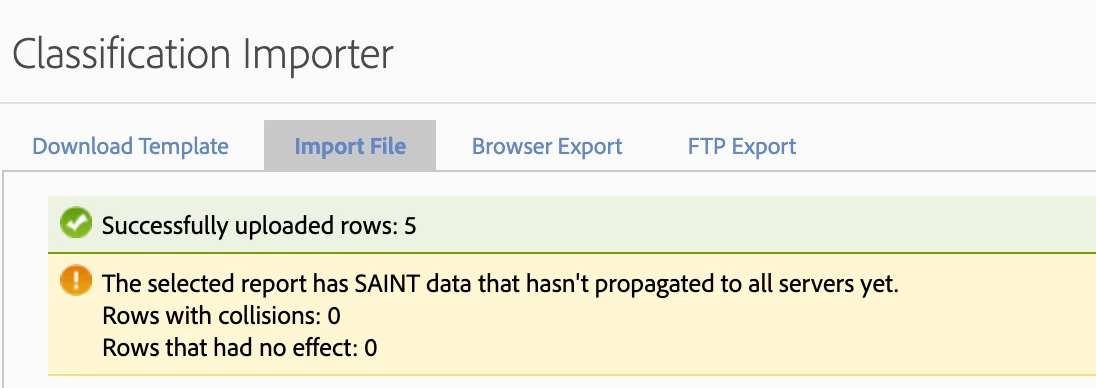
I have read it usually takes 72 hours to sync up and that time frame is already been completed. Is there is a way to check in adobe if those files are uploaded and propagated to all servers successfully?

This post is no longer active and is closed to new replies. Need help? Start a new post to ask your question.
Best answer by atulsingh17

Hi,

Looking at the notification, it seems to have uploaded the rows successfully for classification, so no issues there.

Usually it would take upto 72 hours for classification data to showup in reports and that would be the best way to validate the classification import data.
However, you can also try doing a browser export and check if you see 'uploaded' values in your browser export file, with that you would atleast have a confirmation that there wasn't any issue with upload of classification rows.


Thanks.

1 reply

atulsingh17
atulsingh17Accepted solution
Level 2
June 1, 2021

Hi,

Looking at the notification, it seems to have uploaded the rows successfully for classification, so no issues there.

Usually it would take upto 72 hours for classification data to showup in reports and that would be the best way to validate the classification import data.
However, you can also try doing a browser export and check if you see 'uploaded' values in your browser export file, with that you would atleast have a confirmation that there wasn't any issue with upload of classification rows.


Thanks.

JyotiSharmaV
Community Advisor
Community Advisor
June 1, 2021
@atulsingh17 Thanks for the response. I could see the values that I uploaded via Saint file through Browser Export downloaded file, which means I guess my classification file has been imported successfully.