Rolling Cohort Table | Adobe Higher Education
Skip to main content
Level 3
June 24, 2020
Beantwortet

Rolling Cohort Table

  • June 24, 2020
  • 3 Antworten
  • 2270 Ansichten

Hi All,Hope you are doing good.


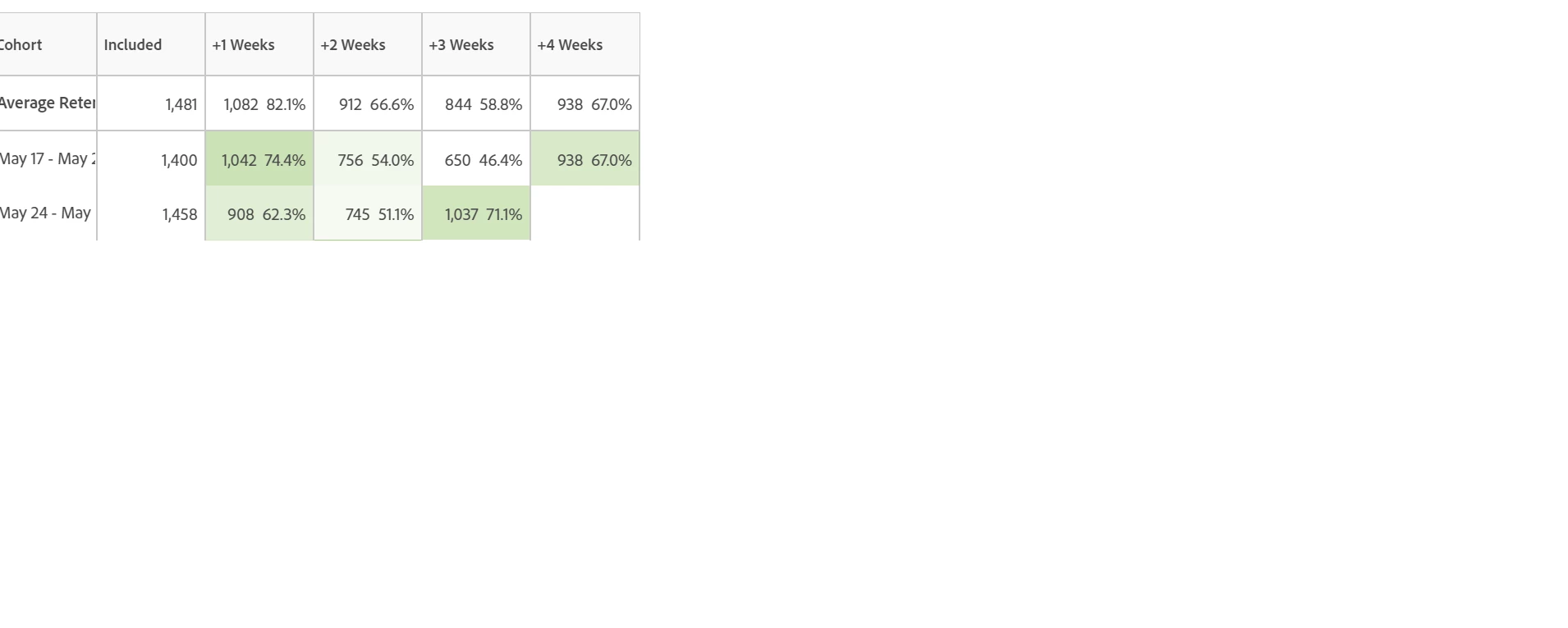
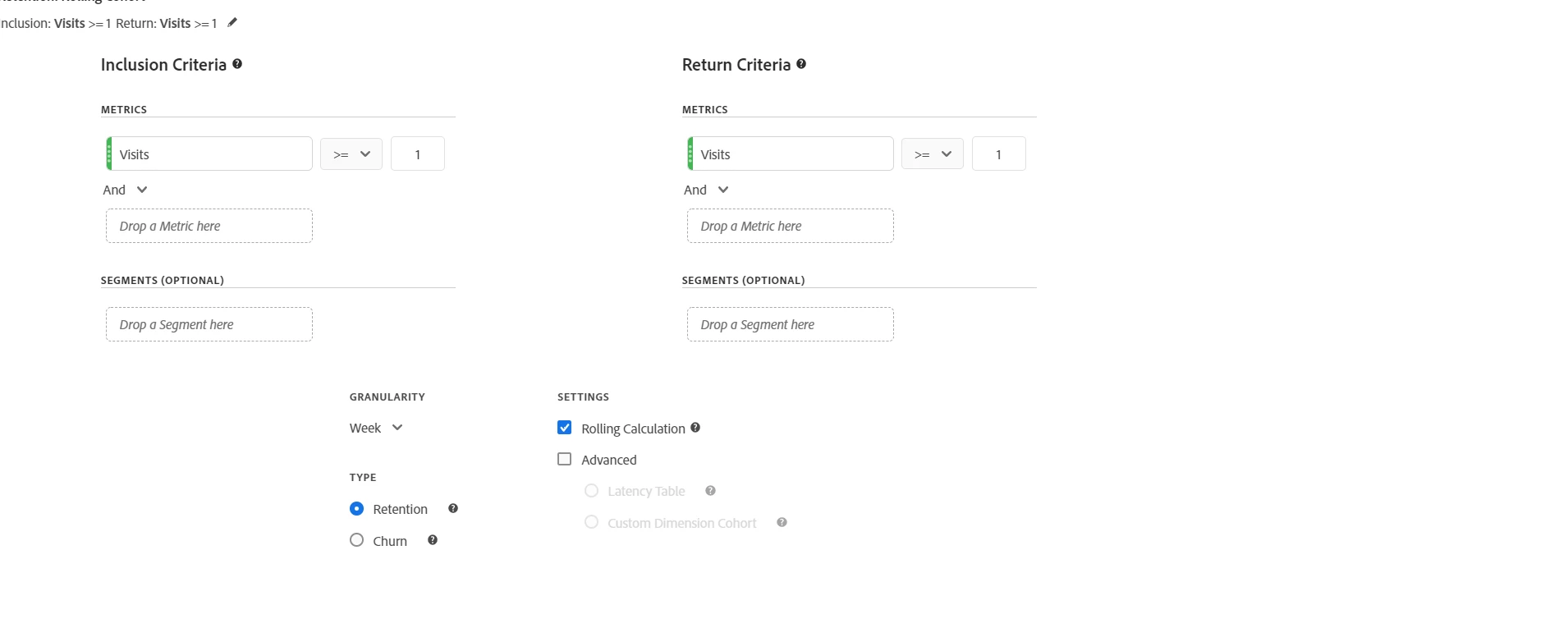
I have one doubt in rolling cohort table. It shows more data in +4 week column than in +3 week column. My inclusion criteria and return criteria are same which is visits>=1. Why it showing like this ? from my knowledge, In rolling cohort table shows data in each cell from the previous column. Here i am adding the screenshot here. Please help me to find why this is like this.
 

Dieses Thema wurde für Antworten geschlossen.
Beste Antwort von ForgotPassword4Times
Definitely looks like a bug. Someone in measure slack noticed the same as well. I would recommend submitting a bug with client care (or have a supported user in your org do it).

3 Antworten

Level 4
June 25, 2020
Would you be able to include a screenshot of your cohort table settings? If you are using both retention and rolling than this shouldn't be possible and would be best handled as a customer care ticket.
Level 3
June 25, 2020
@forgotpassword4times Thank u for your suggestion. i just added the screenshot of cohort table settings in questions. Kindly look into it.
Level 4
June 25, 2020
Definitely looks like a bug. Someone in measure slack noticed the same as well. I would recommend submitting a bug with client care (or have a supported user in your org do it).