To find out if the website uses Adobe solutions, there are a couple of things you can do:
1. Go to the website>>right click anywhere on the page>>inspect>>search for 'launch' and you should see an assets.adobedtm.com script which means there is a launch script on the website. Using this launch script, one can deploy adobe products like (adobe analytics, target, audience manager etc.) and 3rd party extensions like meta, google pixel etc. Please note that you will see the launch script only when the website is using Adobe Launch as a tag manager.
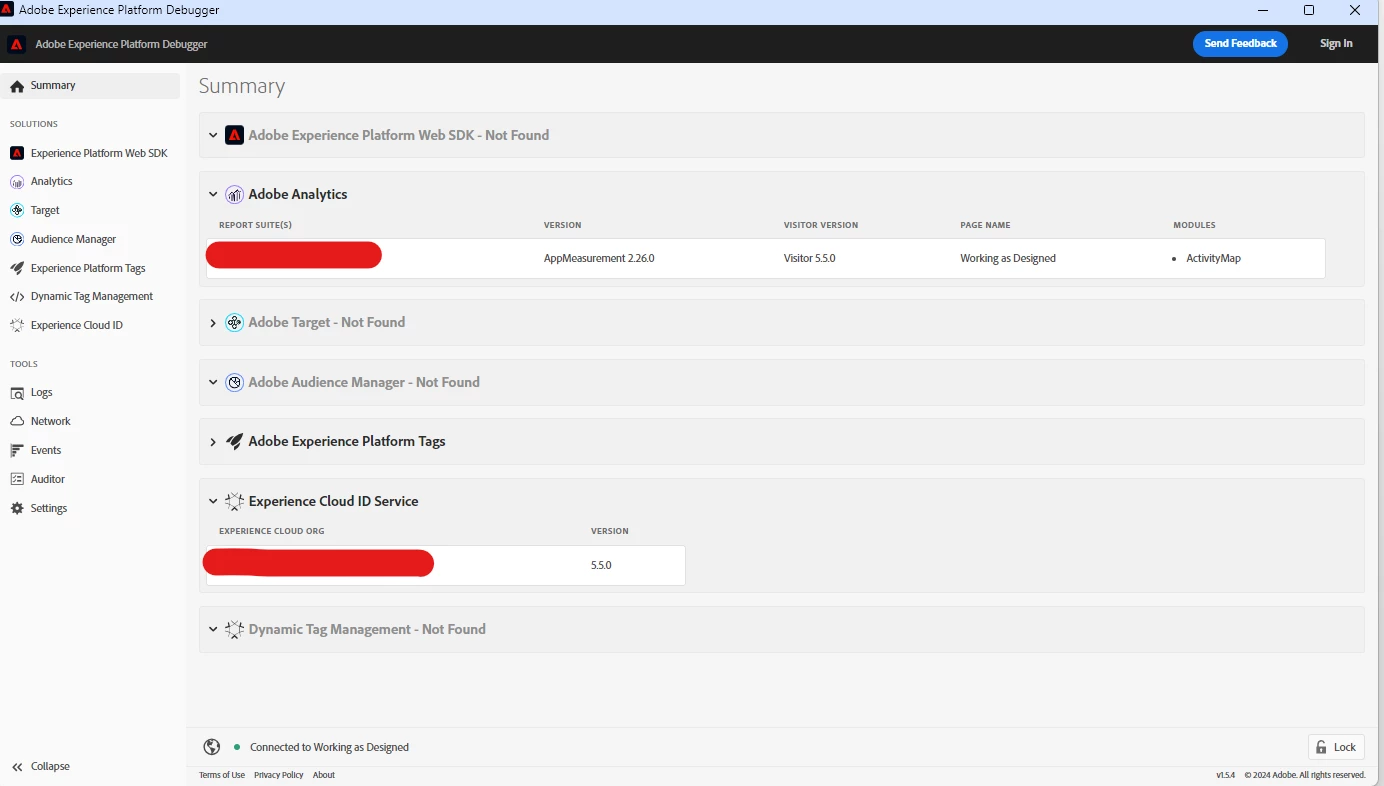
2. [The easiest way] Use the AEP debugger- go to the website>>load the debugger>>reload the page>>go to the debugger and if you see any Adobe solution-related data, the website is using it. Refer the screenshot below:
If you find any Adobe products being deployed via launch, to remove them you can simply remove the adobe launch script from the <head> tag of the page source code and that should be it. If any other tag manager is being used, you will have to remove that script from the page code.
Hope that helps.
Regards,
Rhythm