
Pre-optIn approvals not working | Adobe Higher Education
Skip to main content
RitendraS11
Level 4
May 14, 2023
解決済み

Pre-optIn approvals not working

  • May 14, 2023
  • 1 の返信
  • 844 ビュー

Hi Everyone,

I am implementing the Optin feature for one of the websites and from the requirements, I have to keep AA and Target as TRUE always.

I tried to implement it via a rule in Launch as - 

adobe.optIn.approve(adobe.OptInCategories.ANALYTICS, true); adobe.optIn.approve(adobe.OptInCategories.ECID, true); adobe.optIn.approve(adobe.OptInCategories.TARGET, true); adobe.optIn.complete();

Whenever I check on the website, I can see that sometimes the OptIn permissions get updated and sometimes not. No idea why this scenario is appearing!


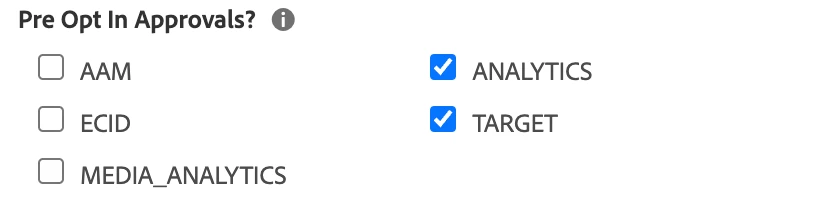
So, I tried configuring Pre-Opt In approvals instead of configuring it in Launch rule.

Now, whenever I access the website - I check for Adobe.OptIn.permissions and see AA as false, which should not be the case.

Is there anything that I am missing here?
このトピックへの返信は締め切られました。
ベストアンサー Hemang35

you can try using the adobe.optIn.approveAll() method to approve all categories:

adobe.optIn.approveAll();
adobe.optIn.complete();

1 の返信

Hemang35
Hemang35回答
Level 5
May 15, 2023

you can try using the adobe.optIn.approveAll() method to approve all categories:

adobe.optIn.approveAll();
adobe.optIn.complete();

RitendraS11
RitendraS11作成者
Level 4
June 17, 2023

Hi @hemang35 - As I have mentioned in the description, I have tried that and it doesn't seem to help. So, I was trying the option of Pre-Optin approval - which doesn't seem to fix the issue as well.

Issue being faced: ECID cookies are present ---> But, the s_fid cookie is getting created and MID is not taking precedence over FID(which should be the case) and tags are being sent with minimal parameters.